પરિચય
The ToughTested Commuter Power Cup is a versatile in-vehicle accessory designed to securely hold your smartphone while providing convenient charging options. It features an adjustable cupholder base for stable placement, a flexible gooseneck arm for optimal positioning, and integrated USB ports and a DC power socket for powering multiple devices. This manual provides detailed instructions for the proper setup, operation, and maintenance of your Commuter Power Cup.

Image: The ToughTested Commuter Power Cup, showing the phone holder, gooseneck arm, cupholder base, and power cord with USB ports.
સલામતી માહિતી
- Ensure the device is securely installed in your vehicle's cupholder before driving. A loose mount can become a projectile during sudden stops or collisions.
- તમારામાં અવરોધ ન કરો view of the road, airbags, or vehicle controls when positioning the phone holder.
- Avoid making adjustments to the mount or your phone while the vehicle is in motion. Pull over to a safe location if adjustments are necessary.
- Do not expose the device to extreme temperatures, direct sunlight for prolonged periods, or moisture.
- Use only the provided power cord and ensure it is properly connected to a 12V/24V DC power socket in your vehicle.
- ઉત્પાદનને બાળકોની પહોંચથી દૂર રાખો.
પેકેજ સામગ્રી
ખાતરી કરો કે બધા ઘટકો પેકેજમાં હાજર છે:
- ToughTested Commuter Power Cup (Cupholder Base with integrated USB/DC ports and Gooseneck Arm)
- Adjustable Phone Holder (Claw Grip)
- Integrated 12V/24V DC Power Cord
સેટઅપ સૂચનાઓ
- Prepare the Cupholder Base:
Locate an available cupholder in your vehicle. The Commuter Power Cup's base is designed to expand for a secure fit. Twist the bottom section of the cupholder base clockwise to expand its diameter until it fits snugly into your vehicle's cupholder. Twist counter-clockwise to retract for removal.

Image: Step-by-step visual guide for installing the expandable cupholder base into a vehicle's cupholder, showing the twisting motion for expansion.
- Attach the Gooseneck Arm and Phone Holder:
Insert the end of the 9-inch gooseneck arm into the designated slot on the cupholder base. Ensure it is firmly seated. Then, attach the phone holder (claw grip) to the ball joint at the end of the gooseneck arm. Tighten the collar around the ball joint to secure the phone holder in your desired orientation.

Image: The fully assembled Commuter Power Cup installed in a vehicle's center console, demonstrating its position relative to the dashboard and gear shift.
- પાવર કનેક્ટ કરો:
Plug the integrated 12V/24V DC power cord into your vehicle's cigarette lighter socket. A small indicator light on the power cup base will illuminate, confirming power is supplied to the USB ports and DC socket.

છબી: ક્લોઝ-અપ view of the Commuter Power Cup's base, highlighting the two USB-A ports and the 12/24V DC power socket.
ઓપરેટિંગ સૂચનાઓ
- Inserting Your Phone:
Gently pull apart the spring-loaded arms of the phone holder's claw grip. Place your smartphone into the grip, ensuring it is centered and held securely by all four corners. The grip is designed to accommodate various phone sizes, including those with protective cases.

Image: A smartphone being inserted into the expandable and secure phone holder, demonstrating its ability to fit devices up to 7.25 inches.
- Adjusting Phone Position:
The 9-inch gooseneck arm is flexible, allowing you to bend and position your phone at the optimal viewing angle. The phone holder also features a 360-degree rotation, enabling you to switch between portrait and landscape modes. Loosen the collar behind the phone holder to adjust the angle, then tighten to secure.

Image: Diagrams illustrating the 180-degree and 360-degree adjustability of the phone mount, along with an in-car view showing a phone positioned for navigation.
- તમારો ફોન દૂર કરી રહ્યા છીએ:
To quickly remove your phone, press the release button located on the side or back of the phone holder (depending on the specific model). The arms will retract, allowing you to safely retrieve your device.
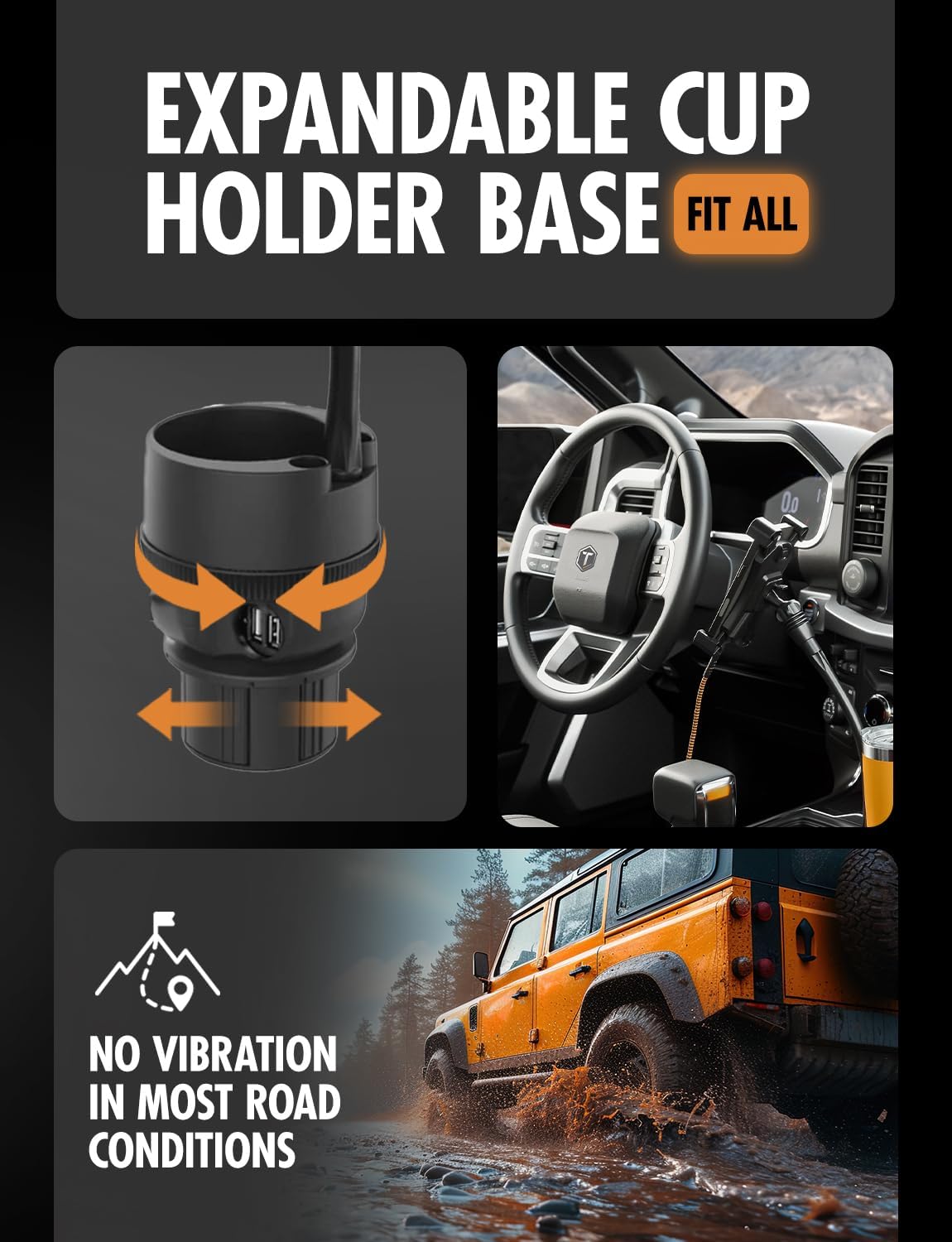
Image: A hand pressing a button on the phone holder to release a smartphone, demonstrating the quick one-button removal feature.
- Using the Power Ports:
The Commuter Power Cup is equipped with two USB-A ports and one 12V/24V DC power socket. Connect your device's charging cable to the appropriate port to begin charging. Ensure your device is compatible with the output voltage of the USB ports (typically 5V) or the DC socket.
જાળવણી
- સફાઈ: Use a soft, dry cloth to wipe down the surface of the Commuter Power Cup. For stubborn dirt, a slightly damp cloth can be used, but ensure the device is completely dry before reconnecting power. Do not use abrasive cleaners or solvents.
- સંગ્રહ: If storing the device for an extended period, disconnect it from the vehicle's power socket and store it in a cool, dry place away from direct sunlight.
- કેબલ કેર: Avoid sharp bends or kinks in the power cord. Do not pull the cord to disconnect it from the power socket; always grasp the plug itself.
મુશ્કેલીનિવારણ
| સમસ્યા | સંભવિત કારણ | ઉકેલ |
|---|---|---|
| No power to USB ports or DC socket. |
|
|
| Phone not held securely in the grip. |
|
|
| Mount feels loose in the cupholder. |
|
|
વિશિષ્ટતાઓ
| લક્ષણ | વિગત |
|---|---|
| મોડલ નંબર | TT-4S-PC |
| બ્રાન્ડ | ટફ ટેસ્ટેડ |
| માઉન્ટિંગ પ્રકાર | કપ ધારક માઉન્ટ |
| Gooseneck Arm Length | 9 ઇંચ |
| પાવર ઇનપુટ | 12V/24V DC (via vehicle cigarette lighter socket) |
| યુએસબી પોર્ટ્સ | ૪ x USB-A પોર્ટ |
| ડીસી પાવર સોકેટ | 1 x 12V/24V DC socket |
| સુસંગત ઉપકરણો | All smartphones (fits phones up to 7.25 inches) |
| વસ્તુનું વજન | 1.28 પાઉન્ડ |
| પેકેજ પરિમાણો | 11.85 x 6.54 x 4.57 ઇંચ |
વોરંટી અને આધાર
ToughTested products are designed for durability and performance. This product may be covered by a manufacturer's warranty. For specific warranty details, including duration and coverage, please refer to the warranty information included with your product packaging or visit the official ToughTested webસાઇટ
For technical support, troubleshooting assistance, or warranty claims, please contact ToughTested customer service directly. Contact information can typically be found on the product packaging or the official ToughTested webસાઇટ
સત્તાવાર ઉત્પાદન વિડિઓઝ
No official product videos from the seller were found to be relevant or useful for this instruction manual.


