1. પરિચય
Thank you for choosing the MEEDEN Airbrush Compressor Kit, Model ABC-7001-US. This kit is designed for various airbrushing applications, including model painting, cake decoration, body art, and other creative projects. This manual provides essential information for the safe and effective use, setup, operation, and maintenance of your airbrush compressor.
2. ઉત્પાદન ઓવરview અને ઘટકો
The MEEDEN Airbrush Compressor Kit is a 1/5 HP powerful and quiet air compressor featuring an oil-free piston design for low maintenance. It includes essential accessories to get you started with your airbrushing projects.
મુખ્ય ઘટકો:
- એર કમ્પ્રેસર: 1/5 HP, 150W dynamic power, 23L/min air flow, 47 Decibels noise level.
- એર હોસ: 1/8'' x 6 feet soft air hose.
- Airbrush Holders: Integrated holders for convenient airbrush storage.
- External Visual Barometer: For monitoring air pressure.
- એર ફિલ્ટર: Includes a moisture air filter.
- Electronic Self-Stop Function: For extended compressor life.
- થર્મલ ઓવરલોડ પ્રોટેક્શન: Automatically turns off if the motor overheats.

છબી 2.1: ઉપરview of the MEEDEN Airbrush Compressor with key components labeled. This image highlights the airbrush holder, oil-water separator, air pressure gauge, air hose, and air filter, providing a visual guide to the main parts of the unit.

છબી 2.2: The MEEDEN Airbrush Compressor with an airbrush connected, viewed from a slightly different angle. This image provides a clearer view of the compressor unit and its connection points.
3. સેટઅપ સૂચનાઓ
Follow these steps to set up your MEEDEN Airbrush Compressor Kit:
- અનપૅક ઘટકો: Carefully remove all items from the packaging. Ensure all components listed in Section 2 are present.
- એર હોસ કનેક્ટ કરો: Securely connect the 6-foot air hose to the air outlet on the compressor. Ensure a tight fit to prevent air leaks.
- Install Airbrush Holders: Attach the two airbrush holders to the designated slots on the compressor unit. These provide convenient storage for your airbrushes when not in use.
- Connect Airbrush: Attach your airbrush to the other end of the air hose. The joint is compatible with 1/8" diameter spray guns.
- Position Compressor: Place the compressor on a stable, level surface. The rubber feet will help prevent slipping and protect the working surface.
- પાવર કનેક્શન: પાવર કોર્ડને પ્રમાણભૂત 110V ઇલેક્ટ્રિકલ આઉટલેટમાં પ્લગ કરો.
વિડિઓ 3.1: This video demonstrates the initial setup of the MEEDEN Airbrush Compressor Kit, including connecting the air hose, installing airbrush holders, and attaching an airbrush. It provides a visual guide to ensure correct assembly.
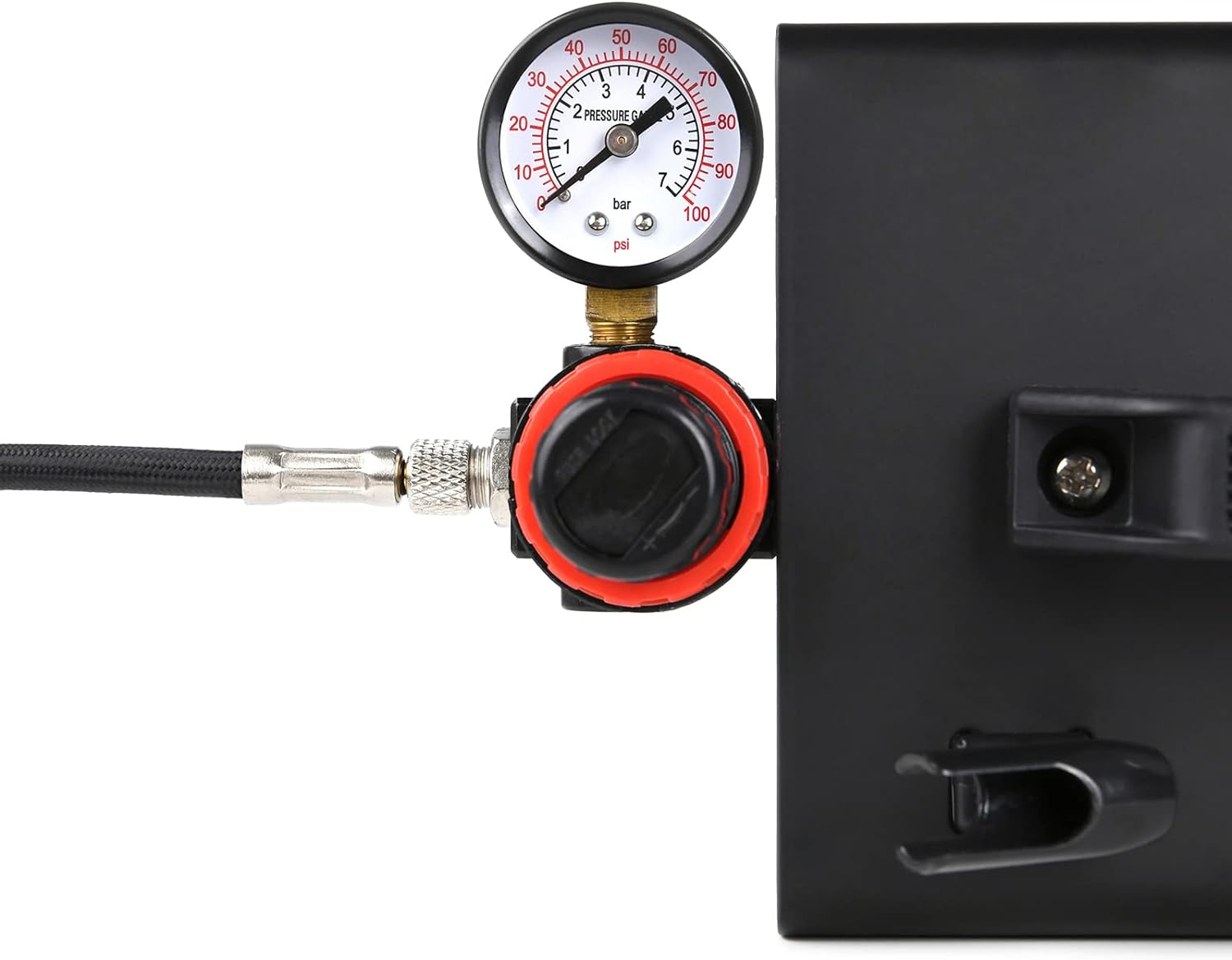
છબી 3.1: એક ક્લોઝ-અપ view of the air pressure gauge and regulator on the compressor. This component allows for precise control over the air pressure during operation.
4. ઓપરેટિંગ સૂચનાઓ
Once the compressor is set up, follow these steps for operation:
- પાવર ચાલુ: Flip the power switch to the 'ON' position. The compressor will start and build pressure.
- હવાનું દબાણ સમાયોજિત કરો: Use the regulator knob next to the pressure gauge to set the desired air pressure (0-4 BAR / 0-57 PSI). Turn clockwise to increase pressure and counter-clockwise to decrease.
- Prepare Airbrush: Fill your airbrush cup with the desired paint or medium. Ensure the paint is properly thinned for airbrushing.
- Begin Airbrushing: Hold the airbrush approximately 6-8 inches from your working surface. Press down on the trigger for air, then pull back for paint flow. Practice on scrap material to get a feel for the spray pattern and pressure.
- Electronic Self-Stop: The compressor features an electronic self-stop function. It will automatically turn off when the desired pressure is reached and restart when pressure drops, conserving energy and extending motor life.
- પાવર બંધ: When finished, turn off the compressor using the power switch and disconnect it from the power source.
એપ્લિકેશન્સ:
This airbrush compressor is suitable for a wide range of applications:
- મોડેલ પેઇન્ટિંગ
- Canvas Painting
- T-shirt DIY
- Shoe Customization
- Food Decoration (e.g., cakes)
- Makeup and Body Art
- નેઇલ આર્ટ
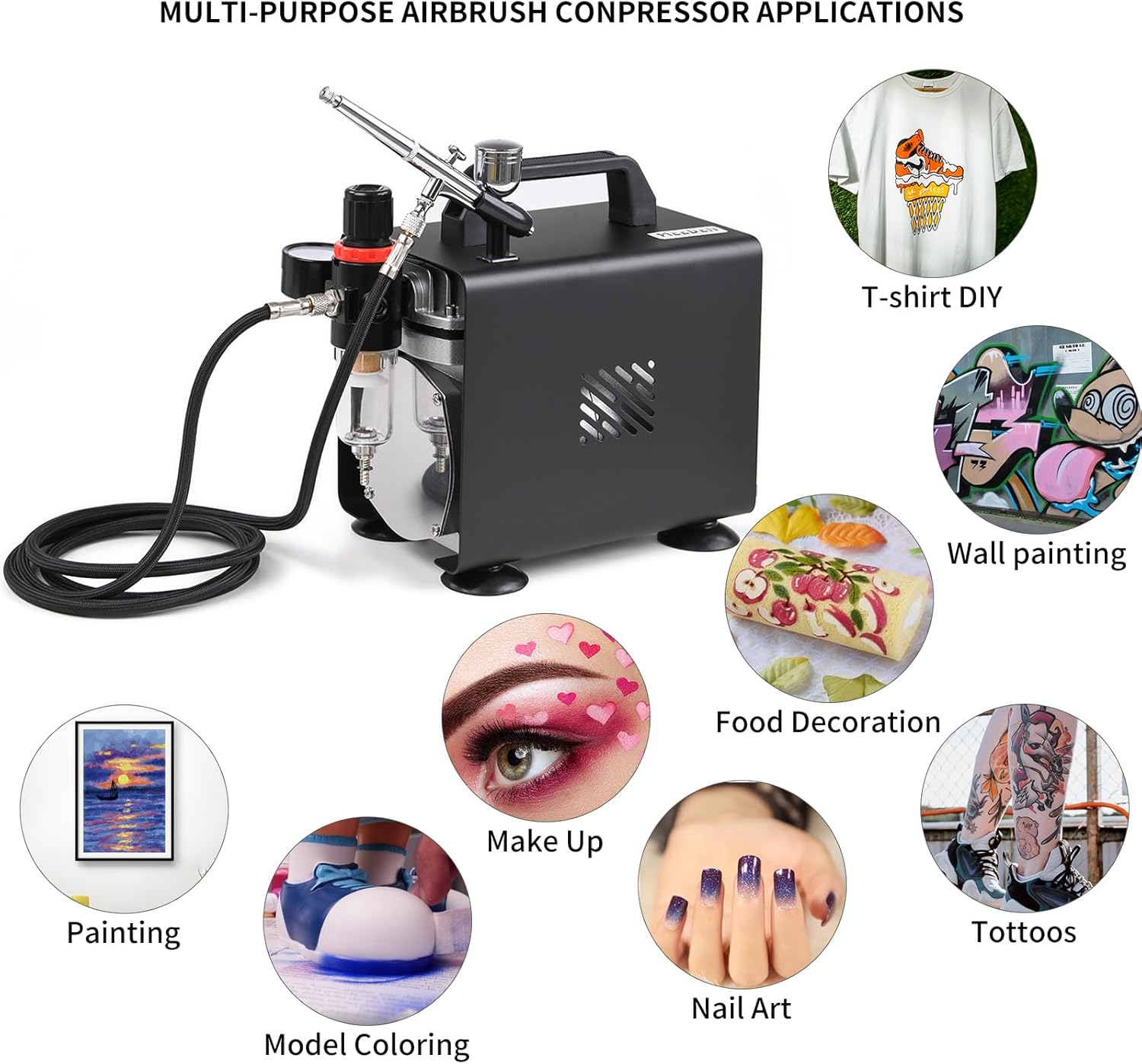
છબી 4.1: વિઝ્યુઅલ એક્સamples of the diverse applications possible with the MEEDEN Airbrush Compressor Kit, showcasing its versatility for various artistic and hobby projects.
5. જાળવણી
Proper maintenance ensures the longevity and optimal performance of your airbrush compressor kit.
- Airbrush Cleaning: After each use, thoroughly clean your airbrush. Disassemble the airbrush components and clean them with appropriate cleaning solutions. A cleaning pot (if included in your specific kit) can be used to flush out residual paint.
- એર ફિલ્ટર: Regularly check the moisture trap/air filter for accumulated moisture. Drain any collected water by opening the valve at the bottom of the filter. Replace the filter element if it becomes clogged or discolored.
- Compressor Exterior: જાહેરાત વડે કોમ્પ્રેસરના બાહ્ય ભાગને સાફ કરોamp cloth to remove dust and paint residue. Do not use harsh chemicals.
- Oil-Free Design: The compressor is designed to be oil-free, requiring no lubrication. Do not attempt to add oil to the compressor.
- સંગ્રહ: Store the compressor in a clean, dry, and dust-free environment when not in use.

છબી 5.1: પાછળ અને બાજુ views of the MEEDEN Airbrush Compressor, illustrating the motor's cooling fan and the air filter assembly, both crucial for maintenance.
6. મુશ્કેલીનિવારણ
If you encounter issues with your airbrush compressor, refer to the following common troubleshooting tips:
| સમસ્યા | સંભવિત કારણ | ઉકેલ |
|---|---|---|
| કોમ્પ્રેસર ચાલુ થતું નથી | Power cord not plugged in; Power switch off; Electrical outlet fault. | Check power connection; Ensure switch is ON; Test outlet with another device. |
| કોઈ એર આઉટપુટ નથી | Air hose disconnected; Airbrush clogged; Regulator set to zero. | Check hose connections; Clean airbrush; Adjust pressure regulator. |
| Inconsistent air pressure | Air leaks in connections; Moisture in air filter; Faulty regulator. | Tighten all connections; Drain moisture from filter; Contact support if regulator is faulty. |
| Compressor overheats and shuts off | લાંબા સમય સુધી સતત ઉપયોગ; અવરોધિત વેન્ટિલેશન. | Allow compressor to cool down; Ensure adequate ventilation around the unit. |
| Paint not spraying | Airbrush nozzle clogged; Paint too thick; Needle bent. | Clean nozzle thoroughly; Thin paint appropriately; Inspect and replace needle if damaged. |
7. સ્પષ્ટીકરણો
Detailed technical specifications for the MEEDEN Airbrush Compressor Kit (Model ABC-7001-US):
| લક્ષણ | સ્પષ્ટીકરણ |
|---|---|
| બ્રાન્ડ | મીડન |
| મોડેલનું નામ | Airbrush Compressor Kit (ABC-7001-US) |
| ભાગtage | 110 વોલ્ટ |
| પાવર સ્ત્રોત | કોર્ડેડ ઇલેક્ટ્રિક |
| મહત્તમ શક્તિ | 150 વોટ્સ |
| મોટર હોર્સપાવર | 0.2 Horsepower (1/5 HP) |
| હવા પ્રવાહ ક્ષમતા | 23 લિટર પ્રતિ મિનિટ |
| મહત્તમ ઓપરેટિંગ દબાણ | ૧૧ બાર (૧૬૦ PSI) |
| અવાજ સ્તર | ૩૦ ડેસિબલ્સ |
| નળી લંબાઈ | 6 ફીટ |
| સુસંગત નળી વ્યાસ | 0.13 Inches (1/8'') |
| ખાસ લક્ષણ | Single piston airbrush compressor with hose, oil-free, electronic self-stop, thermal overload protection |
| સમાવાયેલ ઘટકો | 1/8''x 6 ft air hose, external visual barometer, spray gun holder |
| વસ્તુનું વજન | 9.57 પાઉન્ડ |
| પેકેજ પરિમાણો | 10.43 x 9.65 x 5.98 ઇંચ |

છબી 7.1: A visual summary of the MEEDEN Airbrush Compressor's key specifications, including model number, voltage, power, and noise level.

છબી 7.2: This image highlights the professional features of the 1/5 HP single piston compressor, such as low noise, airflow, pressure range, auto-stop, and thermal protection.

છબી 7.3: Illustration of the compressor's thermal overload protection feature, which automatically shuts down the unit if the motor overheats, ensuring safety and product longevity.

છબી 7.4: This image showcases the user-friendly design elements of the compressor, specifically the portable handle for easy transport and the anti-slip rubber feet for stability and surface protection.
8. વોરંટી અને સપોર્ટ
MEEDEN is committed to providing high-quality art supplies and ensuring customer satisfaction. If you encounter any issues or have questions regarding your Airbrush Compressor Kit, please do not hesitate to contact us. Our dedicated support team is ready to assist you.
For assistance, please reach out via mail, phone, or message through our official channels. We stand by our products and are here to help you succeed in your artistic endeavors.


