1. પરિચય
This manual provides instructions for the safe and effective use of your GT POWER AC/DC Power Adapter, Model 109. This adapter is designed to provide power to compatible TP-Link Mesh Wi-Fi 7 Systems, specifically Deco BE63, BE10000, and BE11000 models. Please read this manual thoroughly before use and retain it for future reference.
2. સલામતી માહિતી
WARNING: To reduce the risk of fire or electric shock, carefully follow these instructions.
- Ensure the adapter's voltage and current ratings match the requirements of your device.
- Do not expose the adapter to rain or moisture.
- Do not open the adapter casing. અંદર કોઈ વપરાશકર્તા-સેવાયોગ્ય ભાગો નથી.
- Keep the adapter away from excessive heat sources.
- Always unplug the adapter from the power outlet before cleaning or if it will be unused for an extended period.
- જો કોર્ડ અથવા પ્લગને નુકસાન થયું હોય તો એડેપ્ટરનો ઉપયોગ કરશો નહીં.
- This adapter is designed for indoor use only.
- The adapter features Over Voltage Protection (OVP), Over Current Protection (OCP), and Short Circuit Protection (SCP) for enhanced safety.
3. ઉત્પાદન ઓવરview
The GT POWER AC Adapter (Model 109) is a compact power supply unit designed for specific TP-Link Deco Mesh Wi-Fi systems. It converts AC wall power to the DC power required by your device.

આકૃતિ 1: આગળ view of the GT POWER AC Adapter. The label indicates input voltage (AC100-240V) and output (DC12V 3A).
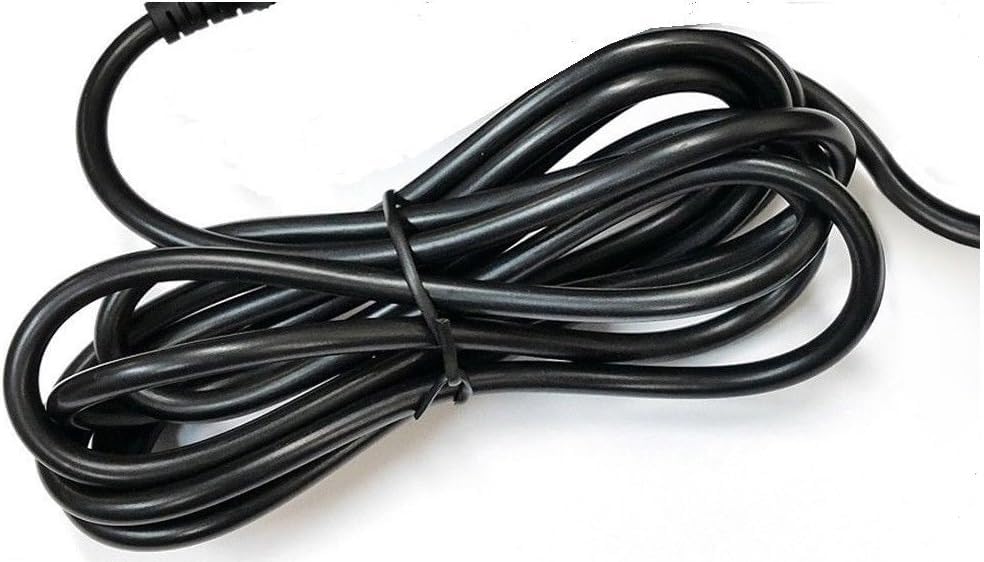
આકૃતિ 2: બાજુ view of the adapter, highlighting the barrel connector that plugs into your device.
4. સેટઅપ
Follow these steps to connect your GT POWER AC Adapter to your TP-Link Deco Mesh Wi-Fi System:
- Ensure your TP-Link Deco device is powered off.
- Locate the power input port on your TP-Link Deco device. This is typically a circular port.
- Insert the barrel connector of the GT POWER AC Adapter firmly into the power input port of your Deco device.
- AC એડેપ્ટરને પ્રમાણભૂત 110V AC વોલ આઉટલેટમાં પ્લગ કરો.
- Power on your TP-Link Deco device.
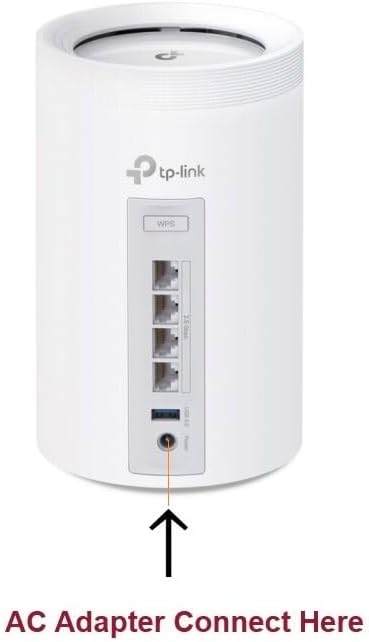
આકૃતિ 3: Example of connecting the AC adapter to a compatible TP-Link Deco device. The arrow indicates the power input port.
5. ઓપરેટિંગ સૂચનાઓ
Once properly connected and plugged into a power outlet, the GT POWER AC Adapter will continuously supply power to your TP-Link Deco device. No further user interaction is required for operation.
- Ensure the adapter is always plugged into a functional power outlet.
- Avoid disconnecting the adapter during critical operations of your Deco device.
6. જાળવણી
The GT POWER AC Adapter requires minimal maintenance:
- Keep the adapter clean and free from dust. Use a dry, soft cloth for cleaning.
- પ્રવાહી ક્લીનર્સ અથવા એરોસોલ્સનો ઉપયોગ કરશો નહીં.
- Regularly inspect the power cord and connector for any signs of damage. If damage is observed, discontinue use immediately.
- Store the adapter in a cool, dry place when not in use.
7. મુશ્કેલીનિવારણ
If your TP-Link Deco device is not receiving power, consider the following:
- કોઈ શક્તિ નથી:
- Verify the adapter is securely plugged into both the wall outlet and the Deco device.
- વોલ આઉટલેટ કાર્યરત છે તેની ખાતરી કરવા માટે તેને બીજા ઉપકરણ સાથે ચકાસો.
- Inspect the adapter's cable and connector for any visible damage.
- તૂટક તૂટક શક્તિ:
- ખાતરી કરો કે બધા જોડાણો ચુસ્ત છે.
- Avoid bending or stressing the power cord.
જો સમસ્યાઓ ચાલુ રહે, તો ગ્રાહક સપોર્ટનો સંપર્ક કરો.
8. સ્પષ્ટીકરણો
| લક્ષણ | વિગત |
|---|---|
| બ્રાન્ડ | જીટી પાવર |
| મોડલ નંબર | 109 |
| ઇનપુટ વોલ્યુમtage | AC 100-240V |
| આઉટપુટ વોલ્યુમtagઇ/વર્તમાન | ડીસી 12V / 3A |
| પ્લગ ફોર્મેટ | Type A (US Standard) |
| સંરક્ષણ સુવિધાઓ | OVP (ઓવર વોલ્યુમtage પ્રોટેક્શન), OCP (ઓવર કરંટ પ્રોટેક્શન), SCP (શોર્ટ સર્કિટ પ્રોટેક્શન) |
| યુપીસી | 781834735527 |
9. વોરંટી અને સપોર્ટ
આ GT POWER AC એડેપ્ટર સાથે આવે છે એક વર્ષની વોરંટીવધુમાં, એક 30-દિવસ પૈસા પાછા ગેરંટી આપવામાં આવે છે.
For technical support or warranty claims, please contact the seller, GTXPower, through the platform where the product was purchased.


