1. પરિચય
The NOUS E8 is an intelligent photoelectric smoke detector designed to provide early warning of fire hazards in your home or office. Utilizing advanced photoelectric sensing technology, it quickly detects smoke, ensuring a rapid response in case of fire. This device integrates seamlessly into your smart home system via Zigbee 3.0 protocol, offering reliable communication and remote monitoring capabilities. With its powerful 85dB alarm and long-lasting battery, the NOUS E8 is a crucial component for enhancing your property's safety.

Figure 1: NOUS E8 Zigbee Smart Smoke Detector and its packaging.
2. પેકેજ સામગ્રી
ઇન્સ્ટોલેશન પહેલાં, કૃપા કરીને ચકાસો કે બધા ઘટકો હાજર છે:
- NOUS E8 Zigbee Smart Smoke Detector
- 1 x CR123A 3V Battery (pre-installed or included separately)
- Mounting accessories (screws, wall anchors, or adhesive pad)
- વપરાશકર્તા માર્ગદર્શિકા (આ દસ્તાવેજ)
3. સેટઅપ અને ઇન્સ્ટોલેશન
3.1 બેટરી ઇન્સ્ટોલેશન
The NOUS E8 smoke detector is powered by a CR123A 3V battery. This battery is typically pre-installed or included in the package. If not pre-installed, open the battery compartment on the back of the device and insert the CR123A battery, ensuring correct polarity (+/-). Close the compartment securely.
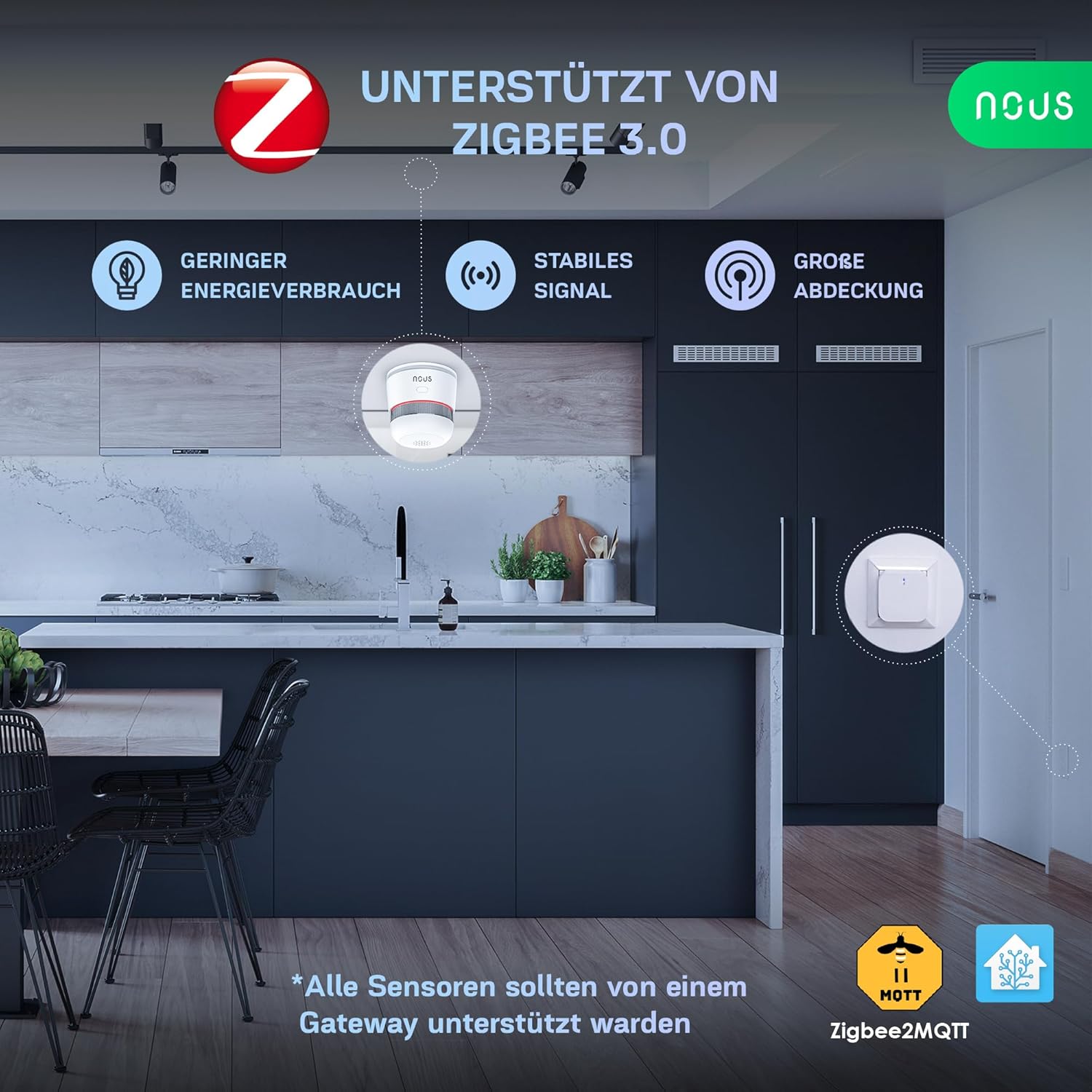
Figure 2: The NOUS E8 detector highlighting its 3-year battery life and showing the included 3M adhesive pad and screws for mounting.
.3.2.૧ માઉન્ટ કરવાનું સ્થાન
For optimal performance, install the smoke detector in central locations on the ceiling, away from corners, vents, and direct sunlight. It is recommended to install at least one detector on each floor, especially in hallways leading to bedrooms and living areas. Avoid installing in kitchens, bathrooms, or garages where steam, cooking fumes, or exhaust can cause false alarms.
The NOUS E8 can cover an area of 20 to 40 square meters without obstacles or walls.

Figure 3: The NOUS E8 detector's effective coverage area.
૪.૧ ડિટેક્ટર માઉન્ટ કરવું
The NOUS E8 offers flexible mounting options:
- એડહેસિવ માઉન્ટિંગ: Clean the ceiling surface thoroughly. Peel off the protective film from the adhesive pad (if included) and firmly press the detector onto the desired location for at least 30 seconds.
- સ્ક્રુ માઉન્ટિંગ: Use the provided screws and wall anchors. Mark the drilling points on the ceiling, drill holes, insert the anchors, and then screw the mounting bracket (if separate) or the detector directly into place.

Figure 4: Easy installation options using adhesive or screws.
3.4 Zigbee Pairing
The NOUS E8 operates on the Zigbee 3.0 protocol and requires a Zigbee gateway (hub) for smart home integration. Ensure your Zigbee gateway is powered on and in pairing mode.
- Prepare your Wi-Fi network: Ensure your Wi-Fi is available and stable.
- Install the NOUS Smart App: Download and install the NOUS Smart application on your smartphone. All smart Zigbee devices must be supported by the gateway.
- જોડી બનાવવાની શરૂઆત કરો: Follow the instructions in your NOUS Smart App to add a new device. The app will guide you through the process of finding and connecting the NOUS E8. Typically, this involves pressing a button on the smoke detector to put it into pairing mode.
- કનેક્શનની પુષ્ટિ કરો: Once successfully paired, the device status will be visible in the app, and the detector may emit a confirmation sound or light signal.

Figure 5: Step-by-step guide for app-based setup.
4. ઉપકરણનું સંચાલન
4.1 Smoke Detection and Alarm
The NOUS E8 continuously monitors for smoke. Upon detection, it will emit a loud 85dB alarm sound at 3 meters to alert occupants. Simultaneously, if connected to your Zigbee gateway, you will receive instant notifications on your smartphone via the NOUS Smart App.
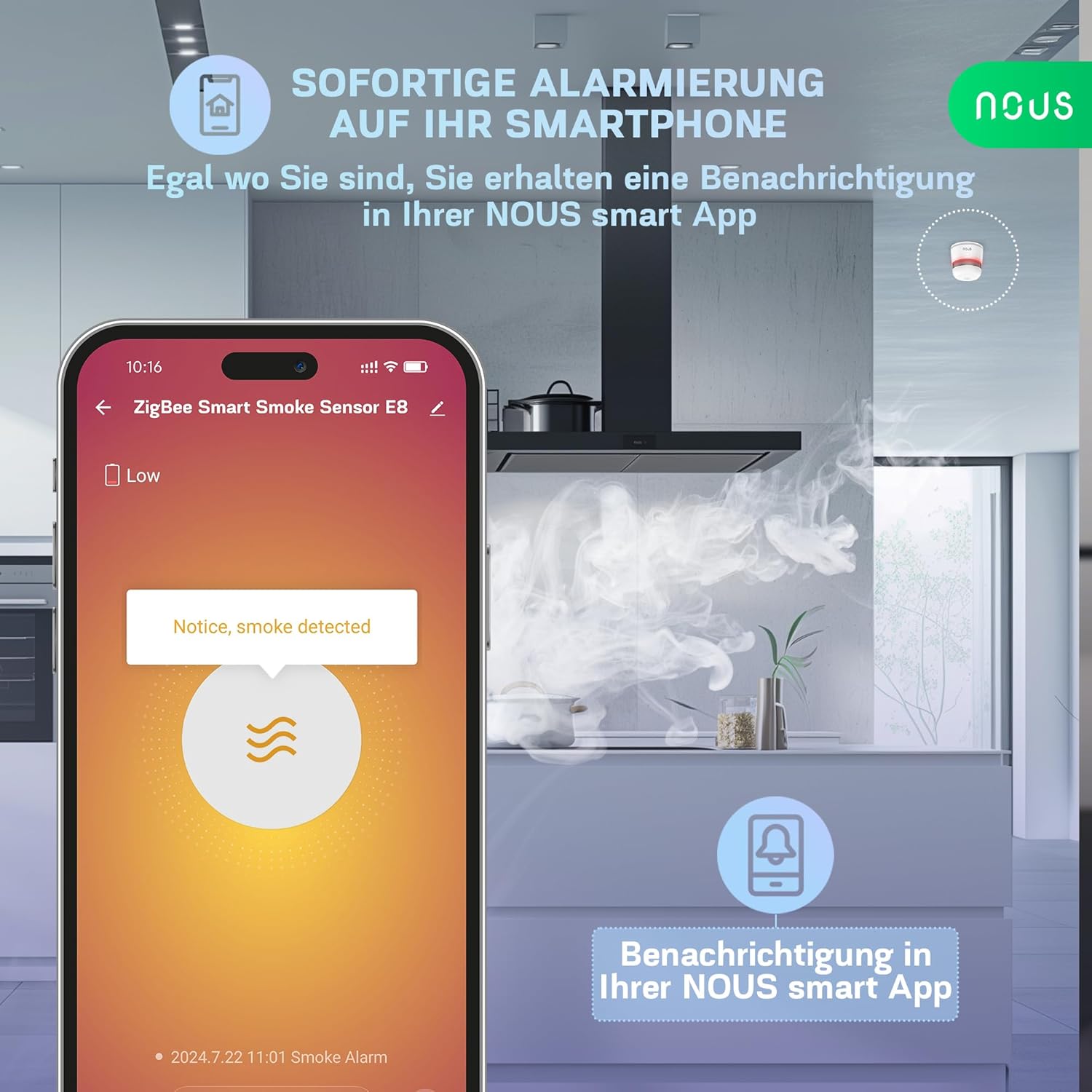
Figure 6: Instant notification on your smartphone when smoke is detected.
૫.૧ એલાર્મનું પરીક્ષણ કરવું
It is crucial to test your smoke detector regularly, at least once a month, to ensure it is functioning correctly. To test the NOUS E8, press and hold the test button located on the device. The alarm should sound loudly. Release the button to stop the alarm.
4.3 Smart Home Integration and Scenarios
Through the Zigbee gateway and NOUS Smart App, you can monitor the device's status in real-time and create custom automation scenarios. For example, you can configure the system to automatically disconnect power to certain appliances or trigger other smart devices when smoke is detected.

આકૃતિ 7: ઉદાample of creating custom scenarios in the app.
5. જાળવણી
5.1 બેટરી રિપ્લેસમેન્ટ
The NOUS E8 is equipped with a replaceable CR123A 3V battery designed for up to 5 years of life. When the battery level is low, the device will typically indicate this with a chirp or a flashing LED, and you will receive a notification in the NOUS Smart App. Replace the battery promptly to ensure continuous protection.
- Twist the detector counter-clockwise from its mounting base to remove it.
- બેટરી કમ્પાર્ટમેન્ટ ખોલો.
- Remove the old CR123A battery and insert a new one, observing polarity.
- Close the battery compartment and reattach the detector to its base by twisting clockwise until secure.
- Test the alarm after battery replacement.
5.2 સફાઈ
Dust and debris can accumulate on the smoke detector, potentially affecting its performance. Clean the detector at least once every six months:
- સોફ્ટ બ્રશ એટેચમેન્ટનો ઉપયોગ કરીને ડિટેક્ટરના બાહ્ય ભાગને ધીમેથી વેક્યુમ કરો.
- સી સાફ કરોasing સહેજ d સાથેamp cloth. Do not use cleaning sprays or solvents.
- ડિટેક્ટરને રંગ ન કરો.
6. મુશ્કેલીનિવારણ
If you encounter issues with your NOUS E8 smoke detector, refer to the following common problems and solutions:
| સમસ્યા | સંભવિત કારણ | ઉકેલ |
|---|---|---|
| ખોટા અલાર્મ્સ | Dust accumulation, steam, cooking fumes, high humidity, insect presence. | Clean the detector regularly. Relocate the detector away from sources of steam or fumes. Check for insects. |
| Detector not pairing with gateway | Gateway not in pairing mode, detector too far from gateway, battery low, incompatible gateway. | Ensure gateway is in pairing mode. Move detector closer to gateway. Replace battery. Verify gateway compatibility with Zigbee 3.0. Some gateways may require specific pairing procedures. |
| Alarm not sounding during test | Battery depleted or incorrectly installed, device malfunction. | Replace battery and ensure correct polarity. If problem persists, contact support. |
| Low battery notification immediately after new battery | Initial battery charge may be low or battery quality issue. | Monitor battery level in the app. If it drops quickly, replace with a fresh, high-quality CR123A battery. |
7. સ્પષ્ટીકરણો
- મોડલ: E8
- પરિમાણો (L x W x H): 5.2 x 5.2 x 6 સેમી (2.05 x 2.05 x 2.36 ઇંચ)
- વજન: 86 ગ્રામ (3.03 ઔંસ)
- પાવર સ્ત્રોત: 1 x CR123A 3V Battery (included)
- બેટરી જીવન: 5 વર્ષ સુધી
- એલાર્મ સાઉન્ડ લેવલ: 85 dB at 3 meters
- કનેક્ટિવિટી: Zigbee 3.0
- ઓપરેટિંગ આવર્તન: 2.400~2.484 GHz
- ટ્રાન્સમિશન પાવર: મહત્તમ 11 dBm
- શોધ પ્રકાર: ફોટોઇલેક્ટ્રિક
- સામગ્રી: Fire-retardant plastic casing

Figure 8: Dimensions of the NOUS E8 Smoke Detector.
8. વોરંટી અને સપોર્ટ
For warranty information, please refer to the documentation provided with your purchase or contact your retailer. NOUS products typically come with a manufacturer's warranty covering defects in materials and workmanship.
If you require technical assistance or have questions not covered in this manual, please contact NOUS customer support through their official webસાઇટ અથવા તમારા ઉત્પાદન સાથે પૂરી પાડવામાં આવેલ સંપર્ક માહિતી.
For more information and product updates, visit the official NOUS brand store: NOUS Brand Store


