1. પરિચય
itel Rhythm Pro ટ્રુ વાયરલેસ ઇયરબડ્સ પસંદ કરવા બદલ આભાર. આ માર્ગદર્શિકા તમારા ઇયરબડ્સને શ્રેષ્ઠ કામગીરી અને લાંબા સમય સુધી ચાલવા માટે સેટઅપ, સંચાલન અને જાળવણી માટે આવશ્યક માહિતી પ્રદાન કરે છે. ઉપયોગ કરતા પહેલા કૃપા કરીને આ માર્ગદર્શિકાને સારી રીતે વાંચો.

છબી ૧.૧: itel Rhythm Pro ટ્રુ વાયરલેસ ઇયરબડ્સ તેમના ચાર્જિંગ કેસમાં.
2. પેકેજ સામગ્રી
ખાતરી કરો કે બધી વસ્તુઓ તમારા પેકેજમાં હાજર છે:
- આઇટેલ રિધમ પ્રો ટ્રુ વાયરલેસ ઇયરબડ્સ (ડાબે અને જમણે)
- ચાર્જિંગ કેસ
- સી-ટાઈપ ચાર્જિંગ કેબલ
- વપરાશકર્તા માર્ગદર્શિકા (આ દસ્તાવેજ)
- વધારાના ઇયરટિપ્સ (વિવિધ કદ, સામાન્ય રીતે પહેલાથી ઇન્સ્ટોલ કરેલ માધ્યમ)
3. ઉત્પાદન ઓવરview
itel Rhythm Pro ઇયરબડ્સમાં કોમ્પેક્ટ ડિઝાઇન અને અદ્યતન ઓડિયો ટેકનોલોજી છે. દરેક ઇયરબડ સ્પષ્ટ અવાજ માટે 10mm ડાયનેમિક ડ્રાઇવર અને કોલ માટે માઇક્રોફોનથી સજ્જ છે. ચાર્જિંગ કેસ બેટરી લાઇફને વિસ્તૃત કરે છે અને ઇયરબડ્સને સુરક્ષિત રાખે છે.
છબી 3.1: itel Rhythm Pro ટ્રુ વાયરલેસ ઇયરબડ્સ તેમના ચાર્જિંગ કેસમાંથી દૂર કરવામાં આવ્યા છે, જે વ્યક્તિગત ઇયરબડ ડિઝાઇન દર્શાવે છે.
ઇયરબડના ઘટકો:
- ટચ કંટ્રોલ એરિયા: પ્લેબેક, કોલ્સ અને વોઇસ આસિસ્ટન્ટના સંચાલન માટે.
- માઇક્રોફોન: કોલ્સ અને AI એન્વાયર્નમેન્ટલ નોઈઝ કેન્સલેશન (ENC) માટે.
- ચાર્જિંગ સંપર્કો: ચાર્જિંગ કેસ સાથે જોડાય છે.
- ઇયરટિપ: સુરક્ષિત અને આરામદાયક ફિટ પૂરું પાડે છે.
ચાર્જિંગ કેસ ઘટકો:
- ઇયરબડ ચાર્જિંગ સ્લોટ્સ: ઇયરબડ્સ પકડીને ચાર્જ કરે છે.
- ચાર્જિંગ પોર્ટ (USB ટાઇપ-C): ચાર્જિંગ કેબલ કનેક્ટ કરવા માટે.
- એલઇડી સૂચક: ચાર્જિંગ સ્થિતિ અને બેટરી સ્તર બતાવે છે.
4. સેટઅપ
૫.૧ ઇયરબડ્સ અને કેસ ચાર્જ કરવા
પ્રથમ ઉપયોગ કરતા પહેલા, ઇયરબડ્સ અને ચાર્જિંગ કેસને સંપૂર્ણપણે ચાર્જ કરો.
- ઇયરબડ્સને ચાર્જિંગ કેસમાં મૂકો. ખાતરી કરો કે તેઓ તેમના સંબંધિત સ્લોટમાં યોગ્ય રીતે બેઠેલા છે.
- આપેલા C-ટાઈપ ચાર્જિંગ કેબલને કેસ પરના ચાર્જિંગ પોર્ટ અને USB પાવર સ્ત્રોત (દા.ત., વોલ એડેપ્ટર, કમ્પ્યુટર USB પોર્ટ) સાથે કનેક્ટ કરો.
- ચાર્જિંગ કેસ પરનો LED સૂચક ચાર્જિંગ સ્થિતિ બતાવશે. વિગતો માટે LED સૂચક માર્ગદર્શિકાનો સંદર્ભ લો (સામાન્ય રીતે ઘન અથવા ઝબકતો પ્રકાશ ચાર્જિંગ સૂચવે છે, ઘન પ્રકાશ પૂર્ણ ચાર્જ સૂચવે છે).
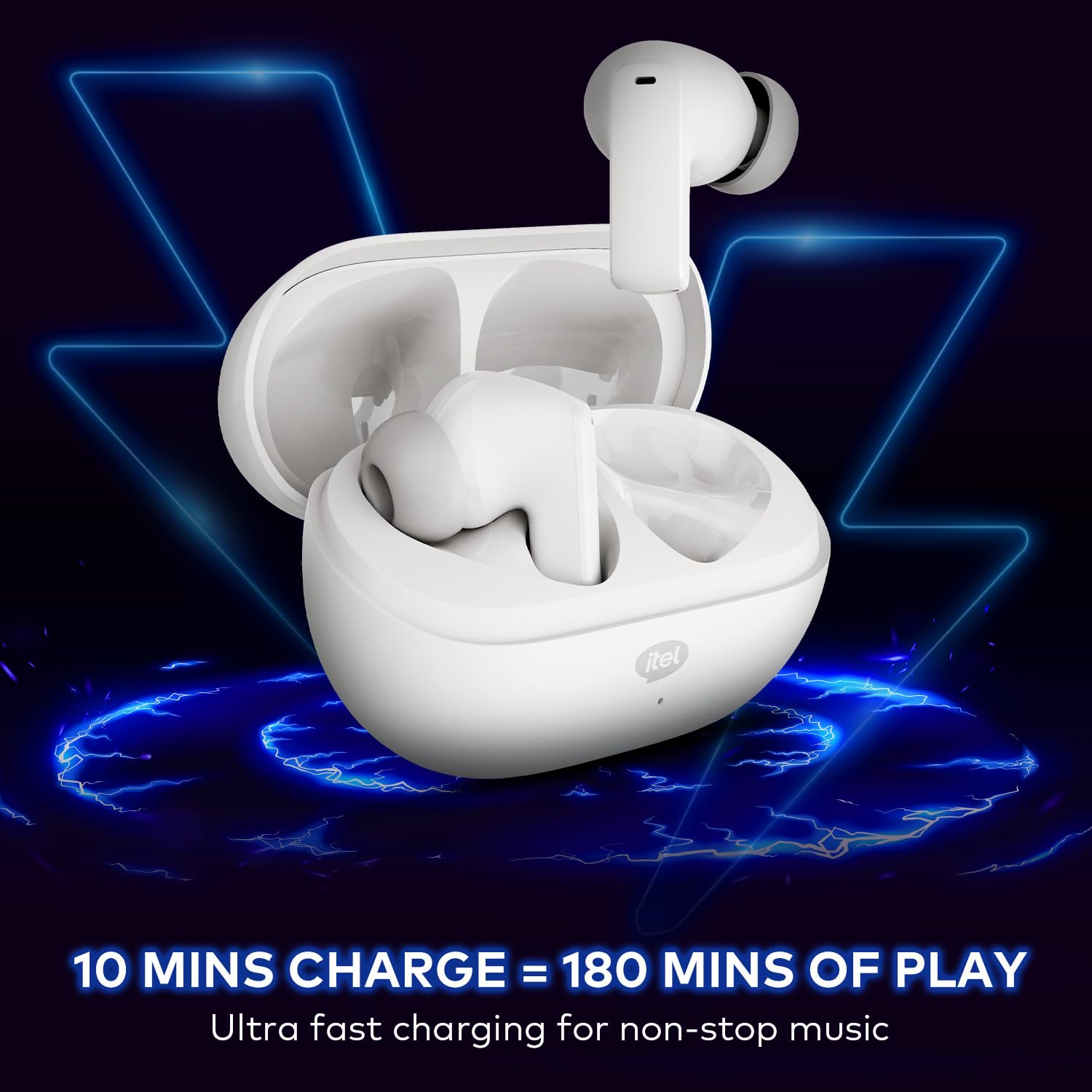
- ૧૦ મિનિટનો ચાર્જ લગભગ ૧૮૦ મિનિટનો પ્લેબેક આપે છે. ચાર્જિંગ કેસ સાથે સંપૂર્ણ ચાર્જ ૧૦૦ કલાક સુધીનો કુલ પ્લેબેક સમય આપે છે.

છબી ૪.૧: ચાર્જિંગ કેસમાં ઇયરબડ્સ મૂકવામાં આવ્યા છે, જે ચાર્જિંગ પ્રક્રિયા દર્શાવે છે.
૩.૨ બ્લૂટૂથ ડિવાઇસ સાથે જોડી બનાવવી
સ્થિર અને કાર્યક્ષમ કનેક્ટિવિટી માટે ઇયરબડ્સ બ્લૂટૂથ V5.3 નો ઉપયોગ કરે છે.
- ચાર્જિંગ કેસ ખોલો. ઇયરબડ્સ આપમેળે પેરિંગ મોડમાં પ્રવેશ કરશે (અથવા જો પહેલાથી ચાર્જ થયેલ હોય તો પાવર ચાલુ થશે). ઇયરબડ્સ પરનો LED સૂચક પેરિંગ મોડ સૂચવવા માટે ફ્લેશ થઈ શકે છે.
- તમારા ઉપકરણ (સ્માર્ટફોન, ટેબ્લેટ, લેપટોપ) પર, બ્લૂટૂથ સક્ષમ કરો.
- માટે શોધો ઉપલબ્ધ બ્લૂટૂથ ઉપકરણો. યાદીમાંથી "itel Rhythm Pro" પસંદ કરો.
- એકવાર કનેક્ટ થઈ ગયા પછી, ઇયરબડ્સ સફળ જોડી (દા.ત., વૉઇસ પ્રોમ્પ્ટ અથવા LED ફેરફાર) સૂચવશે.
- જો ઉપકરણમાં બ્લૂટૂથ સક્ષમ હોય, તો કેસમાંથી દૂર કર્યા પછી ઇયરબડ્સ આપમેળે છેલ્લા જોડીવાળા ઉપકરણ સાથે ફરીથી કનેક્ટ થઈ જશે.

છબી 4.2: કનેક્ટિવિટી માટે બ્લૂટૂથ V5.3 ને હાઇલાઇટ કરતા ઇયરબડની વિગત.
5. ઓપરેટિંગ સૂચનાઓ
itel Rhythm Pro ઇયરબડ્સમાં સાહજિક સ્પર્શ નિયંત્રણો છે. તમારા ઉપકરણ અને એપ્લિકેશનના આધારે ચોક્કસ કાર્યો થોડા બદલાઈ શકે છે.
5.1 સંગીત પ્લેબેક
- ચલાવો/થોભો: બંને ઇયરબડ પર એકવાર ટેપ કરો.
- આગળનો ટ્રેક: જમણા ઇયરબડને બે વાર ટૅપ કરો.
- પાછલો ટ્રેક: ડાબા ઇયરબડને બે વાર ટૅપ કરો.
- અવાજ વધારો: જમણા ઇયરબડને ત્રણ વાર ટૅપ કરો.
- અવાજ ધીમો: ડાબા ઇયરબડને ત્રણ વાર ટૅપ કરો.
૫.૨ કોલ મેનેજમેન્ટ
- જવાબ/કૉલ સમાપ્ત કરો: બંને ઇયરબડ પર એકવાર ટેપ કરો.
- કૉલ નકારો: કોઈપણ ઇયરબડને 2 સેકન્ડ માટે દબાવી રાખો.
Voice. Voice અવાજ સહાયક
- વોઇસ આસિસ્ટન્ટ (ગુગલ આસિસ્ટન્ટ) સક્રિય કરો: કોઈપણ ઇયરબડને 2 સેકન્ડ માટે દબાવી રાખો (જ્યારે તમે કૉલ પર ન હોવ ત્યારે).
5.4 પાવર ચાલુ/બંધ
- પાવર ચાલુ: ચાર્જિંગ કેસ ખોલો, અથવા બંને ઇયરબડ પરના ટચ એરિયાને 3 સેકન્ડ માટે દબાવી રાખો.
- પાવર બંધ: ઇયરબડ્સને ચાર્જિંગ કેસમાં પાછા મૂકો અને ઢાંકણ બંધ કરો, અથવા બંને ઇયરબડ્સ પરના ટચ એરિયાને 5 સેકન્ડ માટે દબાવી રાખો.
6. જાળવણી
6.1 સફાઈ
- ઇયરબડ્સ અને ચાર્જિંગ કેસને નિયમિતપણે નરમ, સૂકા, લિન્ટ-ફ્રી કપડાથી સાફ કરો.
- ઇયરટીપ્સ દૂર કરો અને તેમને હળવા સાબુ અને પાણીથી સાફ કરો, પછી ફરીથી જોડતા પહેલા સારી રીતે સૂકવો.
- યોગ્ય ચાર્જિંગ જાળવવા માટે ખાતરી કરો કે ઇયરબડ અને કેસ બંને પર ચાર્જિંગ કોન્ટેક્ટ સ્વચ્છ અને કાટમાળ મુક્ત છે.
6.2 સંગ્રહ
- જ્યારે ઉપયોગમાં ન હોય, ત્યારે ઇયરબડ્સને સુરક્ષિત રાખવા અને ચાર્જ રાખવા માટે તેમના ચાર્જિંગ કેસમાં રાખો.
- અતિશય તાપમાન અને સીધા સૂર્યપ્રકાશથી દૂર ઠંડી, સૂકી જગ્યાએ સંગ્રહ કરો.
૫.૪ પાણી પ્રતિકાર (IPX5)
itel Rhythm Pro ઇયરબડ્સ IPX5 પાણી પ્રતિરોધક છે, જેનો અર્થ એ થાય કે તેઓ કોઈપણ દિશામાંથી ઓછા દબાણવાળા પાણીના જેટ સામે સુરક્ષિત છે. આ તેમને કસરત અને હળવા વરસાદ માટે યોગ્ય બનાવે છે. તેઓ પાણીમાં ડૂબકી મારવા અથવા ભારે વરસાદના સંપર્કમાં આવવા માટે રચાયેલ નથી.
- ઇયરબડ્સને ઇરાદાપૂર્વક પાણીમાં ડુબાડશો નહીં.
- સૌના અથવા સ્ટીમ રૂમમાં તેનો ઉપયોગ કરવાનું ટાળો.
- જો ઇયરબડ્સ ભીના થઈ જાય, તો ચાર્જિંગ કોન્ટેક્ટ્સને નુકસાન ન થાય તે માટે તેમને ચાર્જિંગ કેસમાં પાછા મૂકતા પહેલા સારી રીતે સાફ કરો અને સૂકવી લો.

છબી 6.1: IPX5 પાણી પ્રતિકાર રેટિંગ છાંટા સામે રક્ષણ સુનિશ્ચિત કરે છે.
7. મુશ્કેલીનિવારણ
જો તમને તમારા ઇયરબડ્સમાં સમસ્યા આવે, તો નીચેના ઉકેલો અજમાવી જુઓ:
- ઇયરબડ્સ જોડી રહ્યા નથી:
- ખાતરી કરો કે બંને ઇયરબડ ચાર્જ થયા છે.
- તમારા ઉપકરણ પર બ્લૂટૂથ બંધ કરો અને તેને પાછું ચાલુ કરો.
- તમારા ડિવાઇસની બ્લૂટૂથ સૂચિમાંથી "itel Rhythm Pro" ભૂલી જાઓ અને ફરીથી જોડી બનાવવાનો પ્રયાસ કરો.
- ઇયરબડ્સને કેસમાં પાછા મૂકો, ઢાંકણ બંધ કરો, થોડીવાર રાહ જુઓ, પછી પેરિંગ મોડમાં ફરીથી પ્રવેશવા માટે ખોલો.
- ફક્ત એક જ ઇયરબડ કામ કરી રહ્યું છે:
- ખાતરી કરો કે બંને ઇયરબડ ચાર્જ થયા છે.
- બંને ઇયરબડને ચાર્જિંગ કેસમાં પાછા મૂકવાનો પ્રયાસ કરો, ઢાંકણ બંધ કરો, અને પછી ફરીથી બહાર કાઢો.
- ફેક્ટરી રીસેટ કરો (જો ઉપલબ્ધ હોય તો ચોક્કસ સૂચનાઓનો સંદર્ભ લો, અન્યથા ઉપકરણ ભૂલીને ફરીથી જોડી બનાવવાનો પ્રયાસ કરો).
- કોઈ અવાજ નહીં અથવા ઓછો અવાજ નહીં:
- તમારા ડિવાઇસ અને ઇયરબડ બંને પર વૉલ્યૂમ લેવલ ચેક કરો.
- ખાતરી કરો કે ઇયરબડ્સ તમારા ઉપકરણ સાથે યોગ્ય રીતે જોડાયેલા છે.
- ઇયરબડ સ્પીકર મેશમાંથી કોઈપણ કચરો સાફ કરો.
- ચાર્જિંગ સમસ્યાઓ:
- ખાતરી કરો કે ચાર્જિંગ કેબલ કેસ અને પાવર સ્ત્રોત બંને સાથે સુરક્ષિત રીતે જોડાયેલ છે.
- કોઈ અલગ ચાર્જિંગ કેબલ અથવા પાવર એડેપ્ટર અજમાવી જુઓ.
- ઇયરબડ્સ પર અને કેસની અંદરના ચાર્જિંગ કોન્ટેક્ટ્સને સાફ કરો.
8. સ્પષ્ટીકરણો
નીચે itel Rhythm Pro ટ્રુ વાયરલેસ ઇયરબડ્સ માટે ટેકનિકલ સ્પષ્ટીકરણો છે:
| લક્ષણ | સ્પષ્ટીકરણ |
|---|---|
| મોડેલનું નામ | રિધમ પ્રો (બડ્સનીઓ 3) |
| કનેક્ટિવિટી ટેકનોલોજી | બ્લૂટૂથ V5.3 |
| ઑડિઓ ડ્રાઇવરનું કદ | 10mm ડાયનેમિક ડ્રાઈવર |
| અવાજ નિયંત્રણ | AI પર્યાવરણીય અવાજ રદ (ENC) |
| રમવાનો સમય (કેસ સાથે કુલ) | 100 કલાક સુધી |
| ઝડપી ચાર્જિંગ | ૧૦ મિનિટ ચાર્જ = ૧૮૦ મિનિટ પ્લેબેક |
| પાણી પ્રતિકાર સ્તર | IPX5 |
| નિયંત્રણ પ્રકાર | ટચ, વોઇસ (ગૂગલ આસિસ્ટન્ટ) |
| સામગ્રી | પોલીકાર્બોનેટ (PC) |
| વસ્તુનું વજન | 46 ગ્રામ |
| ઉત્પાદન પરિમાણો | 6.8 x 2.7 x 4.9 સેમી |
| બેટરીનો પ્રકાર | લિથિયમ આયન / લિથિયમ પોલિમર |
| બ્લૂટૂથ રેન્જ | 10 મીટર |
| Audioડિઓ લેટન્સી | 45 મિલિસેકંડ |
| અવબાધ | 32 ઓહ્મ |
9. વોરંટી અને સપોર્ટ
તમારા itel Rhythm Pro ટ્રુ વાયરલેસ ઇયરબડ્સ પ્રમાણભૂત ઉત્પાદકની વોરંટી દ્વારા આવરી લેવામાં આવે છે. વોરંટી અવધિ અને કવરેજ વિગતો સહિત ચોક્કસ નિયમો અને શરતો માટે કૃપા કરીને તમારા પેકેજમાં સમાવિષ્ટ વોરંટી કાર્ડનો સંદર્ભ લો.
ટેકનિકલ સપોર્ટ, મુશ્કેલીનિવારણ સહાય અથવા વોરંટી દાવાઓ માટે, કૃપા કરીને itel ગ્રાહક સેવાનો તેમના અધિકારી દ્વારા સંપર્ક કરો. webસાઇટ અથવા તમારા ઉત્પાદન દસ્તાવેજો સાથે પૂરી પાડવામાં આવેલ સંપર્ક માહિતી. વોરંટી સેવાઓ માટે ખરીદીના પુરાવા તરીકે તમારી ખરીદી રસીદ રાખો.


