1. પરિચય
ખરીદી બદલ આભારasing the Roxel VRP-90 Turntable with Stereo Speakers. This record player is designed to provide a high-fidelity audio experience for your vinyl collection, featuring versatile connectivity options including Bluetooth streaming, and a stylish oak finish. This manual provides essential information for setup, operation, maintenance, and troubleshooting to ensure optimal performance and longevity of your device.
The Roxel VRP-90 is a belt-driven turntable that accommodates three different record speeds (33 1/3, 45, and 78 RPM) and comes equipped with two powerful 15W stereo speakers. Its user-friendly design includes an RCA output for external audio systems and an AUTO STOP ON/OFF switch to protect your records.
2. સલામતી માહિતી
Please read all safety instructions carefully before using the Roxel VRP-90 Turntable. Keep this manual for future reference.
- પાવર સ્ત્રોત: Use only the provided power cord and connect to a power outlet with the correct voltage ઉત્પાદન લેબલ પર દર્શાવેલ છે.
- પાણી અને ભેજ: Do not expose the unit to rain, moisture, or place objects filled with liquids, such as vases, on the unit.
- વેન્ટિલેશન: યોગ્ય વેન્ટિલેશનની ખાતરી કરો. કોઈપણ વેન્ટિલેશન છિદ્રોને અવરોધિત કરશો નહીં.
- ઉષ્મા: રેડિએટર્સ, હીટ રજિસ્ટર, સ્ટોવ અથવા અન્ય ઉપકરણો (જેમાં શામેલ છે) જેવા ગરમીના સ્ત્રોતોની નજીક યુનિટ ન મૂકો. ampલિફાયર) જે ગરમી ઉત્પન્ન કરે છે.
- સફાઈ: સફાઈ કરતા પહેલા યુનિટને વોલ આઉટલેટમાંથી અનપ્લગ કરો. સફાઈ માટે સૂકા કપડાનો ઉપયોગ કરો.
- સર્વિસિંગ: આ ઉત્પાદનની જાતે સેવા કરવાનો પ્રયાસ કરશો નહીં. લાયક સેવા કર્મચારીઓને તમામ સેવાઓનો સંદર્ભ આપો.
- ધૂળ આવરણ: Always use the dust cover to protect the turntable and records from dust and debris when not in use.
3. પેકેજ સામગ્રી
પેકેજ ખોલતી વખતે, કૃપા કરીને ખાતરી કરો કે નીચેના બધા ઘટકો હાજર છે અને સારી સ્થિતિમાં છે:
- Roxel VRP-90 Turntable Unit
- Stereo Speakers (2 units)
- પાવર કોર્ડ
- વપરાશકર્તા માર્ગદર્શિકા (આ દસ્તાવેજ)
- ડસ્ટ કવર
- Black Dust-Proof Mat
4. સેટઅપ
Follow these steps to set up your Roxel VRP-90 Turntable:
- અનપેકીંગ: પેકેજિંગમાંથી બધા ઘટકો કાળજીપૂર્વક દૂર કરો. ભવિષ્યના પરિવહન અથવા સંગ્રહ માટે પેકેજિંગ રાખો.
- પ્લેસમેન્ટ: Place the turntable unit on a stable, level surface away from direct sunlight, heat sources, and excessive dust or vibrations. Ensure there is enough space around the unit for proper ventilation.
- સ્પીકર કનેક્શન: Connect the two stereo speakers to the corresponding speaker output jacks on the back of the turntable unit. Ensure the polarity is correct (positive to positive, negative to negative).
- પાવર કનેક્શન: Insert the power cord into the DC IN port on the turntable unit, then plug the other end into a wall outlet.
- ડસ્ટ કવર ઇન્સ્ટોલેશન: Carefully attach the dust cover to the hinges on the back of the turntable unit.

Image 4.1: The Roxel VRP-90 Turntable with its two external stereo speakers and clear dust cover.
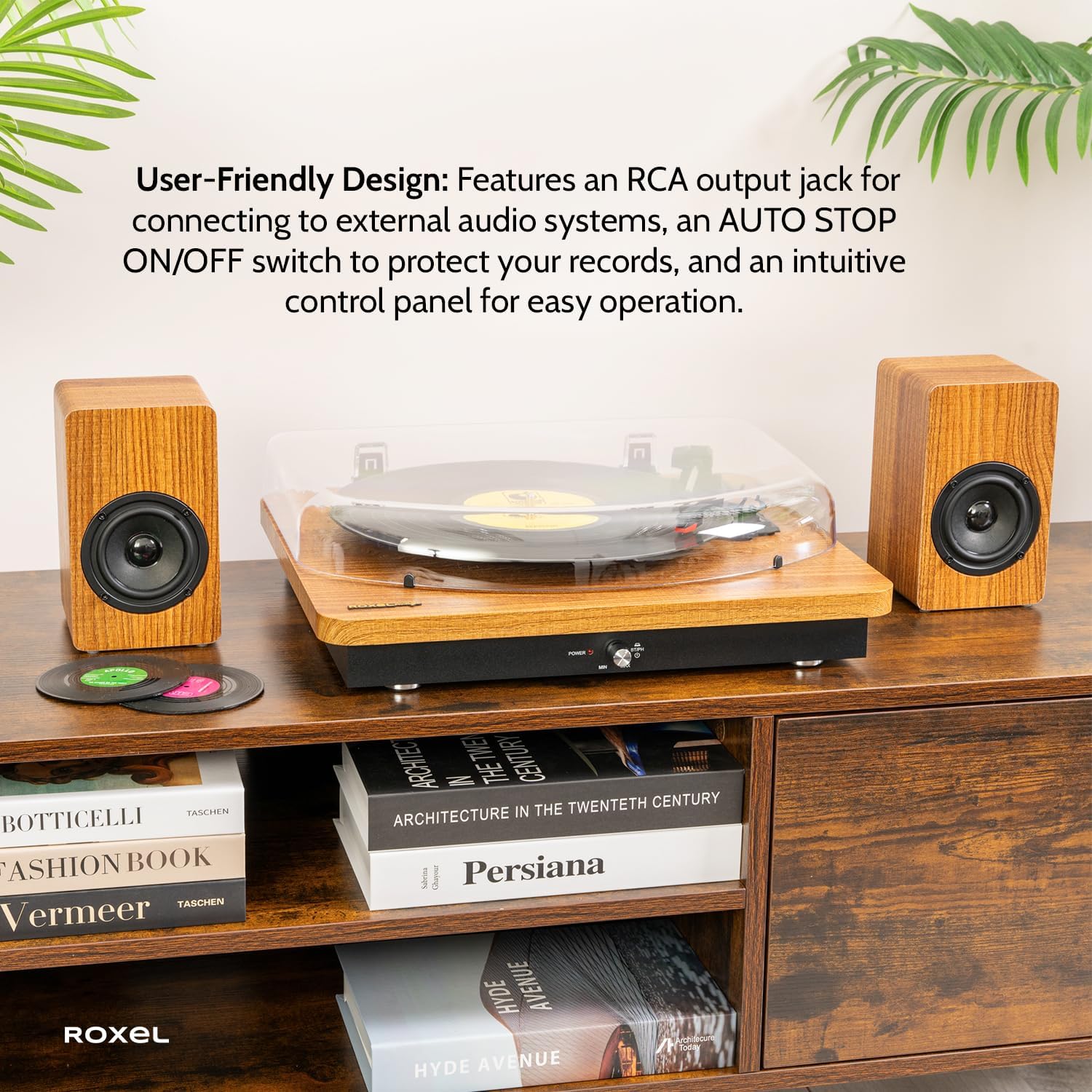
Image 4.2: The turntable positioned on a stable surface, demonstrating its compact and stylish design.
5. ઓપરેટિંગ સૂચનાઓ
૬.૧ વિનાઇલ રેકોર્ડ્સ વગાડવું
- પાવર ચાલુ: Turn the Power/Volume knob clockwise to power on the unit. The power indicator light will illuminate.
- ફોનો મોડ પસંદ કરો: Ensure the BT/PH switch is set to "PH" for Phono mode.
- સ્થળ રેકોર્ડ: Carefully place a vinyl record on the turntable platter. If playing a 45 RPM single, place the included 45 RPM adapter on the spindle first.
- ઝડપ પસંદ કરો: Adjust the speed selector switch (located near the platter) to match the record's speed (33 1/3, 45, or 78 RPM).
- ઓટો સ્ટોપ ફંક્શન: The AUTO STOP ON/OFF switch is located on the back of the unit. When set to "ON", the turntable will automatically stop spinning when the record reaches its end. When set to "OFF", the turntable will continue to spin. For some records, especially older or non-standard ones, setting AUTO STOP to "OFF" might be necessary for the record to play to the very end.
- પ્લેબેક શરૂ કરો: Gently lift the tone arm using the cue lever and position the stylus over the desired track on the record. Slowly lower the tone arm onto the record.
- વોલ્યુમ સમાયોજિત કરો: સાંભળવાના વોલ્યુમને સમાયોજિત કરવા માટે પાવર/વોલ્યુમ નોબ ફેરવો.
- પ્લેબેક સમાપ્ત કરો: At the end of the record (if AUTO STOP is ON) or when you wish to stop, gently lift the tone arm using the cue lever and return it to the tone arm rest. Secure it with the tone arm clip.
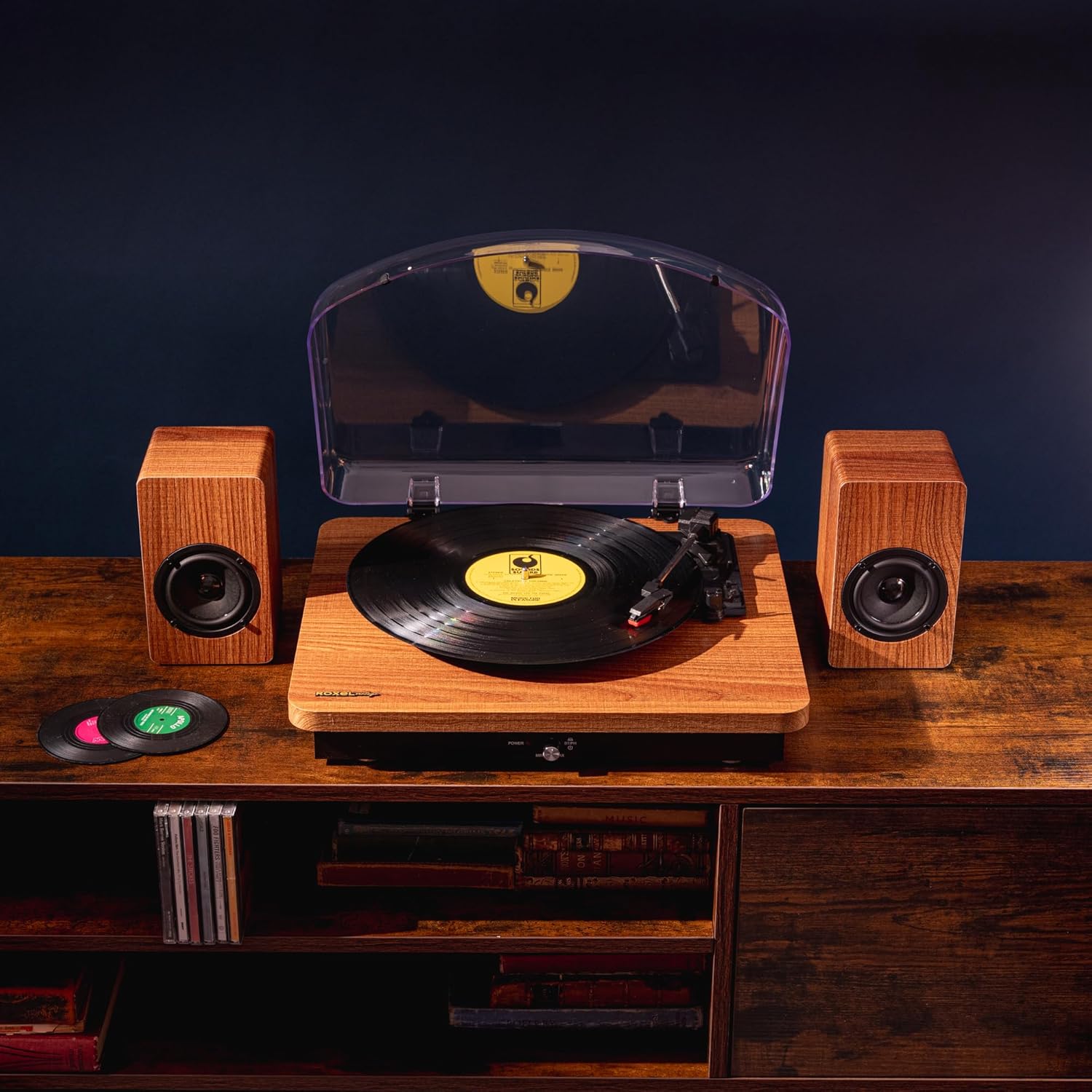
Image 5.1: The turntable in operation, playing a vinyl record.

Image 5.2: Detail of the control panel, showing the Power/Volume knob and BT/PH selector.
૬.૫ બ્લૂટૂથ સ્ટ્રીમિંગ
The Roxel VRP-90 allows you to stream music wirelessly from your Bluetooth-enabled devices.
- પાવર ચાલુ: Turn the Power/Volume knob clockwise to power on the unit.
- બ્લૂટૂથ મોડ પસંદ કરો: Set the BT/PH switch to "BT" for Bluetooth mode. The unit will enter pairing mode, indicated by a flashing indicator light.
- ઉપકરણ જોડો: On your Bluetooth-enabled device (smartphone, tablet, etc.), enable Bluetooth and search for "Roxel VRP-90" in the list of available devices. Select it to pair.
- સ્ટ્રીમિંગ શરૂ કરો: Once paired, the indicator light will become solid. You can now play music from your device, and it will be output through the turntable's speakers.
- વોલ્યુમ સમાયોજિત કરો: Adjust the volume using both the Power/Volume knob on the turntable and the volume controls on your Bluetooth device.
5.3 Connecting to External Audio Systems (RCA Output)
You can connect your Roxel VRP-90 to an external amplifier or powered speakers using the RCA output jacks.
- Connect RCA Cables: Connect RCA cables (not included) from the RCA output jacks on the back of the VRP-90 to the corresponding audio input jacks on your external audio system. Ensure correct left (white) and right (red) channel connections.
- ઇનપુટ પસંદ કરો: On your external audio system, select the input source corresponding to where you connected the turntable.
- પ્લેબેક: Play a record as described in Section 5.1. The audio will now be routed through your external system.
- વોલ્યુમ નિયંત્રણ: Volume will primarily be controlled by your external audio system.
6. જાળવણી
Proper maintenance ensures the longevity and optimal performance of your turntable.
- સ્ટાઇલસ સાફ કરવું:
The stylus (needle) is delicate. Use a soft brush, specifically designed for stylus cleaning, and gently brush from back to front (away from the cantilever) to remove dust and debris. Do not use excessive force or brush side-to-side.
- યુનિટની સફાઈ:
Wipe the turntable unit and speakers with a soft, dry, lint-free cloth. For stubborn marks, a slightly damp cloth can be used, but ensure the unit is unplugged and completely dry before reconnecting power. Avoid abrasive cleaners or solvents.
- Dust Cover Care:
The dust cover protects your records and turntable. Clean it regularly with a soft, damp cloth. Avoid harsh chemicals that could scratch or cloud the plastic. Always keep the dust cover closed when the turntable is not in use.
- રેકોર્ડ કેર:
Keep your records clean to prevent dust from accumulating on the stylus. Use a record brush before each play to remove surface dust. Store records vertically in their sleeves to prevent warping.
7. મુશ્કેલીનિવારણ
If you encounter any issues with your Roxel VRP-90, please refer to the following common problems and solutions:
| સમસ્યા | સંભવિત કારણ | ઉકેલ |
|---|---|---|
| કોઈ શક્તિ નથી | Power cord not connected; Power outlet not active; Unit not turned on. | Ensure power cord is securely connected. Check power outlet with another device. Turn the Power/Volume knob clockwise to power on. |
| સ્પીકર્સમાંથી અવાજ આવતો નથી | Volume too low; Speakers not connected; BT/PH switch in wrong position; Stylus damaged. | Increase volume. Ensure speakers are correctly connected. Set BT/PH switch to "PH" for records or "BT" for Bluetooth. Inspect stylus for damage; replace if necessary. |
| Record skipping or distorted sound | Record is dirty or scratched; Stylus is dirty or worn; Turntable not level; Excessive vibration. | Clean the record. Clean the stylus. Place the turntable on a stable, level surface. Ensure the turntable is not subject to vibrations. |
| Turntable speed is incorrect | Incorrect speed selected; Belt issue. | Ensure the correct speed (33 1/3, 45, or 78 RPM) is selected for the record. Contact support if the issue persists, as the belt might need inspection. |
| બ્લૂટૂથ જોડી સમસ્યાઓ | Unit not in BT mode; Device too far; Device already paired with another unit. | Set BT/PH switch to "BT". Ensure your device is within 10 meters of the turntable. Disconnect from other Bluetooth devices and try pairing again. |
| Auto Stop not working correctly | AUTO STOP switch is OFF; Record type. | Ensure the AUTO STOP switch is set to "ON". Some records, especially older or non-standard ones, may not trigger the auto-stop function correctly. In such cases, set AUTO STOP to "OFF" and manually lift the tone arm. |
8. સ્પષ્ટીકરણો
| લક્ષણ | વિગત |
|---|---|
| મોડેલનું નામ | Roxel RVP-90 |
| બ્રાન્ડ | રોક્સેલ |
| ઉત્પાદન પરિમાણો | 41 x 35 x 10 સેમી |
| વસ્તુનું વજન | 5 કિલોગ્રામ |
| સામગ્રી | લાકડું |
| રંગ | OAK |
| કનેક્ટિવિટી ટેકનોલોજી | Bluetooth (v5.4), Auxiliary, RCA Output |
| પરિભ્રમણ ગતિ | 33 1/3, 45, 78 RPM |
| સ્પીકર આઉટપુટ પાવર | 2 x 15W (3-inch speakers) |
| સ્પીકર ઇમ્પિડન્સ | 4Ω |
| કારતૂસ પ્રકાર | Ceramic Stereo Cartridge with Ruby Stylus |
| આવર્તન પ્રતિભાવ | 100Hz-10KHz |
| ખાસ લક્ષણો | Auto Stop ON/OFF switch, Dust Cover |
9. વોરંટી અને સપોર્ટ
Roxel products are designed for reliability and performance. For warranty information and technical support, please refer to the warranty card included in your product packaging or visit the official Roxel webસાઇટ
If you require assistance with setup, operation, or troubleshooting beyond what is covered in this manual, please contact Roxel customer support:
- Webસાઇટ: Visit the Roxel Store on Amazon (સામાન્ય પૂછપરછ અને ઉત્પાદન માહિતી માટે)
- ઇમેઇલ/ફોન: Please refer to the contact details provided on the Roxel official webસાઇટ અથવા તમારા ઉત્પાદનના વોરંટી દસ્તાવેજો.


