1. પરિચય
The ALTO TX412 is a 700-watt, 12-inch powered loudspeaker designed for various audio applications, including live sound, rehearsals, and events. It features a 2-channel mixer, Bluetooth connectivity, and True Wireless Stereo (TWS) linking for flexible setup and operation. This manual provides essential information for safe and effective use of your TX412 speaker.

છબી ૧.૧: આગળની બાજુ view of the ALTO TX412 Powered PA Speaker.
2. મહત્વપૂર્ણ સલામતી માહિતી
Before operating the TX412 speaker, please read and understand all safety instructions. Keep this manual for future reference.
- પાવર સ્ત્રોત: Connect the speaker only to a power supply of the type described in this manual or marked on the unit. Ensure the voltage matches your region (100/120V; 50/60 Hz).
- ગ્રાઉન્ડિંગ: This product must be grounded. Do not defeat the safety purpose of the polarized or grounding-type plug.
- પાણી અને ભેજ: પાણીની નજીક અથવા ડીમાં આ ઉપકરણનો ઉપયોગ કરશો નહીંamp environments. The TX412 is not waterproof.
- ઉષ્મા: રેડિએટર્સ, હીટ રજિસ્ટર, સ્ટોવ અથવા અન્ય ઉપકરણો જેવા કોઈપણ હીટ સ્ત્રોતોની નજીક ઇન્સ્ટોલ કરશો નહીં (સહિત ampલિફાયર) જે ગરમી ઉત્પન્ન કરે છે.
- વેન્ટિલેશન: Do not block any ventilation openings. Ensure proper airflow around the unit.
- સફાઈ: માત્ર સૂકા કપડાથી સાફ કરો.
- સર્વિસિંગ: તમામ સેવાનો સંદર્ભ લાયક સેવા કર્મચારીઓને આપો. જ્યારે ઉપકરણને કોઈપણ રીતે નુકસાન થયું હોય, જેમ કે પાવર-સપ્લાય કોર્ડ અથવા પ્લગને નુકસાન થયું હોય, પ્રવાહી ઢોળાયેલું હોય અથવા ઉપકરણમાં વસ્તુઓ પડી હોય, ઉપકરણ વરસાદ અથવા ભેજના સંપર્કમાં આવ્યું હોય, સામાન્ય રીતે કામ કરતું નથી ત્યારે સર્વિસિંગ જરૂરી છે. , અથવા પડતું મૂકવામાં આવ્યું છે.
- શ્રવણ સંરક્ષણ: Prolonged exposure to high volume levels can cause permanent hearing damage. Use caution when setting volume levels.
3. પેકેજ સામગ્રી
ખાતરી કરો કે નીચે સૂચિબદ્ધ બધી વસ્તુઓ તમારા પેકેજમાં શામેલ છે:
- TX4 Series Loudspeaker (TX412)
- પાવર કેબલ
- વપરાશકર્તા માર્ગદર્શિકા
- સલામતી અને વોરંટી મેન્યુઅલ
જો કોઈ વસ્તુ ખૂટે છે અથવા ક્ષતિગ્રસ્ત છે, તો કૃપા કરીને તાત્કાલિક તમારા રિટેલરનો સંપર્ક કરો.
4. મુખ્ય લક્ષણો
The ALTO TX412 speaker offers a range of features for enhanced audio performance and versatility:
- 700W Bi-Amplified Power: Delivers clear and powerful sound with 500W for low frequencies (LF) and 200W for high frequencies (HF).
- 12-inch LF Driver: Features a 2-inch voice coil for robust bass response.
- 1-inch Titanium Diaphragm HF Compression Driver: Provides crisp and detailed high-frequency reproduction.
- Integrated 2-Channel Mixer: Allows direct connection of microphones, line-level devices, and Bluetooth audio sources.
- બ્લૂટૂથ કનેક્ટિવિટી: Seamlessly stream audio from compatible devices.
- True Wireless Stereo (TWS) Linking: Wirelessly connect two TX412 units for stereo sound without additional cables.
- Contour EQ: Optimized equalization for music playback applications.
- મિક્સ આઉટપુટ: XLR output for linking multiple speakers.
- Integrated 36mm Pole Socket: For standard speaker pole mounting.
- કઠોર બિડાણ: Durable construction with a full metal grille and ergonomic handles for portability.
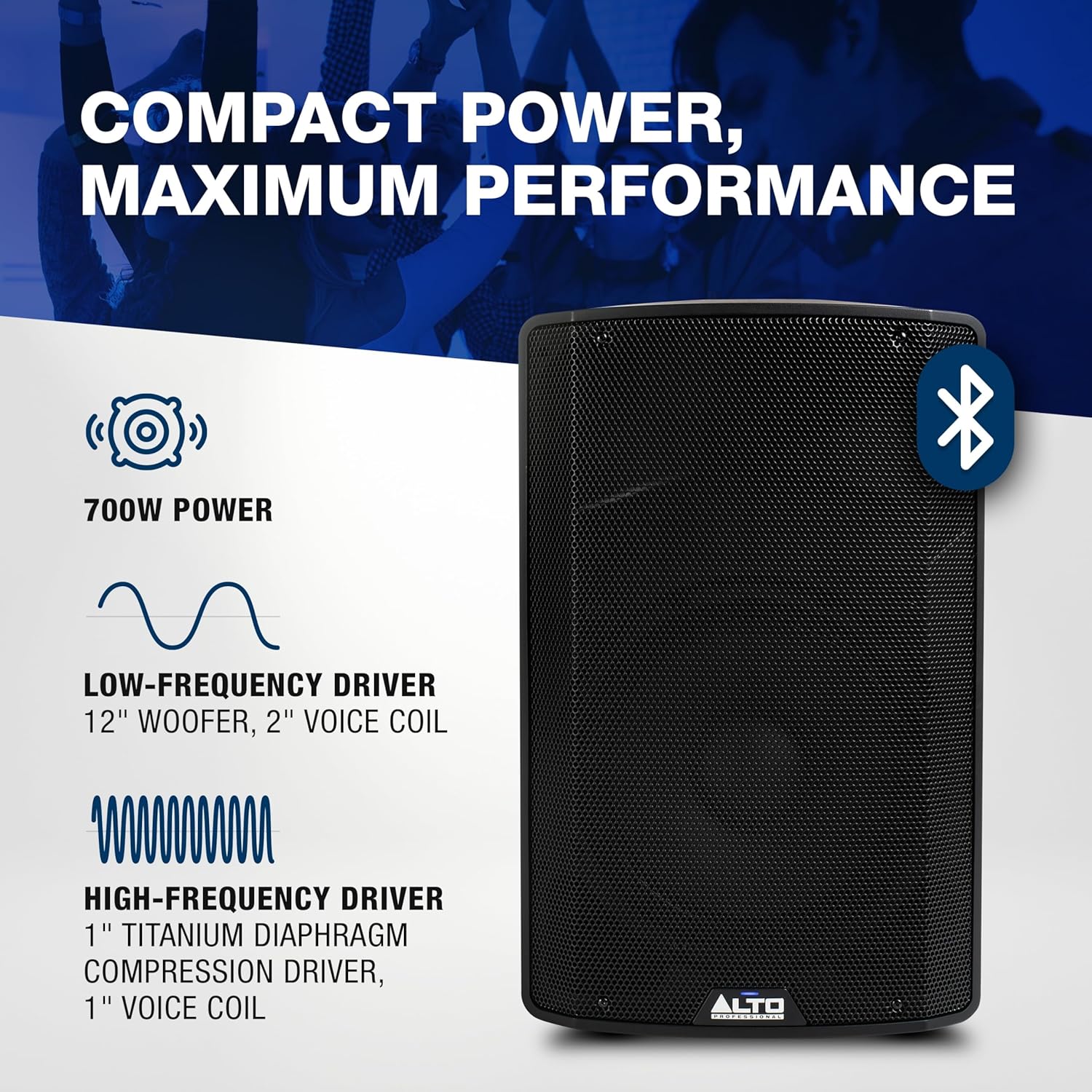
Image 4.1: Key power and driver specifications of the TX412.

છબી 4.2: ઓવરview of amplifier, mixer, and TWS features.
5. સેટઅપ
Follow these steps to set up your ALTO TX412 speaker:
5.1. પ્લેસમેન્ટ
- ધ્રુવ માઉન્ટિંગ: The TX412 includes a 36mm pole socket for mounting on a standard speaker pole. Ensure the pole and stand are stable and rated to support the speaker's weight (approximately 29.3 lbs / 13.3 kg).
- ફ્લોર મોનિટર: The speaker can also be used as a floor wedge monitor. Position it on a stable surface with the appropriate angle for monitoring.
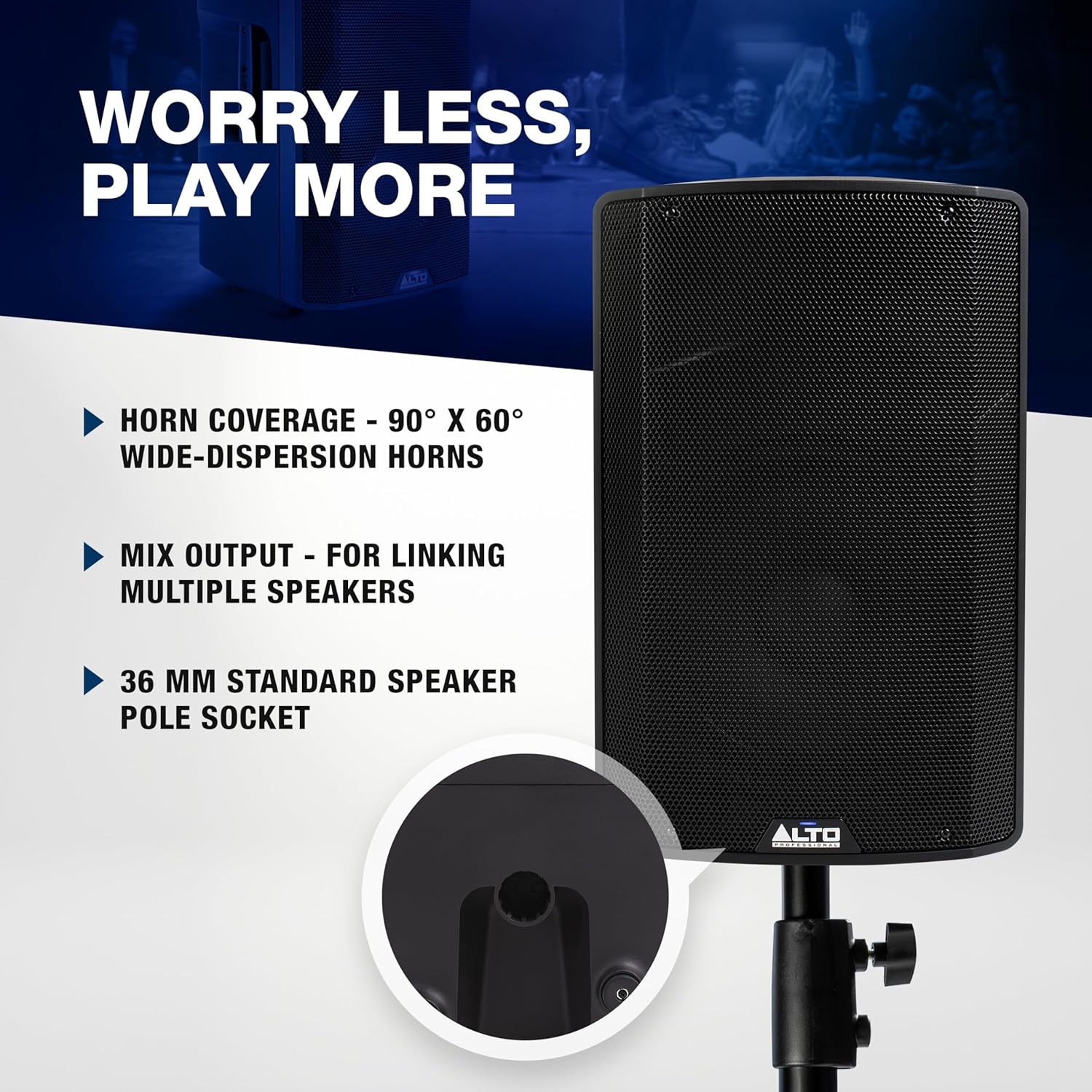
Image 5.1: Illustration of the pole socket and other features.
5.2. પાવર કનેક્શન
- Ensure the speaker's power switch is in the OFF position.
- Connect the included power cable to the AC input on the rear panel of the speaker.
- પાવર કેબલના બીજા છેડાને ગ્રાઉન્ડેડ ઇલેક્ટ્રિકલ આઉટલેટમાં પ્લગ કરો.
5.3. Audioડિઓ કનેક્શન્સ
The TX412 features a 2-channel mixer on its rear panel. Refer to Image 5.2 for control layout.

Image 5.2: Rear panel connections and controls.
- ચેનલ 1 (CH1): This input accepts XLR or 1/4" (6.35 mm) connections. Use the LINE/MIC switch to select the appropriate input level. For microphones, set to MIC. For line-level devices (mixers, instruments), set to LINE.
- ચેનલ 2 (CH2): This input accepts XLR or 1/4" (6.35 mm) connections. It is primarily for line-level devices or a second microphone.
- બ્લૂટૂથ ઇનપુટ: The Bluetooth input is integrated into Channel 2.
- મિક્સ આઉટપુટ: Use the XLR Mix Out to send the combined audio signal from the TX412 to another speaker or audio device.
5.4. બ્લૂટૂથ જોડી
- Power on the TX412 speaker.
- On the rear panel, press and hold the બ્લૂટૂથ જોડી button until the Bluetooth LED flashes.
- Enable Bluetooth on your audio device (e.g., smartphone, tablet).
- Select "ALTO TX412" from the list of available devices. The Bluetooth LED on the speaker will illuminate solid when paired.
5.5. True Wireless Stereo (TWS) Linking
To link two TX412 speakers wirelessly for stereo sound:
- Ensure both TX412 speakers are powered on and not currently paired with any Bluetooth device.
- એક સ્પીકર પર (આ તમારું પ્રાથમિક સ્પીકર હશે), દબાવો અને પકડી રાખો TWS લિંક button. The TWS LED will flash.
- On the second speaker (secondary speaker), press and hold the TWS લિંક button. The TWS LED on both speakers will illuminate solid when linked.
- Now, pair your Bluetooth audio device to the primary speaker as described in Section 5.4. Audio will play in stereo across both linked speakers.

Image 5.3: Visual representation of TWS linking and Contour EQ.
6. Operating the TX412
Once set up, you can control the TX412 using the rear panel controls.

છબી 6.1: વિગતવાર view of the TX412 rear panel controls.
- Gain Knobs (CH1, CH2): Adjust the input level for each channel. Start with these knobs at their minimum position and slowly increase until the desired volume is achieved without distortion. The SIGNAL/LIMIT LED indicates signal presence (green) and clipping (red). Reduce gain if the LED turns red.
- Contour EQ: This switch applies a pre-set EQ curve optimized for music playback, enhancing bass and treble. Engage it for music, disengage for speech or when using an external mixer.
- ગ્રાઉન્ડ લિફ્ટ: Use this switch to help eliminate hum or buzz caused by ground loops. If you hear unwanted noise, try flipping this switch.
- વોલ્યુમ નિયંત્રણ: The main volume knob controls the overall output level of the speaker.
7. જાળવણી
Proper maintenance ensures the longevity and optimal performance of your TX412 speaker.
- સફાઈ: Disconnect the power cable before cleaning. Use a soft, dry cloth to wipe the exterior surfaces. Do not use solvents, abrasive cleaners, or waxes.
- સંગ્રહ: જ્યારે લાંબા સમય સુધી ઉપયોગમાં ન હોય, ત્યારે સ્પીકરને ઠંડી, સૂકી જગ્યાએ, સીધા સૂર્યપ્રકાશ અને અતિશય તાપમાનથી દૂર રાખો.
- નિરીક્ષણ: Periodically check the power cable and audio cables for any signs of damage. Replace damaged cables immediately.
8. મુશ્કેલીનિવારણ
If you encounter issues with your TX412 speaker, refer to the following common problems and solutions:
| સમસ્યા | સંભવિત કારણ | ઉકેલ |
|---|---|---|
| કોઈ શક્તિ નથી | Power cable not connected; outlet not active; power switch off | Ensure power cable is securely connected; test outlet with another device; turn power switch ON. |
| કોઈ અવાજ નથી | Input gain too low; incorrect input selected; faulty cable; source device muted/low volume | Increase channel gain and main volume; check LINE/MIC switch; test with a different cable; ensure source device is playing audio. |
| વિકૃત અવાજ | Input gain too high; source device output too high | Reduce channel gain until SIGNAL/LIMIT LED no longer turns red; lower volume on source device. |
| બ્લૂટૂથ જોડી રહ્યું નથી | Speaker not in pairing mode; device too far; already paired to another device | Press and hold Bluetooth PAIR button; move device closer to speaker; disconnect from other devices. |
| હમ કે બઝ | Ground loop; faulty cable | Engage the Ground Lift switch; try different cables. |
9. ટેકનિકલ વિશિષ્ટતાઓ
| લક્ષણ | સ્પષ્ટીકરણ |
|---|---|
| મોડેલનું નામ | TX412 |
| સ્પીકરનો પ્રકાર | સંચાલિત પીએ સ્પીકર |
| સ્પીકરનું કદ | 12 ઇંચ |
| સ્પીકર મહત્તમ આઉટપુટ પાવર | 700 વોટ્સ (પીક) |
| એલએફ ડ્રાઈવર | 12-inch woofer, 2-inch voice coil |
| એચએફ ડ્રાઈવર | 1-inch titanium diaphragm compression driver |
| આવર્તન પ્રતિભાવ | 20 KHz (Upper limit, full range not specified) |
| હોર્ન કવરેજ | 90° x 60° Wide-Dispersion |
| Ampજીવંત પ્રકાર | Ultra-efficient Class-D (500W LF + 200W HF) |
| ઇનપુટ વોલ્યુમtage | 100/120V; 50/60 Hz |
| કનેક્ટિવિટી ટેકનોલોજી | Bluetooth, XLR Mix Out, XLR or 1/4” (6.35 mm) Inputs |
| બ્લૂટૂથ સંસ્કરણ | 5.0 |
| માઉન્ટિંગ પ્રકાર | Floor Standing, Pole Mount (36mm socket) |
| ઉત્પાદનના પરિમાણો (D x W x H) | ૧૨.૨" x ૧૪" x ૫૭.૨" |
| વસ્તુનું વજન | 29.3 પાઉન્ડ (13.3 કિલોગ્રામ) |
| સામગ્રી | મેટલ, પ્લાસ્ટિક |
| રંગ | કાળો |
| યુપીસી | 816311012300 |
10. વોરંટી અને સપોર્ટ
The ALTO TX412 speaker comes with a limited warranty. Please refer to the included સલામતી અને વોરંટી મેન્યુઅલ for detailed terms and conditions, including warranty duration and coverage.
For technical support, service inquiries, or additional product information, please visit the official ALTO Professional website or contact their customer support directly. Contact information can typically be found on the ALTO Professional website or in the warranty manual.


