1. પરિચય
This manual provides detailed instructions for the setup, operation, and maintenance of the SMAJAYU SMA26 RTK GNSS Receiver System. The SMA26 is designed for high-precision surveying and mapping applications, offering robust performance in various environments.
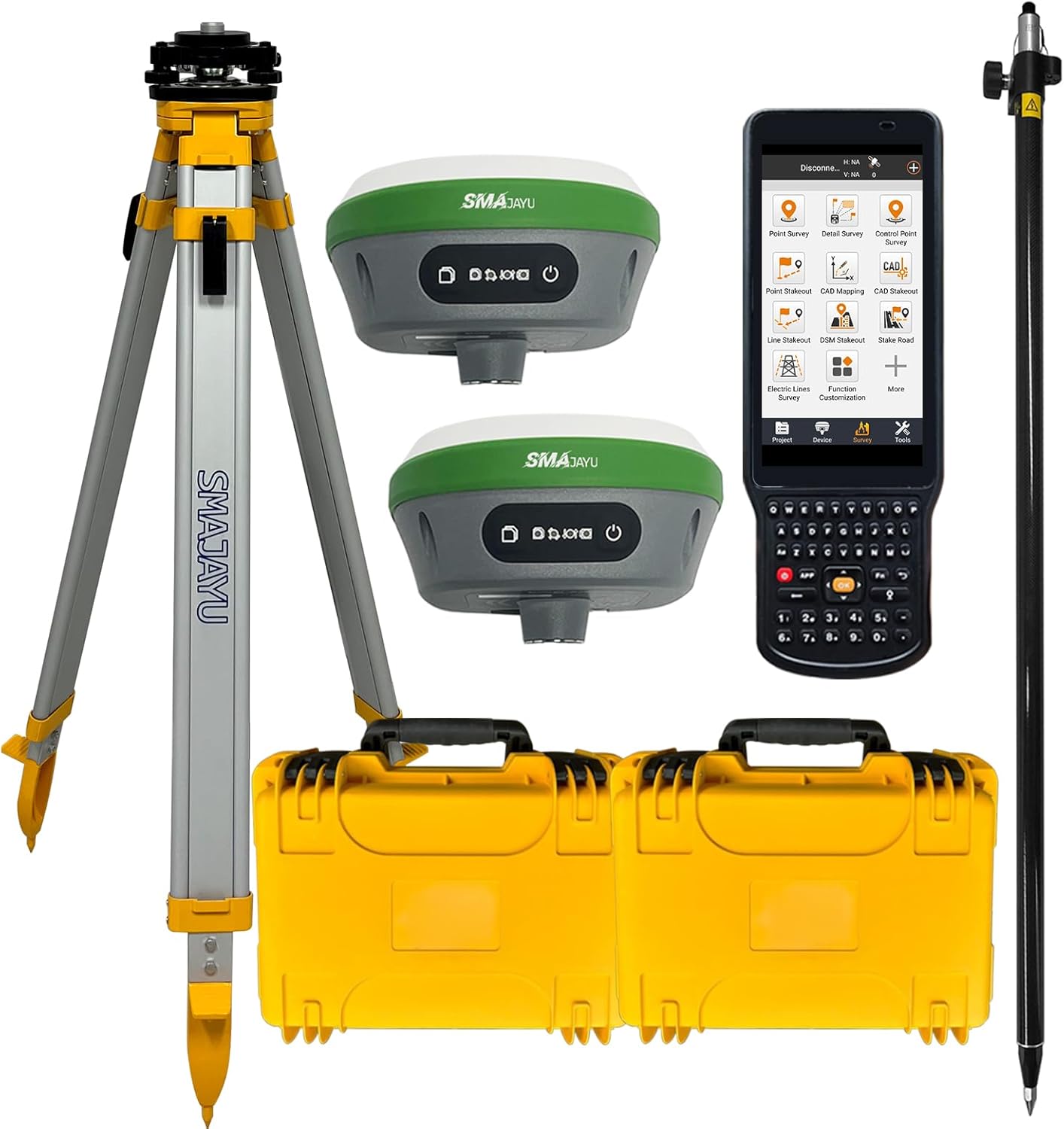
Figure 1.1: Complete SMAJAYU SMA26 RTK GNSS Receiver System.
Key Capabilities:
- GNSS RTK Rover, Base, and Handheld Collector with permanent software license.
- 0.5cm RTK accuracy with full-frequency and full-constellation support.
- UHF communication range of 5-10km between Rover and Base units.
- 30°-60° IMU tilt measurement with centimeter-level accuracy.
- 10000mAh battery providing up to 2 working days of operation per charge.
અડવાનtages:
- NOAA certified antenna for standard post-processed systems.
- Supports various data output formats: Differential data (RTCM3.X), Location data (NMEA-0183), Static data (Binary, convertible to Rinex).
- PPP method supported by Galileo HAS correction.
- PPK upgradeable for challenging environments.
- Multiple connection options: Bluetooth, WiFi, USB-Type-C, TNC Connector, Serial Port.
2. ઉત્પાદન ઘટકો
The SMAJAYU SMA26 system includes a comprehensive set of components for both Base and Rover operations. Ensure all items are present upon unboxing.

Figure 2.1: Contents of the Base and Rover Kits.
Base Kit Contents:
- SMA26 GNSS Receiver (Base Unit)
- ત્રપાઈ
- Tribrach with Optical Plummet
- Fixed Adapter
- Terminal Antenna
- એક્સ્ટેંશન રોડ
- પાવર એડેપ્ટર
- ટેપ માપ
- ડિસ્ક
- વપરાશકર્તા માર્ગદર્શિકા
Rover Kit Contents:
- SMA26 GNSS Receiver (Rover Unit)
- Surveying Pole
- Handheld Collector (LP81)
- હેન્ડહેલ્ડ કૌંસ
- Handheld Charger
- Terminal Antenna
- પાવર એડેપ્ટર
- Survey Software
SMA26 GNSS Receiver Overview:

Figure 2.2: SMA26 GNSS Receiver Front Panel and Interfaces.
- Still Recording Button: Press and hold for 5 seconds to turn on or off the still recording mode.
- પાવર બટન: Press and hold for 3 seconds to turn on the power.
- Recorder Light: Flashes red when static recording is on, otherwise off.
- પાવર લાઇટ: Blue (Charging), Green (Fully charged), Red (Working), Red flashing (Battery less than 10%).
- Satellite Light: Red, RTK Fix is always on.
- Differential Light: Red, flashes once per second when wireless or 4G module receives or sends data, and does not flash when there is no differential data.
- સ્થિર થ્રેડ: Five-eighth inch thread for mounting.
- Anti-dust Plugs: Internal connectors for base station and rover accessories. Rover configured with Type-C connector and SIM slot.
- UHF Wireless Antenna Interface: For connecting the UHF antenna.
Handheld Collector (LP81) Features:

Figure 2.3: LP81 Collector Features.
- 10 numeric + 26 alphabetic keys.
- Android 11 operating system with 8-core 2.0GHz processor.
- 5.45-inch screen with 720x1440 resolution.
- Withstands falls from 1.8 meters.
- આરામદાયક પકડ માટે અર્ગનોમિક ડિઝાઇન.
ગુણવત્તા ખાતરી:
The SMAJAYU SMA26 units undergo thorough quality inspection before shipment to ensure reliability and performance.
Video 2.1: SMA26 quality inspection before shipment. This video shows multiple SMA26 RTK GNSS receiver systems in their protective yellow cases, arranged for final inspection prior to shipping, demonstrating the manufacturer's quality control process.
3. સિસ્ટમ સેટઅપ
Follow these steps to set up your SMAJAYU SMA26 RTK GNSS system for operation.
3.1 General Survey Steps Overview:
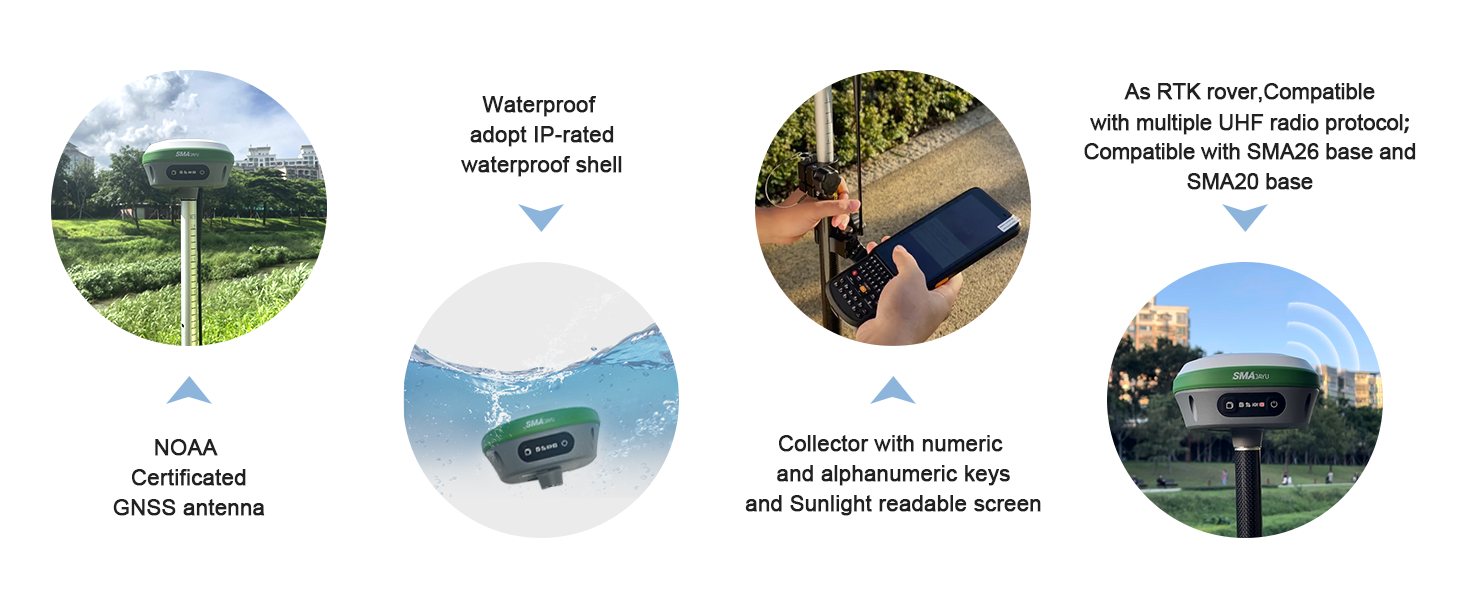
આકૃતિ 3.1: ઓવરview of Survey Steps.
3.2 Setting Up the Base Station:
- Connect the handheld collector to the base unit via WiFi. The default password is 12345678.
- ખોલો એ web browser on the collector and navigate to 192.168.1.1.
- Log in to the GNSS receiver web configuration system using the default admin username and password.
- Navigate to "Configuration" > "Working mode".
- Set the data, protocols, and channels for the base station. Select "Base station" as the working mode.
- Enter fixed coordinates or use current coordinates.
- Click "Save" to apply the configuration.
- Go to "Status" > "Position" to check the number of stars searched.
- Go to "Status" > "Satellites" to check the status of the satellites.

Figure 3.2: Base Station Setup - Initial Configuration.

Figure 3.3: Base Station Setup - Advanced Configuration and Status Check.
3.3 Setting Up the Rover Unit:
- Connect the handheld collector to the rover unit via WiFi using the default password 12345678.
- ખોલો એ web browser on the collector and navigate to 192.168.1.1.
- Log in to the GNSS receiver web રૂપરેખાંકન સિસ્ટમ.
- Navigate to "Configuration" > "Working mode".
- Set the rover type, select the same protocol and channel as the base station, and start the rover.
- Click "Save" to apply the configuration.
- Enter the "Status" > "Position" interface to check the differential state. It should indicate "RTK fixed" for proper operation.

Figure 3.4: Rover Unit Setup - Initial Configuration.

Figure 3.5: Rover Unit Setup - Configuration and RTK Fix Verification.
4. ઓપરેશન
The SMA26 RTK GNSS system supports various operational modes and applications for precise data collection.
4.1 RTK Connection:
To achieve RTK fixed status, ensure the Rover and Base units are configured with the same protocol and frequency. This can be done via the WEBUI or Bluetooth connection to the Handheld Collector. Alternatively, for Rover operation, you can log in to a CORS (Continuously Operating Reference Station) account on the software to obtain RTK corrections.
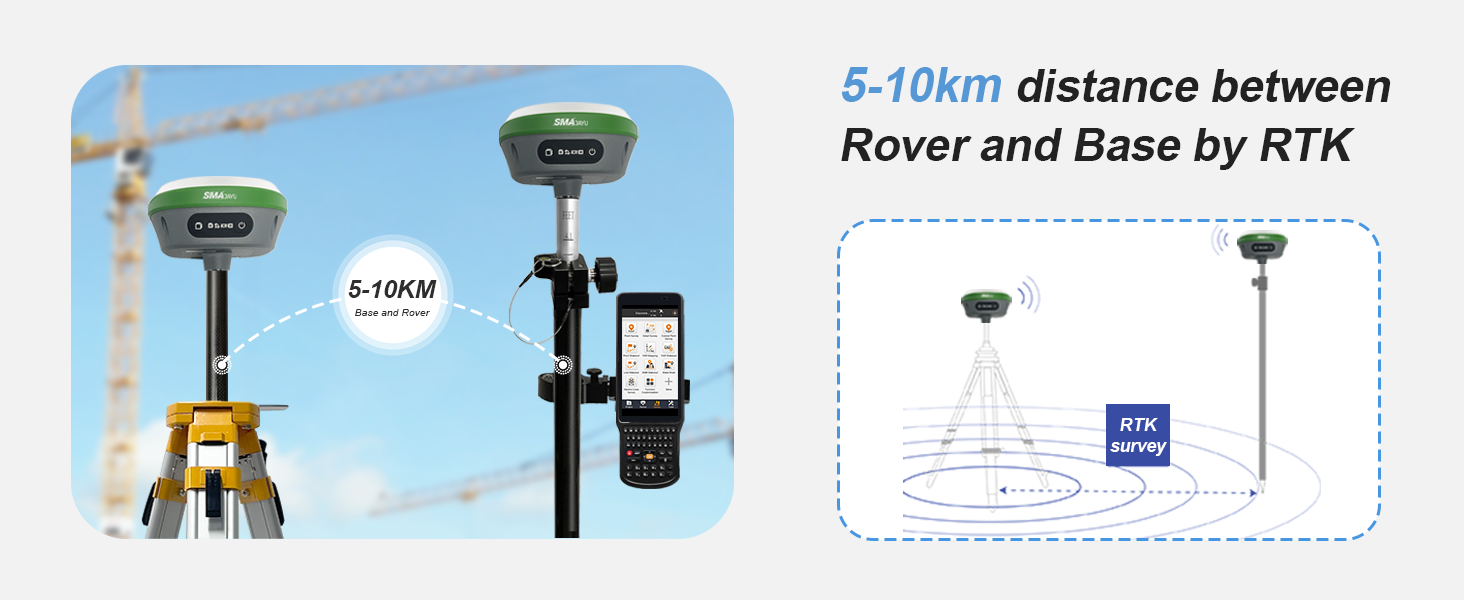
Figure 4.1: RTK Communication between Rover and Base.
4.2 Surveying Modes:
The SMA26 supports multiple surveying modes to adapt to different project requirements.

Figure 4.2: SMA26 RTK Surveying Modes.
- Static Surveying: Performs static data collection for high-precision positioning, ideal for control point establishment.
- RTK (Rover+Base): SMA26 acts as both rover and base for real-time kinematic surveying, providing sub-centimeter level accuracy for dynamic survey tasks.
- CORS Network Integration: Connects to Continuously Operating Reference Station (CORS) networks, eliminating the need for a physical base station and offering cost-effective and efficient solutions for large areas.
- SMA26 Rover + SMA20 Base (Static Simultaneously): Combines SMA26 rover with SMA20 static base for enhanced RTK accuracy and reliable communication.
- SMA26 Static + SMA20 PPK: Collects static data with SMA20, enabling Post-Processed Kinematic (PPK) for maximum precision, suitable for environments with poor RTK signal.
- SMA26 Rover PPP: Utilizes Precise Point Positioning (PPP) with Galileo HAS corrections, achieving centimeter accuracy without a base station.
4.3 Software Usage:
The SMAJAYU software on the handheld collector supports multiple languages, measurement units, and various functions for surveying tasks.

Figure 4.3: SMAJAYU Survey Software Interface.
The software allows for various survey functions including Point Survey, Detail Survey, Control Point Survey, Point Stakeout, CAD Mapping, Line Stakeout, DSM Stakeout, and more. It supports importing and exporting data in formats such as dat, txt, csv, rw5, raw, kml, kmz, ncn, pxy, crd, dxf, shp, dwg.
4.4 Data Output Formats:
The SMA26 provides data in industry-standard formats for compatibility with various post-processing software.
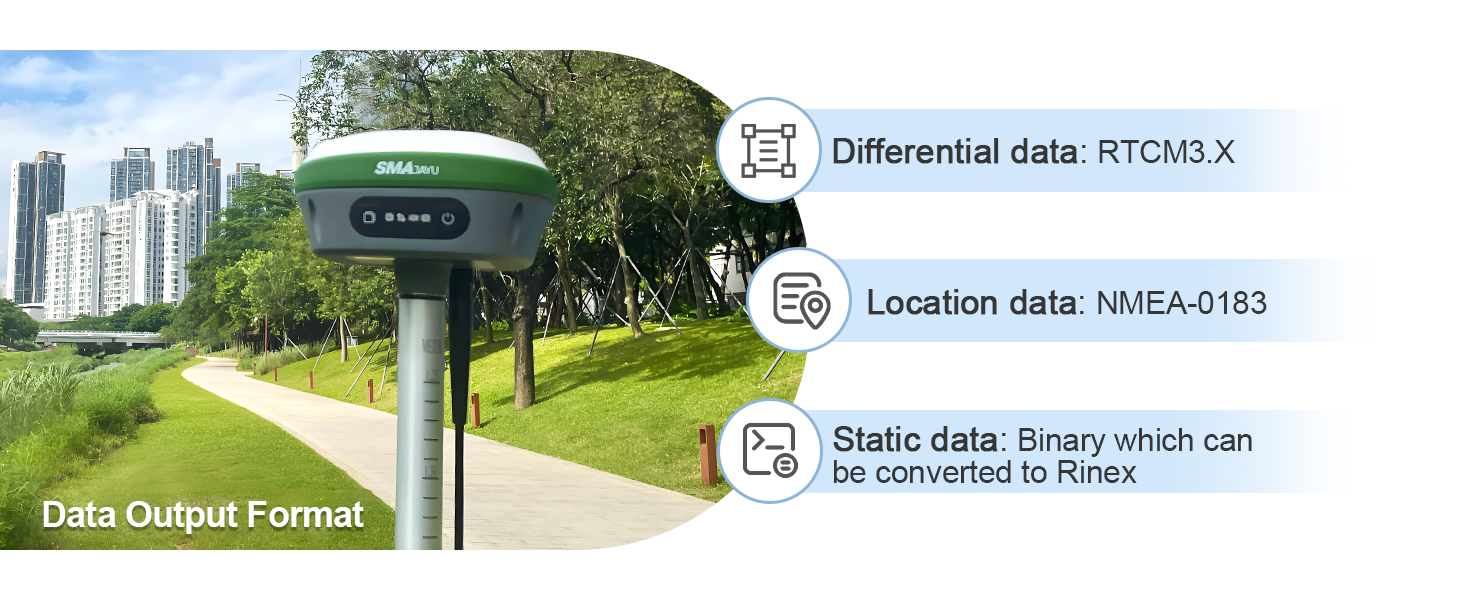
Figure 4.4: Data Output Formats.
- Differential Data: RTCM3.X
- Location Data: NMEA-0183
- Static Data: Binary (can be converted to Rinex)
5. સ્પષ્ટીકરણો
Detailed technical specifications for the SMAJAYU SMA26 RTK GNSS Receiver System.
| લક્ષણ | સ્પષ્ટીકરણ |
|---|---|
| મોડેલનું નામ | SMA26 |
| RTK Accuracy (Horizontal) | ±5 મીમી |
| RTK Accuracy (Vertical) | ±10 મીમી |
| Static Accuracy (Horizontal) | 2.5 મીમી |
| Static Accuracy (Vertical) | 5 મીમી |
| IMU Tilt Measurement | 30°-60° with 2.5cm(H) at max 60° |
| UHF Distance (Rover & Base) | 5-10 કિમી |
| બેટરી જીવન | 48 Hours (10000mAh) |
| કનેક્ટિવિટી ટેકનોલોજી | WiFi, USB, Bluetooth, Serial Port |
| આધારભૂત નક્ષત્ર | GPS L1C/A/L2P(Y)/L2C/L5, GLONASS G1/G2/G3, BDS B1I/B2I/B3I/B1C/B2a/B2b*, GALILEO E1/E5a/E5b/E6*, QZSS L1, L2, L5 |
| Handheld Collector OS | એન્ડ્રોઇડ 11 |
| Handheld Collector Screen | 5.45-inch, 720x1440 resolution |
| આંતરિક સંગ્રહ | 32GB |
| વોટરપ્રૂફ રેટિંગ | IP-rated waterproof shell |
| પ્રમાણપત્ર | NOAA Certified |
6. જાળવણી
Proper maintenance ensures the longevity and accuracy of your SMAJAYU SMA26 system.
- સફાઈ: Regularly clean the GNSS receivers, handheld collector, and accessories with a soft, damp કાપડ. ઘર્ષક ક્લીનર્સ અથવા સોલવન્ટ્સ ટાળો.
- સંગ્રહ: Store all components in their protective cases when not in use. Keep them in a dry, temperature-controlled environment away from direct sunlight and extreme temperatures.
- બેટરી સંભાળ: Charge batteries fully before extended storage. For long-term storage, charge batteries to approximately 50% every few months to maintain battery health.
- ફર્મવેર અપડેટ્સ: સમયાંતરે ઉત્પાદકની તપાસ કરો website or software for available firmware updates to ensure optimal performance and access to new features.
- કેબલ નિરીક્ષણ: Inspect all cables and connectors regularly for signs of wear or damage. Replace damaged cables immediately to prevent operational issues.
7. મુશ્કેલીનિવારણ
This section addresses common issues you might encounter with your SMAJAYU SMA26 system.
સામાન્ય સમસ્યાઓ અને ઉકેલો:
- No RTK Fix:
- Ensure both Base and Rover units are powered on and have clear sky visibility.
- Verify that the Base and Rover are configured with the same protocol and frequency.
- Check the distance between the Base and Rover; it should be within the 5-10km UHF range.
- Confirm that the terminal antennas are securely connected.
- If using CORS, ensure a stable internet connection and correct login credentials.
- Handheld Collector Not Connecting to Receiver:
- Check WiFi or Bluetooth connection status on the collector.
- Verify the WiFi password (default: 12345678).
- Restart both the handheld collector and the GNSS receiver.
- અચોક્કસ સ્થિતિ:
- Ensure the RTK status is "Fixed" and not "Float" or "Single".
- Check for obstructions (buildings, dense foliage) that might block satellite signals.
- Verify the calibration of the IMU if tilt compensation is being used.
- Confirm that the correct coordinate system and projection are selected in the software.
- બેટરી ચાર્જ થતી નથી:
- Ensure the power adapter is correctly connected to the receiver and a working power outlet.
- Check the power adapter and charging cable for any visible damage.
- એક અલગ પાવર આઉટલેટ અજમાવો.
If you encounter issues not covered here, please refer to the official SMAJAYU support resources.
8. વોરંટી અને સપોર્ટ
SMAJAYU is committed to providing reliable products and excellent customer service.
વોરંટી માહિતી:
Specific warranty terms and conditions are typically provided with your purchase documentation. Please refer to the warranty card or contact your vendor for details regarding coverage, duration, and claims procedures.
ગ્રાહક આધાર:
For technical assistance, troubleshooting, or any inquiries regarding your SMAJAYU SMA26 RTK GNSS Receiver System, please contact SMAJAYU customer support through their official channels. You can often find support contact information on the product packaging, the manufacturer's website, or through the vendor from whom you purchased the product.
Visit the official SMAJAYU Store for additional resources and product information: SMAJAYU Store


