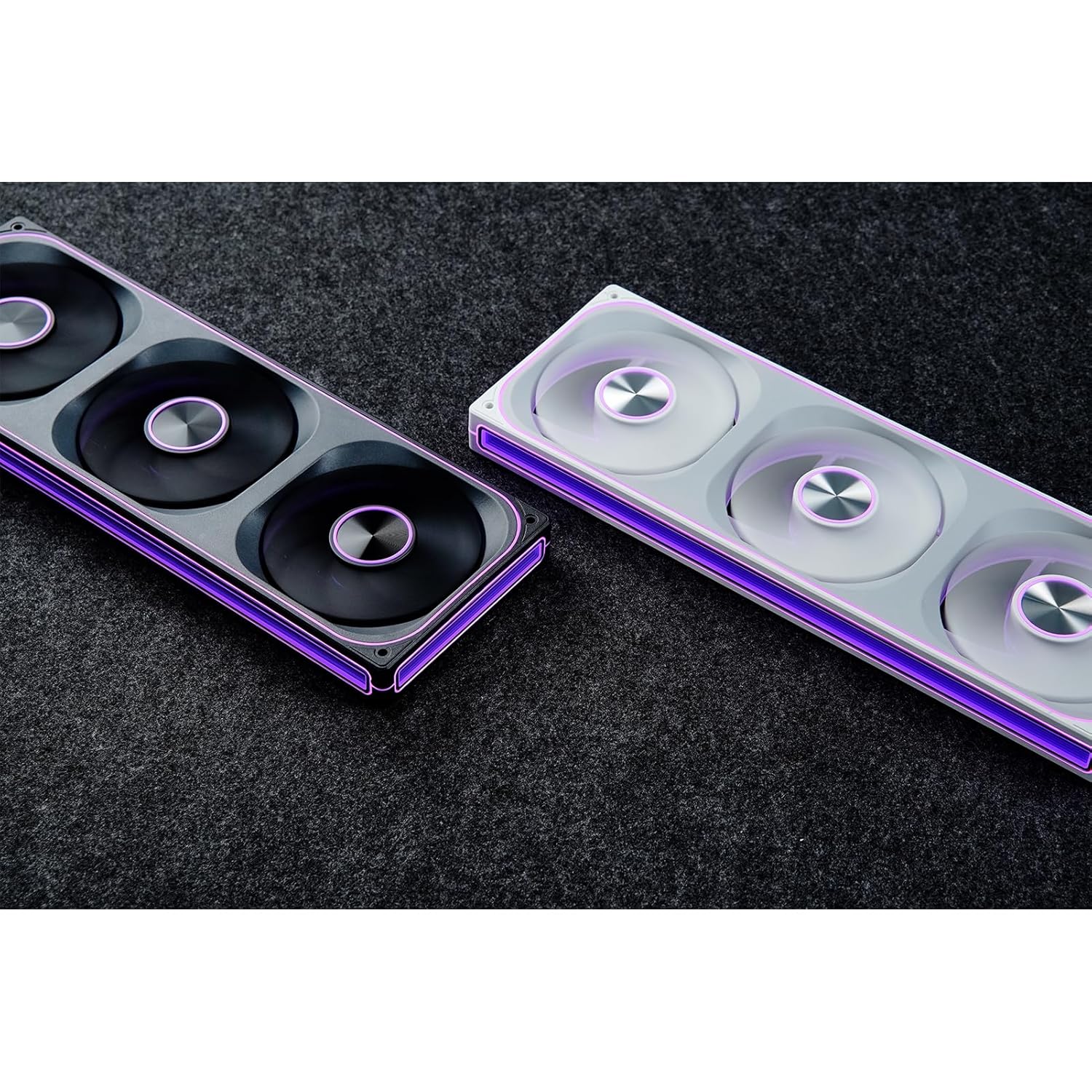
This manual provides detailed instructions for the installation, operation, and maintenance of your JONSBO ZA-240B PC Case Fan. Please read this manual thoroughly before installation and use to ensure proper function and longevity of the product. The JONSBO ZA-240B is an all-in-one unit featuring two 120mm ARGB fans, designed for efficient cooling and customizable lighting within a PC chassis.
2. સલામતી માહિતી
Ensure your computer system is powered off and unplugged from the wall outlet before installation or maintenance.
પંખો ચાલુ હોય ત્યારે પંખાના બ્લેડને સ્પર્શ કરવાનું ટાળો.
Handle the fan unit carefully to prevent damage to components or wiring.
Do not expose the product to moisture or extreme temperatures.
Use only compatible power and ARGB connectors as specified. Incorrect connections may cause damage.
બાળકોની પહોંચથી દૂર રાખો.
3. પેકેજ સામગ્રી
ખાતરી કરો કે બધી વસ્તુઓ પેકેજમાં હાજર છે:
JONSBO ZA-240B PC Case Fan Unit (with 2x120mm ARGB Fans)
માઉન્ટિંગ સ્ક્રૂ
દસ્તાવેજીકરણ (આ માર્ગદર્શિકા)
Image: JONSBO ZA-240B fan unit with its integrated cables for power and ARGB connection.
4. ઉત્પાદન સુવિધાઓ
ઓલ-ઇન-વન ડિઝાઇન: Single frame unit integrating two 120mm ARGB fans, simplifying installation and cable management.
ARGB Infinity Mirror: Features 4-sides thousand-layer mirror illusion with 52 lamp beads around the circumference and 18 in the axis for dynamic lighting effects.
Addressable RGB Sync: Direct 3-pin ARGB connection to compatible motherboards for synchronized lighting control and over 16 million color effects.
PWM નિયંત્રણ: Quiet and low-noise PWM fan operation with an integrated male/female head for speed regulation.
Aluminum Nameplate: Includes an aluminum CD pattern nameplate for enhanced aesthetics.
Simplified Cabling: One-line connection to the motherboard for both fan power and ARGB lighting.
છબી: આગળ view of the JONSBO ZA-240B PC Case Fan showcasing its ARGB lighting and infinity mirror effect.
5. સેટઅપ અને ઇન્સ્ટોલેશન
Follow these steps to install the JONSBO ZA-240B PC Case Fan into your computer chassis:
તમારી સિસ્ટમ તૈયાર કરો: Power off your computer and unplug it from the power outlet. Open your PC case to access the interior.
માઉન્ટ કરવાનું સ્થાન ઓળખો: Determine the desired mounting location for the fan unit (e.g., top, front, bottom, or side of the case). Ensure there is sufficient clearance.
Secure the Fan Unit: Align the fan unit with the screw holes in your PC case. Use the provided mounting screws to firmly attach the fan unit to the chassis. Do not overtighten.
Image: JONSBO ZA-240B fan unit installed at the top of a PC case, demonstrating typical mounting.
Connect PWM Cable: Locate an available 4-pin PWM fan header on your motherboard. Connect the 4-pin PWM connector from the fan unit to this header. This allows the motherboard to control fan speed.
ARGB કેબલ કનેક્ટ કરો: Locate an available 3-pin 5V Addressable RGB header on your motherboard. Connect the 3-pin ARGB connector from the fan unit to this header. Ensure the arrow on the connector aligns with the +5V pin on the motherboard header to prevent damage. Do not connect to a 12V RGB header.
કેબલ મેનેજમેન્ટ: Route the cables neatly to avoid interference with other components and to improve airflow.
કેસ બંધ કરો અને પાવર ચાલુ કરો: Once all connections are secure, close your PC case, plug in the power cable, and power on your system.
6. ઓપરેશન
Fan Speed Control (PWM)
The JONSBO ZA-240B fan unit utilizes Pulse Width Modulation (PWM) technology, allowing your motherboard to dynamically adjust fan speeds based on system temperature. This ensures optimal cooling performance while minimizing noise levels. You can configure fan curves through your motherboard's BIOS/UEFI settings or using compatible software provided by your motherboard manufacturer.
ARGB લાઇટિંગ કંટ્રોલ
The Addressable RGB (ARGB) lighting of the ZA-240B can be controlled via your motherboard's ARGB software (e.g., ASUS Aura Sync, MSI Mystic Light Sync, GIGABYTE RGB Fusion, ASRock Polychrome Sync). Ensure your motherboard supports 3-pin 5V ARGB headers. This software allows you to customize lighting effects, colors, and synchronization with other ARGB components in your system.
Image: The JONSBO ZA-240B fan unit displaying its customizable ARGB lighting within a computer system.
7. જાળવણી
Regular maintenance helps ensure optimal performance and extends the lifespan of your fan unit.
ધૂળ દૂર કરવી: Periodically clean dust from the fan blades and frame using compressed air or a soft brush. Ensure the system is powered off and unplugged before cleaning.
નિરીક્ષણ: Occasionally inspect the fan and its cables for any signs of wear, damage, or loose connections.
8. મુશ્કેલીનિવારણ
અંક
સંભવિત કારણ
ઉકેલ
પંખો ફરતો નથી
Loose or incorrect PWM cable connection. Insufficient power.
Check the 4-pin PWM cable connection to the motherboard. Ensure the motherboard is supplying power to the fan header.
ARGB લાઇટિંગ કામ કરી રહી નથી
Loose or incorrect ARGB cable connection. Connected to 12V RGB header. Motherboard ARGB software not configured.
Verify the 3-pin ARGB cable is securely connected to a 5V ARGB header. Ensure it is not connected to a 12V RGB header. Check motherboard ARGB software settings.
Fan is too loud
Fan speed set too high. Obstruction.
Adjust fan speed settings in your motherboard's BIOS/UEFI or software. Ensure no cables or objects are obstructing the fan blades.
નબળી ઠંડક કામગીરી
Insufficient airflow. Dust buildup. Incorrect fan orientation.
Ensure proper airflow within the case. Clean dust from fans. Verify fan is oriented to push or pull air in the desired direction.
9. સ્પષ્ટીકરણો
લક્ષણ
વિગત
મોડલ નંબર
ZA-240B
ચાહકનું કદ
2 x 120mm (integrated unit)
Fan Thickness
28 મીમી
રોટેશનલ સ્પીડ
700-2400 RPM (±10%)
અવાજ સ્તર
21.3-37.3 dB(A)
પાવર કનેક્ટર
4-Pin PWM
ARGB કનેક્ટર
3-પિન 5V ARGB
ભાગtage
DC 12 Volts (Fan), 5 Volts (LED)
વાટtage
5.16 watts (Fan), 5.80 watts (LED)
સુસંગત ઉપકરણો
પીસી કેસ
પરિમાણો (પાર્સલ)
29.97 x 15.75 x 4.19 સેમી
Weight (Parcel)
707.6 ગ્રામ
10. વોરંટી અને સપોર્ટ
For warranty information and technical support, please refer to the official JONSBO webસાઇટ પર જાઓ અથવા તમારા રિટેલરનો સંપર્ક કરો. વોરંટી દાવાઓ માટે ખરીદીનો પુરાવો રાખો.
સંબંધિત દસ્તાવેજો - ZA-240B
જોન્સબો ફેન સલામતી સૂચનાઓ અને ચેતવણીઓ આ દસ્તાવેજ જોન્સબો ફેન માટે આવશ્યક સલામતી સૂચનાઓ અને ચેતવણીઓ પ્રદાન કરે છે, જેમાં યાંત્રિક સલામતી, વિદ્યુત સલામતી, વેન્ટિલેશન અને જાળવણીનો સમાવેશ થાય છે. તે ઉત્પાદનના સલામત સંચાલન અને યોગ્ય ઉપયોગ માટે બનાવાયેલ છે.
જોન્સબો D31 કમ્પ્યુટર કેસ ઇન્સ્ટોલેશન માર્ગદર્શિકા અને સ્પષ્ટીકરણો જોન્સબો D31 કોમ્પ્યુટર કેસ માટે વ્યાપક માર્ગદર્શિકા, જેમાં ભાગોની યાદી, ચેસિસ સ્પષ્ટીકરણો, PSU અને ગ્રાફિક્સ કાર્ડ ઇન્સ્ટોલેશન, કૂલિંગ વિકલ્પો અને સુસંગતતાનો સમાવેશ થાય છે. તમારા પીસી બનાવવા માટે વિગતવાર પગલાંઓ દર્શાવે છે.
JONSBO NV10 PC કેસ ઇન્સ્ટોલેશન માર્ગદર્શિકા JONSBO NV10 PC કેસ માટે વ્યાપક ઇન્સ્ટોલેશન માર્ગદર્શિકા, જેમાં પેકેજ સામગ્રી, ભાગો, કનેક્ટર્સ અને તમારા કમ્પ્યુટર બનાવવા માટે સ્ટેપ-બાય-સ્ટેપ એસેમ્બલી સૂચનાઓની વિગતો છે.
JONSBO N5 NAS Case User Guide Comprehensive user guide for the JONSBO N5 NAS Case, detailing product specifications, parts list, and step-by-step installation instructions for components like power supply, motherboard, storage drives, and cooling.
JONSBO T9 અલગ કેબિનેટ કેસ વપરાશકર્તા માર્ગદર્શિકા Comprehensive user guide for the JONSBO T9 Separated Cabinet Case, detailing product specifications, parts list, and step-by-step installation instructions for PC builders.