તાઈહિરો ડ્યુઅલ વાયરલેસ ગેમિંગ હેડસેટ વપરાશકર્તા માર્ગદર્શિકા
Model: Bundle-2
પરિચય
Thank you for choosing the Taiahiro Dual Wireless Gaming Headset. This manual provides detailed instructions for setting up, operating, and maintaining your new headset. Please read this manual thoroughly before use to ensure optimal performance and longevity of your device.
This headset offers versatile connectivity options including 2.4GHz wireless, Bluetooth 5.2, and 3.5mm wired modes, making it compatible with a wide range of platforms such as PS5, PS4, PC, Switch, Xbox, Mac, Phone, and Tablet.
સલામતી માહિતી
- હેડસેટને અતિશય તાપમાન, ભેજ અથવા પ્રવાહીના સંપર્કમાં ન લાવો.
- હેડસેટને પડતું મૂકવાનું કે તેને જોરદાર અસર કરવાનું ટાળો.
- હેડસેટને ડિસએસેમ્બલ કરવાનો કે સુધારવાનો પ્રયાસ કરશો નહીં. આ વોરંટી રદ કરશે.
- શ્રવણશક્તિને નુકસાન થતું અટકાવવા માટે મધ્યમ અવાજના સ્તરે સાંભળો. લાંબા સમય સુધી મોટા અવાજોના સંપર્કમાં રહેવાથી કાયમી શ્રવણશક્તિ ગુમાવી શકાય છે.
- Keep the headset and its accessories out of reach of children and pets.
- ફક્ત આપેલ ચાર્જિંગ કેબલ અથવા પ્રમાણિત સમકક્ષનો ઉપયોગ કરો.
પેકેજ સામગ્રી
કૃપા કરીને નીચેની વસ્તુઓ માટે પેકેજ તપાસો:
- Taiahiro Dual Wireless Gaming Headset (Black & White)
- 2.4GHz USB વાયરલેસ ડોંગલ
- ડિટેચેબલ નોઈઝ-કેન્સલિંગ માઇક્રોફોન
- USB-C ચાર્જિંગ કેબલ
- 3.5mm ઓડિયો કેબલ
- વપરાશકર્તા માર્ગદર્શિકા (આ દસ્તાવેજ)
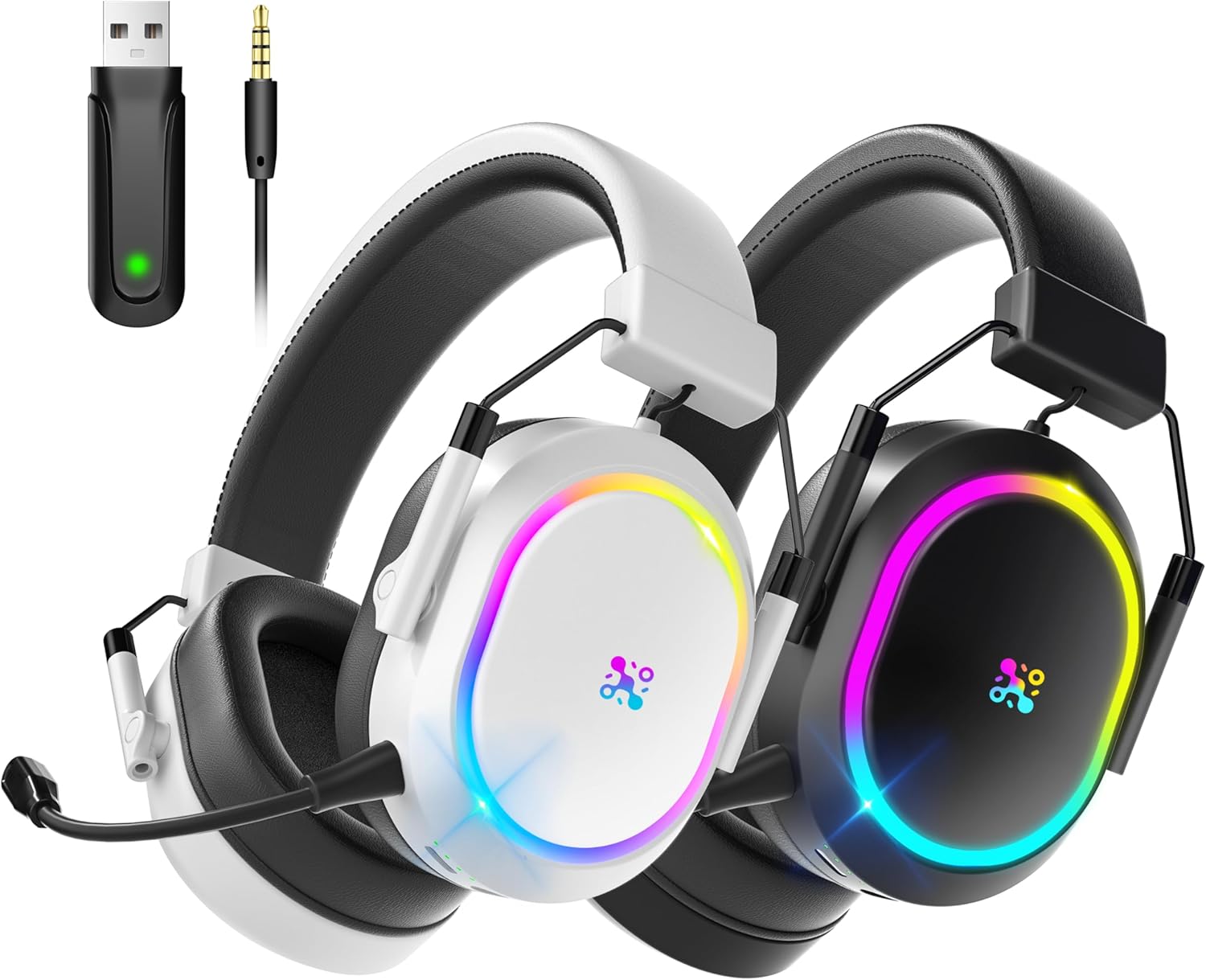
Image: The Taiahiro Dual Wireless Gaming Headset in both black and white, alongside its 2.4GHz USB wireless dongle and 3.5mm audio cable, illustrating the complete package contents.
ઉત્પાદન ઓવરview
Familiarize yourself with the various components and controls of your Taiahiro Gaming Headset.

Image: A detailed diagram highlighting the various control points on the headset, including the Status Light, M Button, Power Button, Volume Control, 3.5mm Port, Battery Level Indicator Light, Charging Port, and Mic Port.
- પાવર બટન: Used to power the headset on/off and switch modes.
- M બટન: Multi-function button for various controls depending on the mode.
- વોલ્યુમ નિયંત્રણ: Rotary dial to adjust audio volume.
- ૩.૫ મીમી પોર્ટ: વાયર્ડ કનેક્શન માટે.
- માઇક પોર્ટ: For attaching the detachable microphone.
- ચાર્જિંગ પોર્ટ (USB-C): હેડસેટ ચાર્જ કરવા માટે.
- સ્થિતિ પ્રકાશ: Indicates power, connection status, and charging.
- બેટરી સ્તર સૂચક પ્રકાશ: Shows current battery charge.
- ડિટેચેબલ માઇક્રોફોન: Flexible, omnidirectional microphone with noise cancellation.
- એડજસ્ટેબલ હેડબેન્ડ: For comfortable fit.
- શ્વાસ લઈ શકાય તેવા નરમ ઇયરમફ્સ: Designed for comfort during long gaming sessions.
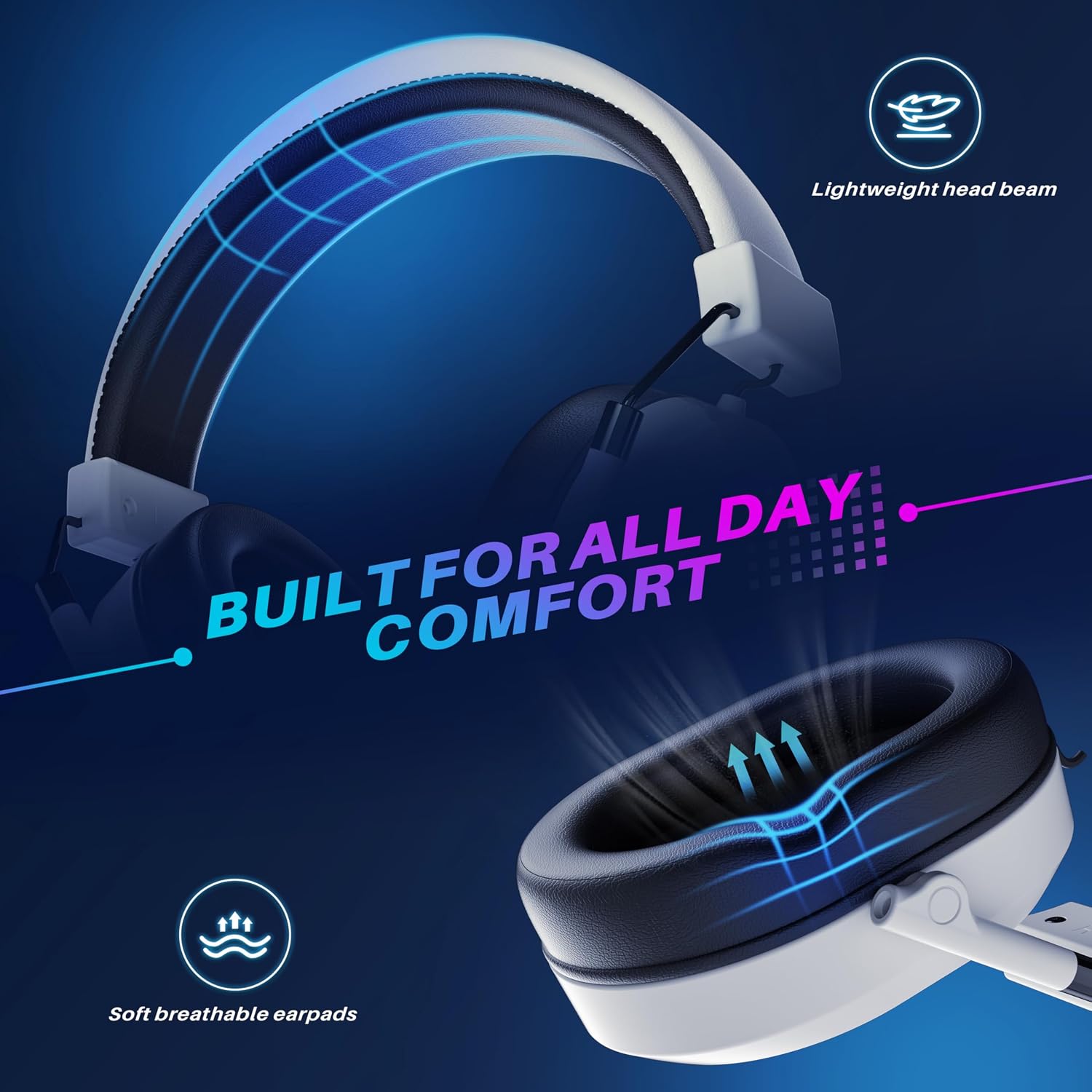
Image: The headset highlighting its comfortable design features, including a lightweight head beam and soft, breathable earpads, engineered for extended wear.

છબી: એક વિસ્ફોટ view of the headset's internal components, specifically showcasing the 50mm audio drivers responsible for sound production.
સેટઅપ
1. હેડસેટ ચાર્જ કરી રહ્યું છે
Before first use, fully charge the headset. A full charge takes approximately 2.5 hours.
- Connect the USB-C charging cable to the headset's charging port.
- કેબલના બીજા છેડાને USB પાવર સ્ત્રોત સાથે જોડો (દા.ત., કમ્પ્યુટર USB પોર્ટ, USB વોલ એડેપ્ટર).
- The Battery Level Indicator Light will show charging status. It will turn solid when fully charged.
નોંધ: The headset offers over 50 hours of battery life with lights off, and over 25 hours with lights on.

Image: The headset positioned on a charging platform, visually representing its impressive battery life of over 50 hours and the quick 2.5-hour full charging time.
2. Connecting via 2.4GHz Wireless (USB Dongle)
This mode provides ultra-low latency connection for gaming.
- Insert the 2.4GHz USB wireless dongle into an available USB port on your PS5, PS4, PC, Switch (docked mode), or Mac.
- Power on the headset by pressing and holding the Power Button until the Status Light illuminates.
- The headset will automatically attempt to connect to the dongle. The Status Light will indicate a successful connection (e.g., solid blue).
- On your device, ensure the audio output is set to "Taiahiro Headset" or similar.

Image: A visual representation of the headset's low-latency 2.4GHz wireless technology, featuring the USB dongle and highlighting an ultra-low latency of less than 25ms for stable wireless range up to 33ft.
3. બ્લૂટૂથ 5.2 દ્વારા કનેક્ટ થઈ રહ્યું છે
Ideal for mobile devices, tablets, and other Bluetooth-enabled systems.
- ખાતરી કરો કે હેડસેટ ચાલુ છે.
- Press the Power Button briefly to cycle through modes until the Status Light blinks blue rapidly, indicating Bluetooth pairing mode.
- On your device (Phone, Tablet, PC, Mac), go to Bluetooth settings and search for "Taiahiro Headset".
- Select "Taiahiro Headset" to pair. The Status Light will turn solid blue upon successful connection.
4. Connecting via 3.5mm Wired
For devices without wireless capabilities or when battery is low.
- Insert the 3.5mm audio cable into the headset's 3.5mm port.
- Connect the other end of the cable to the 3.5mm audio jack on your device (PS5 controller, PS4 controller, Xbox controller, PC, Switch, Phone, Tablet).
- The headset will automatically switch to wired mode. The headset does not need to be powered on for wired audio, but power is required for microphone functionality in some cases.
૪. માઇક્રોફોન જોડવું
The detachable microphone provides clear voice communication.
- Locate the microphone port on the left earcup of the headset.
- Align the microphone's connector with the port and gently push it in until it clicks into place.
- Adjust the flexible microphone boom to position it optimally near your mouth for clear voice pickup.

Image: The headset featuring its detachable noise-cancelling microphone, illustrating its 360-degree adjustability for optimal voice pickup and a 95% reduction in ambient noise.
ઓપરેટિંગ સૂચનાઓ
પાવર ચાલુ/બંધ
- પાવર ચાલુ: Press and hold the Power Button for 3 seconds until the Status Light illuminates.
- પાવર બંધ: Press and hold the Power Button for 3 seconds until the Status Light turns off.
વોલ્યુમ નિયંત્રણ
- Rotate the Volume Control dial up to increase volume.
- Rotate the Volume Control dial down to decrease volume.
માઇક્રોફોન મ્યૂટ / અવાજ બંધ કરો
- Press the M Button once to mute the microphone. The Status Light may change color or blink to indicate mute status.
- Press the M Button again to unmute the microphone.
મોડ સ્વિચિંગ
- Briefly press the Power Button to cycle between 2.4GHz wireless mode and Bluetooth mode. The Status Light will indicate the active mode.
- Wired mode (3.5mm) is automatically activated when the audio cable is plugged in.
3D સરાઉન્ડ સાઉન્ડ
The headset features 3D surround sound for an immersive gaming experience.

Image: The headset displayed with a graphic overlay illustrating the concept of 3D stereo surround sound, emphasizing its design for immersive gaming.
This feature is automatically enabled when using the headset in wireless modes. Ensure your game or system audio settings are configured for stereo or surround sound output for the best experience.
જાળવણી
- સફાઈ: Use a soft, dry cloth to wipe the headset. For stubborn dirt, slightly dampપાણીથી ભરેલા કપડાને સાફ કરો. કઠોર રસાયણો અથવા ઘર્ષક ક્લીનર્સનો ઉપયોગ કરશો નહીં.
- સંગ્રહ: Store the headset in a cool, dry place away from direct sunlight and extreme temperatures. When not in use for extended periods, it is recommended to store it in its original packaging or a protective case.
- બેટરી સંભાળ: To prolong battery life, avoid fully discharging the headset frequently. If storing for a long time, charge it to about 50% every few months.
- માઇક્રોફોન સંભાળ: Handle the detachable microphone gently. Avoid bending it excessively or forcing it into the port.
મુશ્કેલીનિવારણ
| સમસ્યા | સંભવિત કારણ | ઉકેલ |
|---|---|---|
| હેડસેટમાંથી કોઈ અવાજ નથી |
|
|
| માઇક્રોફોન કામ કરતું નથી |
|
|
| Connection issues (wireless) |
|
|
વિશિષ્ટતાઓ
| લક્ષણ | વિગત |
|---|---|
| મોડેલનું નામ | Bundle-2 |
| કનેક્ટિવિટી ટેકનોલોજી | 2.4GHz Wireless, Bluetooth 5.2, 3.5mm Wired |
| સુસંગત ઉપકરણો | PS5, PS4, PC, Switch, Xbox, Mac, Phone, Tablet |
| ઓડિયો ડ્રાઈવરો | 50mm ડાયનેમિક ડ્રાઇવર્સ |
| આવર્તન શ્રેણી | 20Hz - 20,000Hz |
| માઇક્રોફોન | Detachable, 360° Noise Cancelling |
| બેટરી જીવન | 50+ hours (lights off), 25+ hours (lights on) |
| ચાર્જિંગ સમય | આશરે 2.5 કલાક (USB-C દ્વારા) |
| Wireless Latency | <25ms (2.4GHz) |
| વાયરલેસ રેંજ | 33ft (10m) સુધી |
| ઇયરપીસ આકાર | ઓવર-કાન |
| સામગ્રી | ફેબ્રિક, પ્લાસ્ટિક |
વોરંટી અને આધાર
Taiahiro products are designed and manufactured to the highest quality standards. This product is covered by a limited warranty from the date of purchase. Please refer to the warranty card included in your package for specific terms and conditions.
For technical support, troubleshooting assistance, or warranty claims, please contact Taiahiro Customer Service:
- ઈમેલ: support@taiahiro.com (માજીample email, replace if actual is known)
- Webસાઇટ: Visit the Taiahiro Store on Amazon
Please have your product model number (Bundle-2) and purchase date ready when contacting support.


