1. પરિચય
This manual provides essential information for the safe and efficient operation of your Sharp 40GF2265E Smart TV. This 40-inch Full HD television features Google TV, DVB-T2, and HEVC/H.265 support, offering a comprehensive entertainment experience with integrated Google Assistant and Chromecast built-in.
2. સલામતી માહિતી
Please read all safety instructions carefully before using the television. Keep this manual for future reference.
- પાવર સપ્લાય: ખાતરી કરો કે ટીવી યોગ્ય વોલ્યુમ સાથે પાવર આઉટલેટ સાથે જોડાયેલ છેtage. પાવર આઉટલેટ્સ ઓવરલોડ ન કરો.
- વેન્ટિલેશન: વેન્ટિલેશનના છિદ્રોને અવરોધશો નહીં. યોગ્ય હવા પ્રવાહ માટે ટીવીની આસપાસ પૂરતી જગ્યા આપો.
- પાણી અને ભેજ: ટીવીને વરસાદ કે ભેજના સંપર્કમાં ન લાવો. ટીવી પર પ્રવાહીથી ભરેલી વસ્તુઓ, જેમ કે વાઝ, ન મૂકો.
- સફાઈ: સફાઈ કરતા પહેલા ટીવીને અનપ્લગ કરો. નરમ, સૂકા કપડાનો ઉપયોગ કરો. પ્રવાહી અથવા એરોસોલ ક્લીનર્સનો ઉપયોગ કરશો નહીં.
- પ્લેસમેન્ટ: Place the TV on a stable, level surface. Avoid direct sunlight, heat sources, and extreme temperatures.
- સર્વિસિંગ: ટીવીની જાતે સર્વિસ કરવાનો પ્રયાસ કરશો નહીં. બધી સર્વિસિંગ લાયકાત ધરાવતા સેવા કર્મચારીઓને સોંપો.
3. બોક્સમાં શું છે
Verify that all the following components are included with your Sharp 40GF2265E Smart TV:
- Sharp 40GF2265E Smart TV
- રીમોટ કંટ્રોલ
- ટીવી સ્ટેન્ડ (2 ટુકડાઓ)
- પાવર કેબલ
- વપરાશકર્તા માર્ગદર્શિકા (આ દસ્તાવેજ)
- Batteries (2 AAA for remote control)
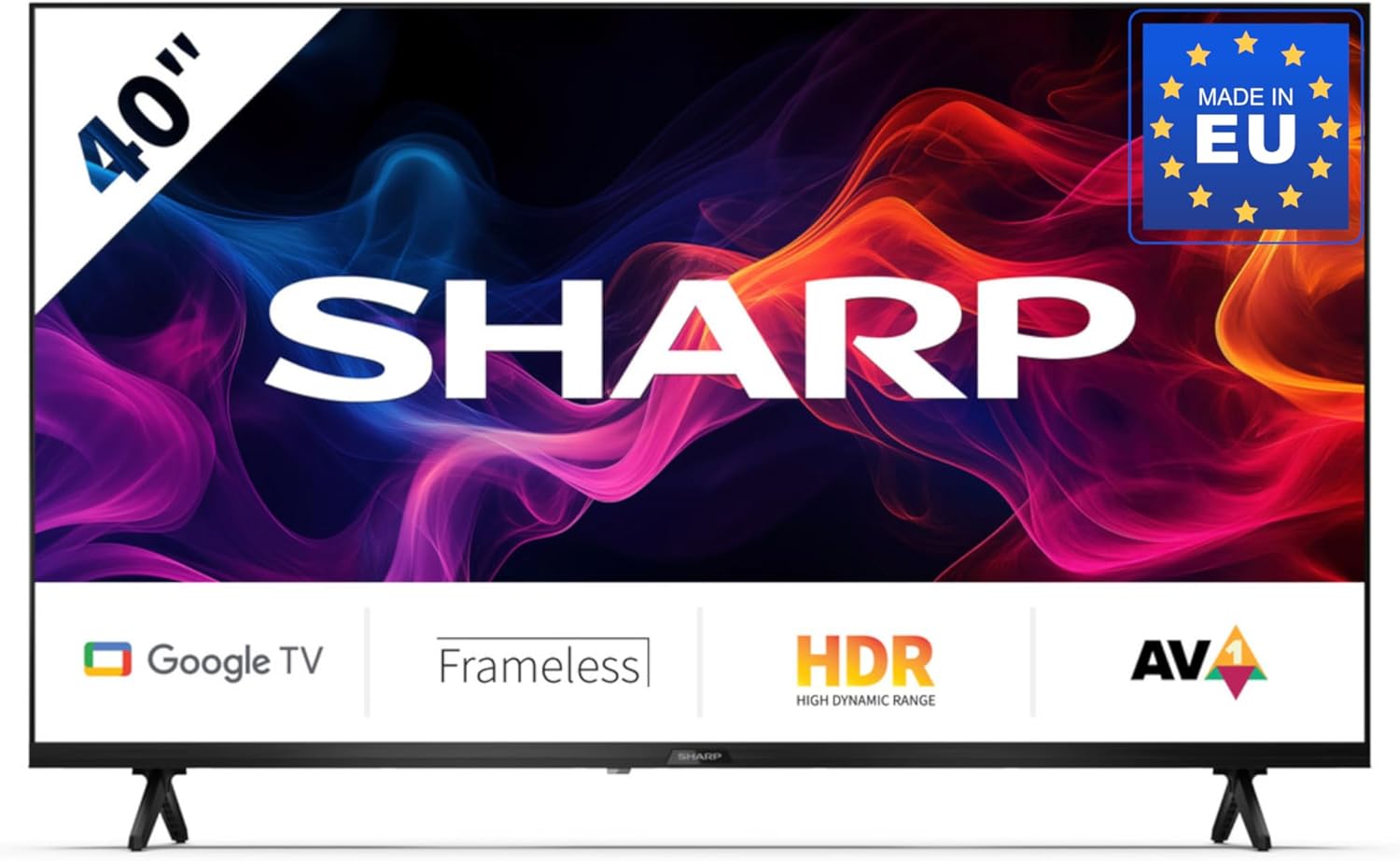
Image 3.1: Sharp 40GF2265E Smart TV with its remote control, stand, and power cable.
4. સેટઅપ
4.1 અનપેકિંગ
- ટીવીને તેના પેકેજિંગમાંથી કાળજીપૂર્વક દૂર કરો.
- સ્ક્રીનને નુકસાન ન થાય તે માટે ટીવીનો ચહેરો નરમ, સપાટ સપાટી (દા.ત., ધાબળો અથવા ફોમ) પર નીચે મૂકો.
૨.૧ સ્ટેન્ડ જોડવું
To attach the included stand to your TV:
- ડાબા અને જમણા સ્ટેન્ડના ટુકડા ઓળખો.
- દરેક સ્ટેન્ડ પીસને ટીવીના તળિયે અનુરૂપ સ્લોટ્સ સાથે સંરેખિત કરો.
- Secure the stands using the screws provided. Ensure they are firmly attached.

છબી 4.1: આગળ view of the Sharp 40GF2265E Smart TV with its two-piece stand correctly installed.
૩.૩ વોલ માઉન્ટિંગ (વૈકલ્પિક)
The Sharp 40GF2265E supports VESA wall mounting. A wall mount bracket is not included. Refer to the wall mount manufacturer's instructions for installation. Ensure the wall can support the weight of the TV and the mount.
4.4 કનેક્ટિંગ પેરિફેરલ્સ
Connect your external devices to the TV's rear ports:
- એન્ટેના/કેબલ: Connect your antenna or cable TV signal to the appropriate input. The TV supports DVB-T2/C/S/S2.
- HDMI ઉપકરણો: Use HDMI cables to connect Blu-ray players, game consoles, or other HDMI-enabled devices.
- યુએસબી ઉપકરણો: Insert USB drives for media playback or software updates.
- ઈથરનેટ: For a stable wired internet connection, connect an Ethernet cable to the LAN port.
- ઓડિયો આઉટ: Use the 3.5mm audio jack or optical digital audio output for external sound systems.

છબી 4.2: વિગતવાર view of the rear connectivity ports on the Sharp 40GF2265E Smart TV, including HDMI, USB, and antenna inputs.
4.5 પાવરિંગ ચાલુ
- પાવર કેબલને ટીવી સાથે અને પછી દિવાલના આઉટલેટ સાથે જોડો.
- Press the power button on the remote control or on the TV itself to turn it on.
૫. ટીવી ચલાવવું
૫.૧ પહેલી વાર સેટઅપ
પહેલી વાર પાવર-ઓન થવા પર, ટીવી તમને પ્રારંભિક સેટઅપ પ્રક્રિયામાં માર્ગદર્શન આપશે:
- ભાષા પસંદગી: તમારી પસંદીદા ભાષા પસંદ કરો.
- નેટવર્ક કનેક્શન: તમારા Wi-Fi નેટવર્કથી કનેક્ટ કરો અથવા વાયર્ડ ઇથરનેટ કનેક્શનનો ઉપયોગ કરો.
- Google એકાઉન્ટ: Google TV સુવિધાઓ, ઍપ અને વ્યક્તિગત ભલામણોને ઍક્સેસ કરવા માટે તમારા Google એકાઉન્ટ વડે સાઇન ઇન કરો.
- ચેનલ સ્કેન: The TV will scan for available digital channels.
5.2 રીમોટ કંટ્રોલ
The remote control allows you to navigate the TV's interface and control various functions. It includes a dedicated Google Assistant button for voice commands.
૪.૧ મૂળભૂત ટીવી કાર્યો
- શક્તિ: ટીવી ચાલુ કે બંધ કરો.
- વોલ્યુમ: ધ્વનિ સ્તરને સમાયોજિત કરો.
- ચેનલ: ટીવી ચેનલો બદલો.
- ઇનપુટ સ્ત્રોત: Select between HDMI, TV tuner, and other inputs.
૪.૨ સ્માર્ટ ટીવી સુવિધાઓ (ગુગલ ટીવી)
Your Sharp 40GF2265E is powered by Google TV, offering a personalized and integrated entertainment experience.

Image 5.1: The Google TV interface on the Sharp 40GF2265E, showing recommended content and popular streaming applications.
- એપ્લિકેશન ઍક્સેસ: Easily access popular streaming services like Netflix, YouTube, Prime Video, Google Play Movies & TV, and the Google Play Store for more applications.
- Google સહાયક: Press the Google Assistant button on your remote to use voice commands for searching content, controlling smart home devices, managing tasks, and more.

Image 5.2: Visual representation of the Google Assistant feature, highlighting voice interaction.
- બિલ્ટ-ઇન ક્રોમકાસ્ટ: Cast movies, videos, photos, and apps directly from your compatible smartphone, tablet, or laptop to the TV screen.

છબી ૬.૨: એક ભૂતપૂર્વample of Chromecast built-in functionality, showing content streaming from a mobile device to the TV.
- બ્લૂટૂથ કનેક્ટિવિટી: હેડફોન અથવા સાઉન્ડબાર જેવા બ્લૂટૂથ-સક્ષમ ઉપકરણોને વાયરલેસ રીતે કનેક્ટ કરો.
- રમત મોડ: For an optimized gaming experience, the Game Mode reduces input lag and enhances picture settings for sharp resolution and natural contrasts.

Image 5.4: The left panel illustrates the Game Mode feature, providing a responsive gaming experience.
6. જાળવણી
6.1 સફાઈ
- સ્ક્રીન: નરમ, લિન્ટ-ફ્રી કાપડથી સ્ક્રીનને ધીમેથી સાફ કરો. હઠીલા નિશાનો માટે, સહેજ ડીampen the cloth with water or a screen-specific cleaner (do not spray directly on the screen).
- ટીવી બોડી: Use a soft, dry cloth to clean the TV's casing.
6.2 સોફ્ટવેર અપડેટ્સ
તમારા ટીવી પરફોર્મન્સ સુધારવા અને નવી સુવિધાઓ ઉમેરવા માટે સમયાંતરે સોફ્ટવેર અપડેટ્સ પ્રાપ્ત થઈ શકે છે. ખાતરી કરો કે તમારું ટીવી આ અપડેટ્સ આપમેળે પ્રાપ્ત કરવા માટે ઇન્ટરનેટ સાથે જોડાયેલ છે અથવા સેટિંગ્સ મેનૂમાં મેન્યુઅલી તપાસો.
7. મુશ્કેલીનિવારણ
જો તમને તમારા ટીવીમાં સમસ્યાઓ આવે, તો નીચેના સામાન્ય ઉકેલોનો સંદર્ભ લો:
- કોઈ શક્તિ નથી: પાવર કેબલ ટીવી અને પાવર આઉટલેટ બંને સાથે સુરક્ષિત રીતે જોડાયેલ છે કે નહીં તે તપાસો. કોઈ અલગ આઉટલેટ અજમાવી જુઓ.
- કોઈ ચિત્ર/ધ્વનિ નથી: ખાતરી કરો કે સાચો ઇનપુટ સ્ત્રોત પસંદ કરેલ છે. બધા કેબલ કનેક્શન (HDMI, એન્ટેના) તપાસો.
- રીમોટ કંટ્રોલ કામ કરતું નથી: બેટરીઓ બદલો. ખાતરી કરો કે રિમોટ અને ટીવીના IR સેન્સર વચ્ચે કોઈ અવરોધો નથી.
- નેટવર્ક કનેક્શન સમસ્યાઓ: Restart your router and modem. Check Wi-Fi password. For wired connections, ensure the Ethernet cable is properly connected.
- ચિત્ર ગુણવત્તા સમસ્યાઓ: ચિત્ર સેટિંગ્સ (તેજ, કોન્ટ્રાસ્ટ, શાર્પનેસ) સમાયોજિત કરો. ખાતરી કરો કે ઇનપુટ સ્રોત ઉચ્ચ-ગુણવત્તાવાળા સિગ્નલ પ્રદાન કરી રહ્યો છે.
For persistent issues, consult the full user manual available online or contact customer support.
8. સ્પષ્ટીકરણો
Detailed technical specifications for the Sharp 40GF2265E Smart TV:
| લક્ષણ | સ્પષ્ટીકરણ |
|---|---|
| બ્રાન્ડ | તીક્ષ્ણ |
| મોડલ | 40GF2265E |
| સ્ક્રીન માપ | ૬૫ ઇંચ (૧૬૬ સે.મી. કર્ણ) |
| ડિસ્પ્લે ટેકનોલોજી | એલઇડી |
| ઠરાવ | પૂર્ણ એચડી (૧૦૮૦પી) |
| પાસા રેશિયો | 16:9 |
| ઓપરેટિંગ સિસ્ટમ | ગૂગલ ટીવી |
| ટ્યુનર ટેકનોલોજી | DVB-T/T2/C/S/S2 (MPEG4 + H.265/HEVC 10 bit) |
| કનેક્ટિવિટી | Wi-Fi, Bluetooth, Ethernet, HDMI (multiple ports), USB (2 ports) |
| ઓડિયો ઇનપુટ | 3.5 mm audio jack, Optical digital audio |
| સરાઉન્ડ કન્ફિગરેશન | 2.1 |
| વાટtage | 37 વોટ |
| ખાસ લક્ષણો | Built-in speaker, Chromecast, Frameless design, Voice recognition |
| ઉત્પાદનના પરિમાણો (સ્ટેન્ડ સાથે) | 85.2 x 21.9 x 56.3 સેમી (W x D x H) |
| વજન | 5.3 કિલોગ્રામ |

Image 8.1: Dimensional diagram of the Sharp 40GF2265E Smart TV, illustrating its width, height, and depth.
9. વોરંટી અને સપોર્ટ
વોરંટી માહિતી અને ગ્રાહક સપોર્ટ માટે, કૃપા કરીને તમારા ઉત્પાદન સાથે સમાવિષ્ટ દસ્તાવેજોનો સંદર્ભ લો અથવા સત્તાવાર શાર્પની મુલાકાત લો webસાઇટ. તમે આ પર વધુ માહિતી પણ મેળવી શકો છો Sharp Brand Store on Amazon.
10. પર્યાવરણીય માહિતી
This product complies with European energy efficiency standards. For detailed energy consumption data, please refer to the energy label and the EPREL database.

Image 10.1: The EU Energy Label for the Sharp 40GF2265E, indicating an energy efficiency class of E.
For more information, visit the EPREL database: https://eprel.ec.europa.eu/qr/2165902


