1. પરિચય
This manual provides essential instructions for setting up, operating, and maintaining your PEJE Smartwatch. Please read this manual thoroughly before using the device to ensure proper function and longevity.
2. બોક્સમાં શું છે
Upon unboxing your PEJE Smartwatch, verify that all components are present:
- 1x PEJE Smartwatch
- ૧x મેગ્નેટિક ચાર્જિંગ કેબલ
- ૧x વપરાશકર્તા માર્ગદર્શિકા (આ દસ્તાવેજ)

Image: Contents of the PEJE Smartwatch packaging.
3. ઉત્પાદન ઓવરview અને પરિમાણો
The PEJE Smartwatch features a 1.45-inch HD TFT display. Understanding its dimensions can help with comfortable wear and accessory selection.

Image: PEJE Smartwatch dimensions.
4. સેટઅપ
૪.૧ સ્માર્ટવોચ ચાર્જ કરવી
Before initial use, fully charge your smartwatch. Connect the magnetic charging cable to the charging points on the back of the watch and plug the USB end into a power source.
- A full charge typically takes 2-2.5 કલાક.
- The 180mAh polymer battery provides approximately 4-6 days of normal use અને સ્ટેન્ડબાય પર 8-12 દિવસ.

Image: Smartwatch charging and battery life indication.
૪.૩ તમારા સ્માર્ટફોન સાથે જોડી બનાવવી
To unlock the full functionality of your PEJE Smartwatch, pair it with your smartphone via the dedicated app.
- એપ ડાઉનલોડ કરો: માટે શોધો the official PEJE Smartwatch app on your smartphone's app store (compatible with Android 5.0+ and iOS 9.0+).
- બ્લૂટૂથ સક્ષમ કરો: ખાતરી કરો કે તમારા સ્માર્ટફોન પર બ્લૂટૂથ સક્ષમ છે.
- એપ્લિકેશન ખોલો: Launch the PEJE Smartwatch app and follow the on-screen instructions to add a new device.
- Select Your Device: The app will scan for available devices. Select your PEJE Smartwatch from the list.
- જોડી બનાવવાની પુષ્ટિ કરો: તમારા સ્માર્ટફોન અને સ્માર્ટવોચ બંને પર જોડી બનાવવાની વિનંતીની પુષ્ટિ કરો.
5. ઓપરેટિંગ સૂચનાઓ
૨.૧ મૂળભૂત નેવિગેશન
The smartwatch features a 1.45-inch HD TFT full touchscreen display. Swipe left, right, up, or down to navigate through menus and functions. Tap to select items.
૨.૩ બ્લૂટૂથ કૉલિંગ અને સૂચનાઓ
With Bluetooth 5.2, your smartwatch allows you to manage calls and receive notifications directly on your wrist.
- કૉલ કરો/પ્રાપ્ત કરો: Use the built-in microphone and speaker to answer or make calls. Access call lists and sync over 100 contacts via the app.
- સંદેશ સૂચનાઓ: Receive real-time notifications for SMS, WhatsApp, and other applications.
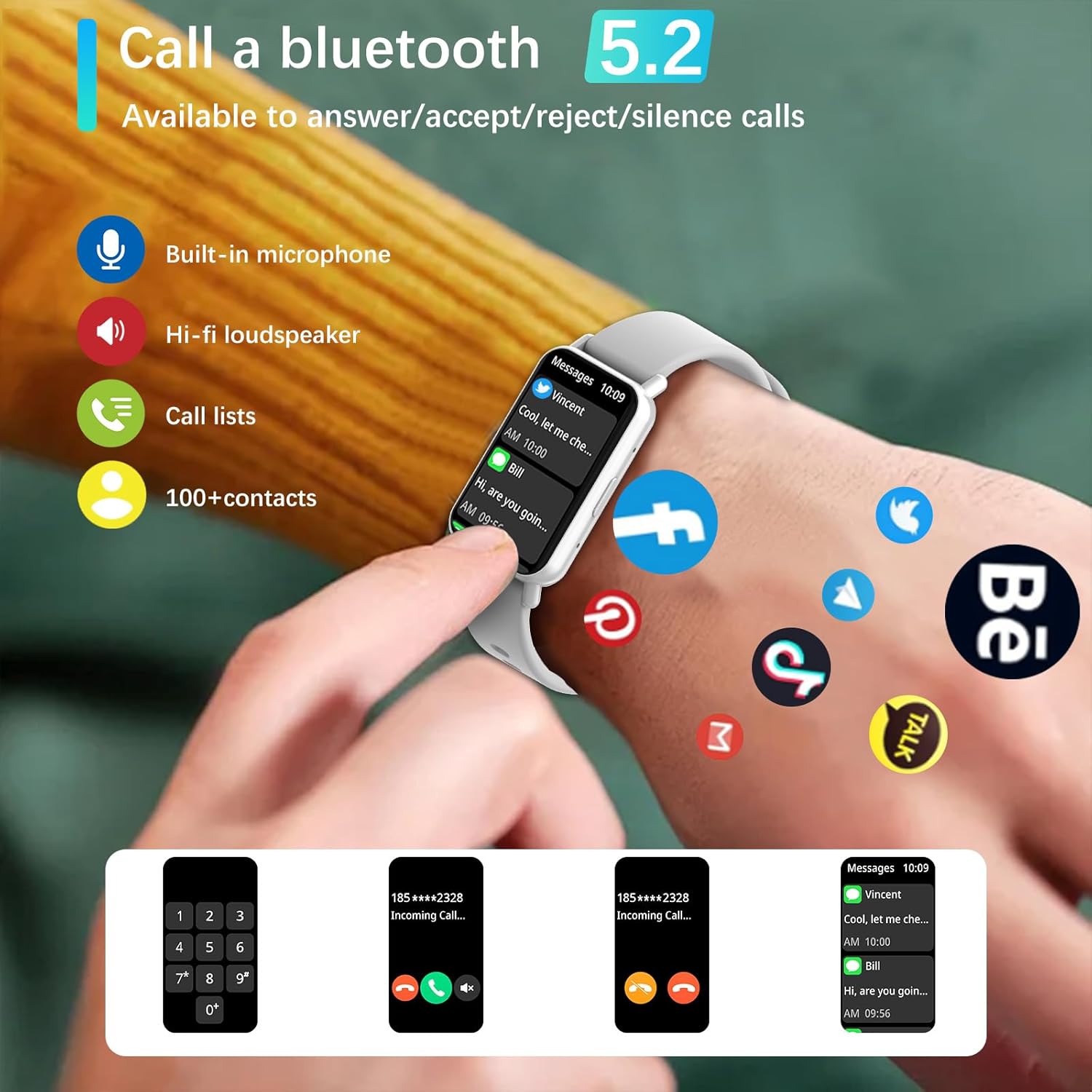
Image: Bluetooth 5.2 calling and message notifications.
5.3 આરોગ્ય દેખરેખ
આ સ્માર્ટવોચ વ્યાપક સ્વાસ્થ્ય ટ્રેકિંગ માટે અદ્યતન સેન્સરથી સજ્જ છે:
- હાર્ટ રેટ મોનિટરિંગ: સતત 24/7 હૃદયના ધબકારાનું ટ્રેકિંગ.
- Blood Pressure & Blood Oxygen (SpO2) Monitoring: Measure your blood pressure and blood oxygen levels.
- સ્લીપ ટ્રેકિંગ: Monitors sleep patterns from 10 PM to 8 AM.
- શ્વાસની તાલીમ: આરામ માટે માર્ગદર્શિત શ્વાસ લેવાની કસરતો.
- બેઠાડુ રીમાઇન્ડર્સ: Alerts to encourage movement after periods of inactivity.
5.4 Sports Modes and Fitness Tracking
Engage in various physical activities with 123 built-in sports modes, including walking, running, cycling, and swimming. The watch tracks essential data:
- પગલાં લીધાં
- અંતર આવરી લેવામાં
- કેલરી બળી ગઈ
- કસરત દરમિયાન હૃદય દર
- GPS routes (via smartphone)
Receive goal achievement notifications and reminders to drink water.
૪.૫ કસ્ટમ વોચ ફેસ
Personalize your smartwatch display:
- Choose from 5 default watch face designs.
- Create custom watch faces using your favorite photos via the app.
- Download additional watch faces from the watch face market within the PEJE app.
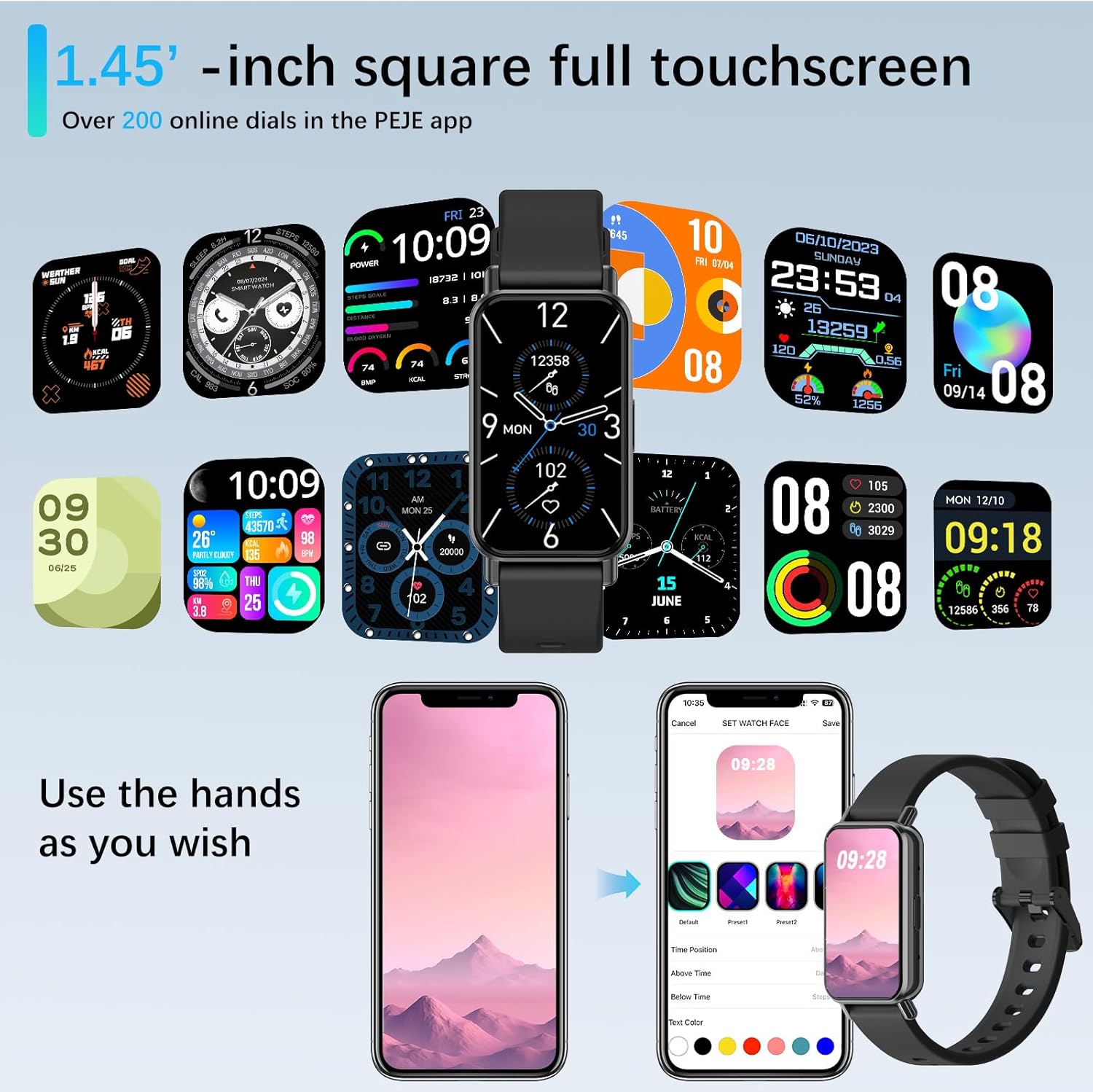
Image: Customizing watch faces through the PEJE app.
5.6 વધારાની સુવિધાઓ
- રીમોટ કેમેરા નિયંત્રણ: Shake your wrist or tap the watch to remotely trigger your smartphone's camera.
- સંગીત નિયંત્રણ: Manage music playback (play, pause, skip) directly from your wrist.
- હવામાન અપડેટ્સ: View current weather conditions and 5-day forecasts.
- Find My Phone & Watch: Locate your paired smartphone or smartwatch using the app.
- સાધનો: Access a stopwatch, calculator, and 4 built-in games.
- ડુ-નોટ-ડસ્ટર્બ મોડ: ચોક્કસ સમય દરમિયાન સૂચનાઓને શાંત કરો.
- ઝડપી-View: Raise your wrist to automatically wake the screen.
- Muslim Prayer Reminders: Receive timely reminders for prayer.
- Tasbih Reminder: Set reminders for Tasbih practice.
- કિબલા દિશા: Displays Qibla angle and device's angle to Qibla.

Image: Qibla Direction and Tasbih Reminder features.
6. જાળવણી
૨.૭ પાણી પ્રતિકાર
The PEJE Smartwatch has an IP68 વોટરપ્રૂફ રેટિંગ, making it resistant to splashes, rain, and sweat. It is suitable for daily use and light water exposure.
Note: The device is not suitable for prolonged immersion in water, hot water, or diving. Avoid exposure to high-pressure water streams.
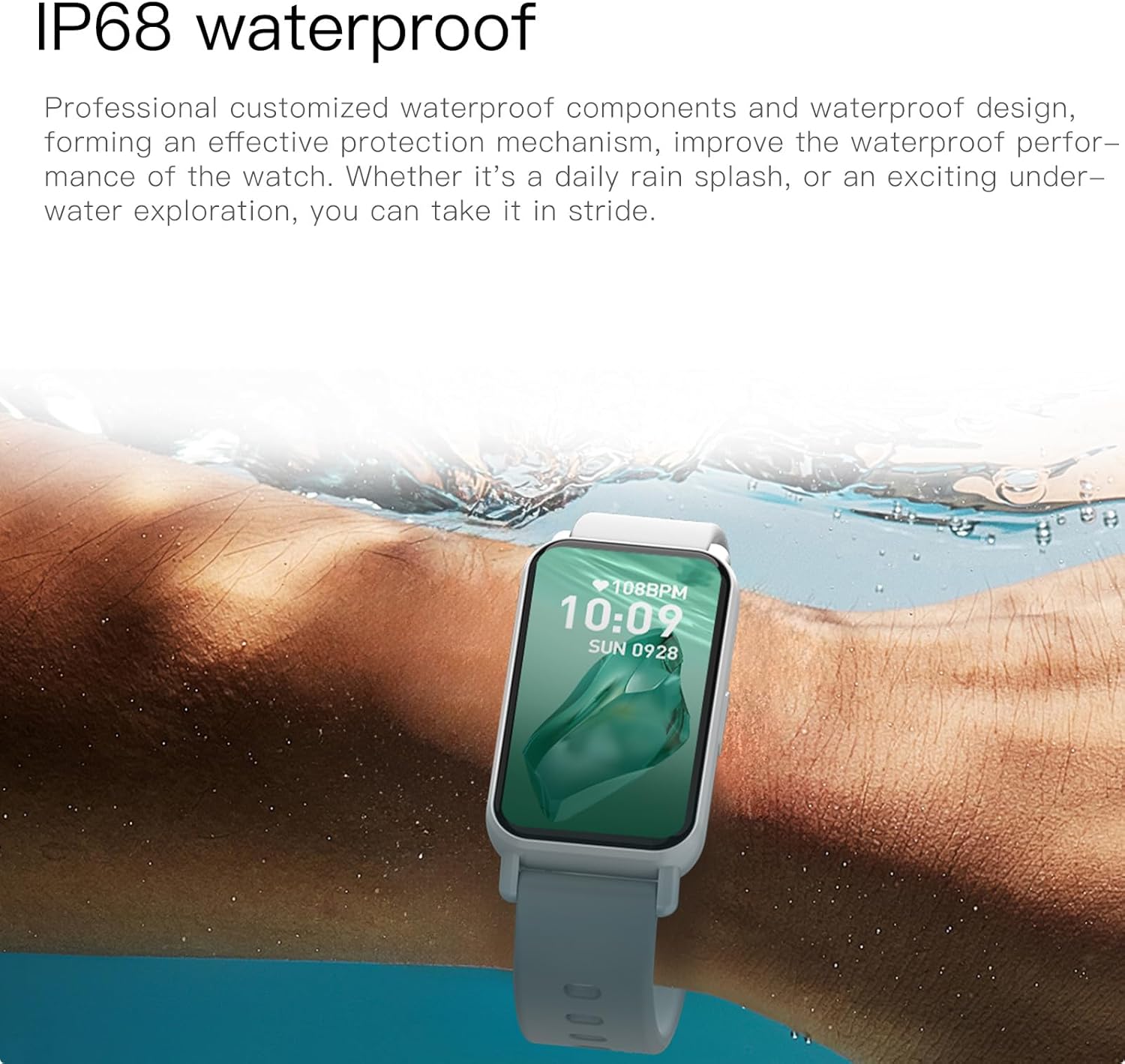
Image: PEJE Smartwatch demonstrating IP68 water resistance.
6.2 સફાઈ અને સંભાળ
- ઘડિયાળ અને પટ્ટાને નિયમિતપણે નરમ, સૂકા કપડાથી સાફ કરો.
- કઠોર રસાયણો અથવા ઘર્ષક સામગ્રીનો ઉપયોગ કરવાનું ટાળો.
- ચાર્જ કરતા પહેલા ખાતરી કરો કે ચાર્જિંગ કોન્ટેક્ટ સ્વચ્છ અને સૂકા છે.
7. મુશ્કેલીનિવારણ
If you encounter issues with your PEJE Smartwatch, try the following steps:
- ઉપકરણ ચાલુ નથી: ખાતરી કરો કે ઘડિયાળ સંપૂર્ણપણે ચાર્જ થયેલ છે. તેને ઓછામાં ઓછા 30 મિનિટ માટે ચાર્જર સાથે કનેક્ટ કરો.
- ફોન સાથે જોડી શકાતી નથી:
- ખાતરી કરો કે તમારા ફોન અને ઘડિયાળ પર બ્લૂટૂથ સક્ષમ છે.
- ખાતરી કરો કે ઘડિયાળ તમારા ફોનની રેન્જમાં છે.
- તમારા ફોન અને સ્માર્ટવોચ બંનેને રીસ્ટાર્ટ કરો.
- Clear the app's cache or reinstall the app.
- સૂચનાઓ દેખાતી નથી:
- તમારા ફોન પર એપ્લિકેશન સૂચના પરવાનગીઓ તપાસો.
- Ensure Do-Not-Disturb mode is not active on the watch.
- Verify the watch is properly connected to the app.
- અચોક્કસ આરોગ્ય ડેટા: ખાતરી કરો કે ઘડિયાળ તમારા કાંડા પર ચુસ્તપણે પહેરેલી હોય, ખૂબ ચુસ્ત કે ખૂબ ઢીલી ન હોય. સેન્સર વિસ્તાર નિયમિતપણે સાફ કરો.
8. સ્પષ્ટીકરણો
| લક્ષણ | સ્પષ્ટીકરણ |
|---|---|
| બ્રાન્ડ | પીજે |
| મોડલ | PEJE Smartwatch |
| સ્ક્રીન માપ | 1.45 ઇંચ |
| ડિસ્પ્લે પ્રકાર | HD TFT |
| કનેક્ટિવિટી ટેકનોલોજી | બ્લૂટૂથ 5.2 |
| વાયરલેસ કમ્યુનિકેશન માનક | બ્લૂટૂથ |
| બેટરી ક્ષમતા | 180 મિલીamp કલાક |
| બેટરી સેલ કમ્પોઝિશન | લિથિયમ પોલિમર |
| પાણી પ્રતિકાર | IP68 |
| જીપીએસ | સ્માર્ટફોન દ્વારા જીપીએસ |
| સુસંગતતા | એન્ડ્રોઇડ 5.0+ / iOS 9.0+ |
| ખાસ લક્ષણો | Notifications, Health Monitoring, 123 Sport Modes, Bluetooth Calling |
| પેકેજ પરિમાણો | 16.2 x 10.4 x 3.4 સેમી |
| વસ્તુનું વજન | 110 ગ્રામ |
| મૂળ દેશ | ચીન |
9. વોરંટી અને સપોર્ટ
9.1 વોરંટી માહિતી
Warranty details for your PEJE Smartwatch are typically provided with your purchase documentation or can be found on the official PEJE webસાઇટ. વોરંટી દાવાઓ માટે કૃપા કરીને તમારી ખરીદીનો પુરાવો રાખો.
9.2 ગ્રાહક સપોર્ટ
For further assistance, technical support, or inquiries not covered in this manual, please visit the official PEJE Store or contact PEJE customer service through their website. You can find the PEJE Store at https://www.amazon.sa/-/en/stores/StaySmartStayStylish/page/70BC458D-9595-4688-8DEF-D60BE431932F.


