1. પરિચય
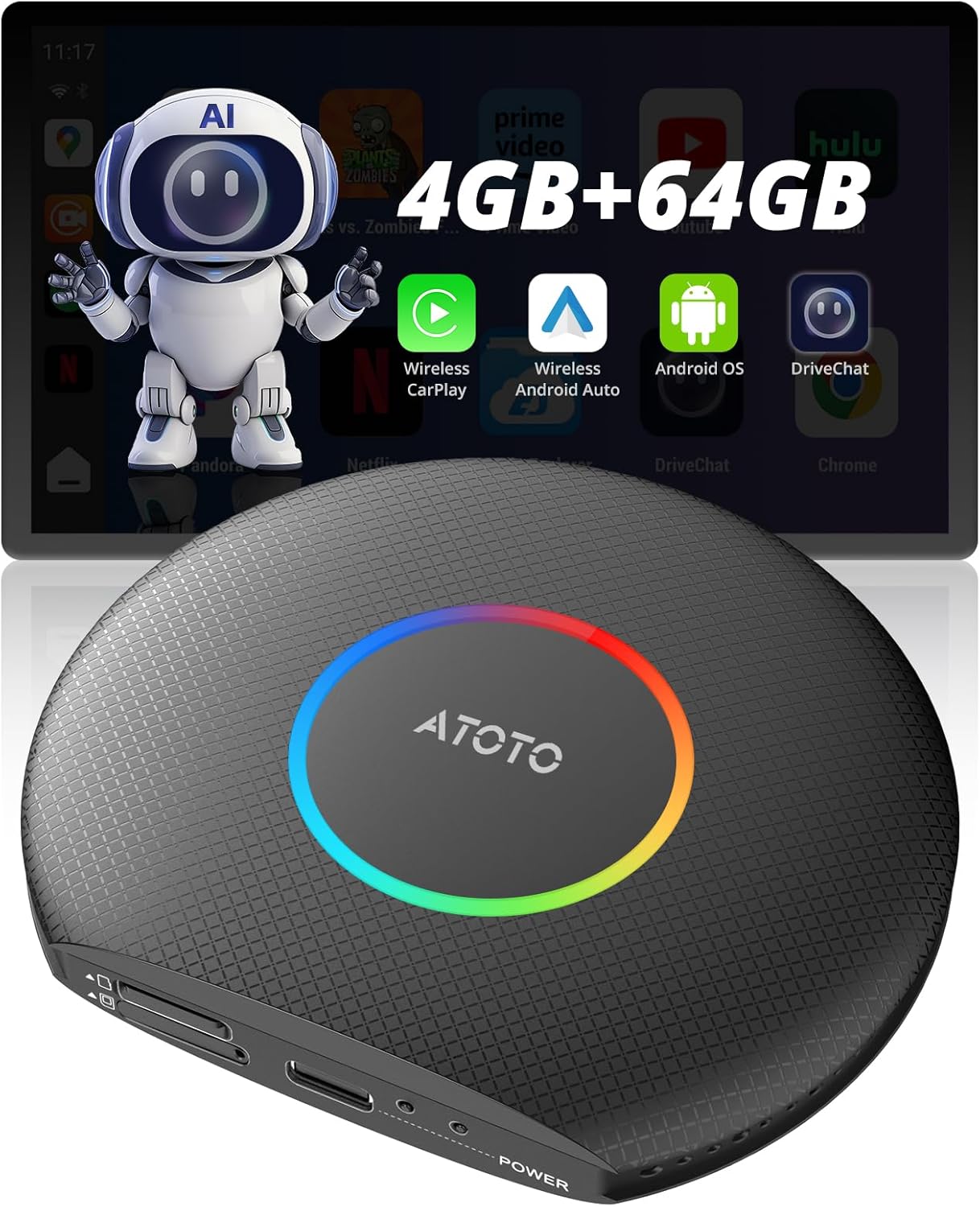
The ATOTOZONE CB6 AI Box is designed to upgrade your vehicle's wired CarPlay or Android Auto system to a wireless experience. It also integrates a full Android 13 operating system into your car stereo, providing access to various applications, GPS navigation, and 4G LTE connectivity. This manual provides detailed instructions for setup, operation, and maintenance of your CB6 device.
2. ઉત્પાદન ઓવરview
2.1 પેકેજ સામગ્રી
- CB6 AI Box Unit
- યુએસબી સી-ટુ-સી કેબલ
- USB A-to-C Cable
- Y-shaped Cable (for specific vehicle models)
- સિમ બહાર કાઢો સાધન
- ઑનલાઇન સંસાધનો ઝડપી માર્ગદર્શિકા
- Product Care Online Support Pamphlet
2.2 ઉપકરણ સુવિધાઓ
The CB6 AI Box offers the following key features:
- વાયરલેસ કારપ્લે અને એન્ડ્રોઇડ ઓટો: Converts existing wired connections to wireless.
- એકીકૃત Android 13 OS: Provides a full Android environment on your car stereo.
- 4G LTE કનેક્ટિવિટી: Supports internet access via an IoT SIM card (not included).
- Dual Bluetooth: Bluetooth 1 for phone connection, Bluetooth 2 for internet access and device connections.
- બિલ્ટ-ઇન GPS: For navigation applications.
- ૩૦ જીબી રેમ + ૨૫૬ જીબી સ્ટોરેજ: Ensures smooth operation and ampએપ્લિકેશન્સ માટે જગ્યા.
- એક્સપાન્ડેબલ સ્ટોરેજ: Supports TF cards up to 256GB.
- Custom Software: Includes DriveChat (ChatGPT-powered voice assistant) and TrackHU (GPS tracker).
- OTA અપડેટ્સ: Continuous feature additions and system improvements.
3. સેટઅપ માર્ગદર્શિકા
3.1 Connecting the CB6 AI Box
- વાહન સાથે કનેક્ટ કરો: Use the provided USB A-to-C or USB C-to-C cable to connect the CB6 AI Box to your vehicle's USB port that supports wired CarPlay or Android Auto. For certain models (e.g., 2016-2020 Nissan, Isuzu, Camry, 2023 Toyota Crown, 2023 Lexus NX, Volkswagen Desay SV), the Y-shaped cable may be required for power supply.
- પાવર ચાલુ: The device will power on automatically once connected.

3.2 SIM Card Installation (Optional)
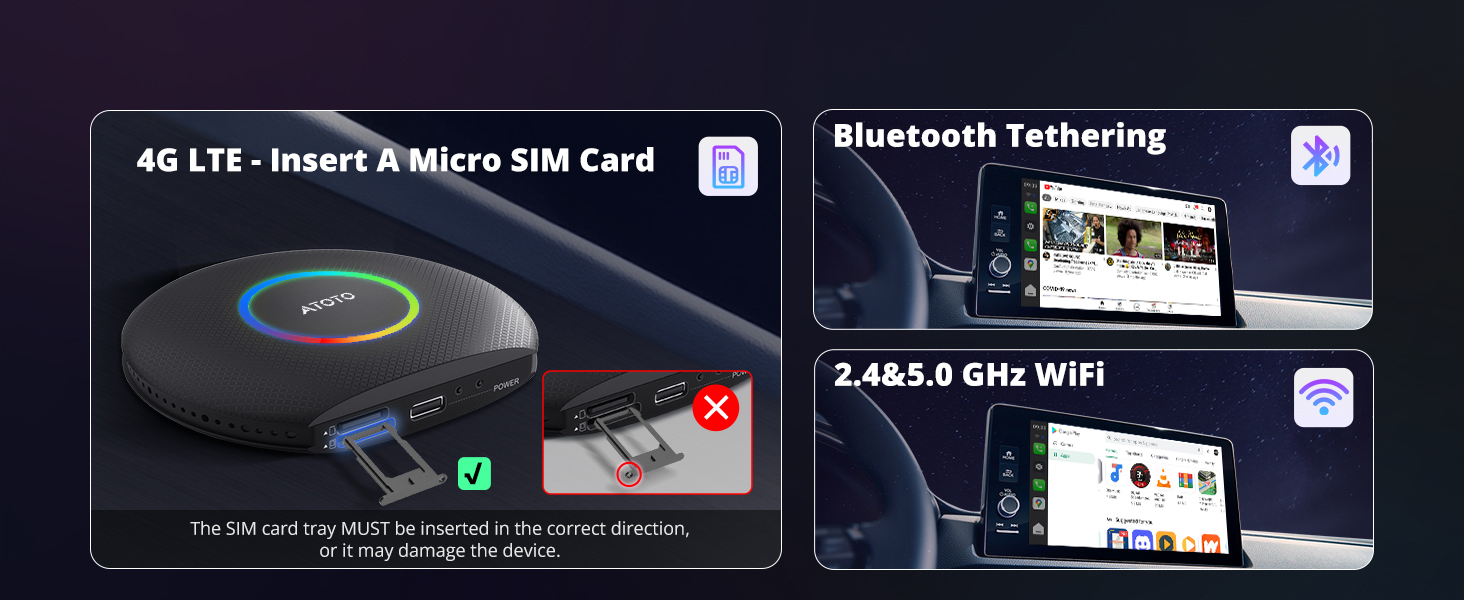
For 4G LTE connectivity, insert a Micro SIM card into the designated slot on the CB6 AI Box. Ensure the SIM card tray is inserted in the correct direction to prevent damage.

3.3 Initial Wireless Connection
- Once the CB6 is connected and powered on, your car stereo display should show the CB6 interface.
- On your smartphone, enable Bluetooth and Wi-Fi.
- માટે શોધો the CB6 device in your phone's Bluetooth settings and pair with it.
- Follow the on-screen prompts on your car stereo and phone to establish the wireless CarPlay or Android Auto connection.
- If your head unit only supports wireless CarPlay + wired Android Auto, you may need to press and hold the 'Reset' button on the CB6 to switch to the Android Auto channel.
4. ઓપરેશન
૩.૫ એપ્લિકેશન્સ ઍક્સેસ કરવી
The CB6 AI Box allows you to download and use various applications from Google Play Store or the pre-installed FindApps store. Navigate the interface using your car's touchscreen or controls.

૬.૯ સ્પ્લિટ સ્ક્રીન કાર્યક્ષમતા
The device supports split-screen mode, allowing you to run two applications simultaneously on your car's display. This is useful for navigation while also controlling media playback or other functions.

4.3 LED Light Customization
The CB6 AI Box features customizable LED lights. You can personalize the colors and modes (Daytime, Night, Auto) through the device settings.

5. કનેક્ટિવિટી
5.1 Dual Bluetooth Functionality
The CB6 AI Box features two independent Bluetooth modules:
- બ્લૂટૂથ 1: Primarily for phone connection, enabling wireless CarPlay and Android Auto.
- બ્લૂટૂથ 2: Used for internet access via Bluetooth tethering from your phone and for connecting external Bluetooth devices like OBD diagnostic tools or ambient light kits.

5.2 4G LTE and Wi-Fi
The device supports internet access via a built-in 4G LTE module (requires an IoT SIM card) or through Wi-Fi (2.4GHz & 5.0GHz). Bluetooth tethering is also an option for internet connectivity.
મહત્વપૂર્ણ નોંધ:
When using wireless CarPlay or wireless Android Auto, Wi-Fi is occupied for the wireless connection. Therefore, internet access during these modes must be provided via the built-in 4G LTE or Bluetooth tethering (using Bluetooth 2).
6. સૉફ્ટવેર સુવિધાઓ
6.1 DriveChat AI Assistant
The CB6 AI Box includes DriveChat, a voice assistant powered by ChatGPT. This feature allows for AI conversations and chatbot interactions, enhancing your in-car experience.

6.2 TrackHU GPS Tracking App
The device comes with the TrackHU GPS tracking app, which utilizes the built-in GPS. This app provides features such as geofencing, real-time tracking, instant alerts, and route playback without the need for external GPS trackers.

૨.૧ OTA અપડેટ્સ
The CB6 AI Box supports Over-The-Air (OTA) updates. These updates continuously add new features, improve system stability, and optimize performance. It is recommended to check for and install updates regularly to ensure optimal device functionality.

7. સુસંગતતા
7.1 Compatible Car Stereos
The CB6 AI Box is compatible with both factory-installed and aftermarket car stereos that feature wired CarPlay or wired Android Auto. This includes stereos that:
- Only have Wired CarPlay & Wired CarPlay and Wireless CarPlay
- Only have Wired Android Auto & Wired Android Auto and Wireless Android Auto (requires pressing and holding 'Reset' button to switch to Android Auto)
- Have Wired CarPlay and Wired Android Auto
- Have Wired CarPlay and Wireless Android Auto
- Have Wireless CarPlay and Wired Android Auto (requires pressing and holding 'Reset' button to switch to Android Auto)
7.2 Compatible Phones
- iPhone: Compatible with iPhone 5 or newer (iOS 9.0+).
- એન્ડ્રોઇડ: Compatible with Android 11.0+. Also useful for Google/Samsung phones with Android 10.0+, Galaxy S8/S8+/Note 8 with Android 9.0+.
7.3 Incompatible Scenarios
The CB6 AI Box is નથી સાથે સુસંગત:
- Car stereos that only support Wireless CarPlay or only Wireless Android Auto.
- BMW models.
- Most Subaru models.
For specific car models like Nissan (2016-2020), Isuzu, Camry, 2023 Toyota Crown, 2023 Lexus NX, and certain Volkswagen models, a power supply cable connection may be required. An appropriate USB A to Y-Cable is included in the package.

8. જાળવણી
8.1 Preventing Overheating
Some heat generation during use is normal. To ensure the device runs smoothly and to reduce the risk of overheating:
- ઉપકરણને સીધા સૂર્યપ્રકાશમાં મૂકવાનું ટાળો.
- Ensure there is sufficient space around the device for proper airflow.
- Do not block any air vents on the device.
.8.2.૧ સામાન્ય કાળજી
- ઉપકરણને સ્વચ્છ અને ધૂળથી મુક્ત રાખો.
- ઉપકરણને અતિશય તાપમાન અથવા ભેજ માટે ખુલ્લા કરવાનું ટાળો.
- Handle cables carefully to prevent damage to connectors.
9. મુશ્કેલીનિવારણ
આ વિભાગ તમને આવી શકે તેવા સામાન્ય પ્રશ્નો અને સમસ્યાઓનું નિરાકરણ લાવે છે.
9.1 વારંવાર પૂછાતા પ્રશ્નો
- How can I download apps to the system?
Apps can be downloaded via Google Play Store or the pre-installed FindApps app store. Note that only apps designed for in-car systems are supported; some phone/tablet specific apps may not be available.
- How can I access video apps like YouTube?
Video apps are available when using the built-in Android system or Android Auto. They are not supported in iPhone connection mode due to system restrictions. For safety, avoid watching videos while driving.
- Can I play local videos from a TF card?
Yes, the device supports TF cards up to 256GB. Ensure the TF card is working properly. Supported video formats include TS, 3G2, AVI, MKV, WEBM, MPG, MOV, and 3GP.

10. સ્પષ્ટીકરણો
| લક્ષણ | સ્પષ્ટીકરણ |
|---|---|
| ઉત્પાદનના પરિમાણો (L x W x H) | 3.67 x 3.25 x 0.65 ઇંચ |
| વસ્તુનું વજન | 8.4 ઔંસ |
| આઇટમ મોડલ નંબર | CB6 |
| ઓપરેટિંગ સિસ્ટમ | એન્ડ્રોઇડ 13 |
| રેમ | 4GB |
| આંતરિક સંગ્રહ | 64GB |
| એક્સપાન્ડેબલ સ્ટોરેજ | 256 જીબી સુધીના ટીએફ કાર્ડને સપોર્ટ કરે છે |
| કનેક્ટિવિટી | 4G LTE, Dual Bluetooth, 2.4/5.0 GHz Wi-Fi |
| જીપીએસ | બિલ્ટ-ઇન જીપીએસ |
| કનેક્ટર પ્રકાર | માઇક્રો યુએસબી |
11. વોરંટી અને સપોર્ટ
ATOTOZONE provides a 12-મહિનાની વોરંટી for the CB6 AI Box, with an additional 6 મહિના upon product registration. For any issues or inquiries, online self-service support is available. Product care experts aim to respond to all issues within 24 hours.


