1. પરિચય
ખરીદી બદલ આભારasing the Gembird GMB Audio TWS-LCD-ANC-01-W Wireless In-Ear Headphones. These headphones are designed to provide a high-quality audio experience for music and calls, featuring Active Noise Cancellation (ANC) and an integrated microphone. This manual provides essential information for setting up, operating, maintaining, and troubleshooting your device.
2. પેકેજ સામગ્રી
- 1x Pair of Gembird GMB Audio TWS-LCD-ANC-01-W Wireless In-Ear Headphones
- 1x ચાર્જિંગ કેસ
- 1x USB Type-C ચાર્જિંગ કેબલ
3. ઉત્પાદન ઓવરview
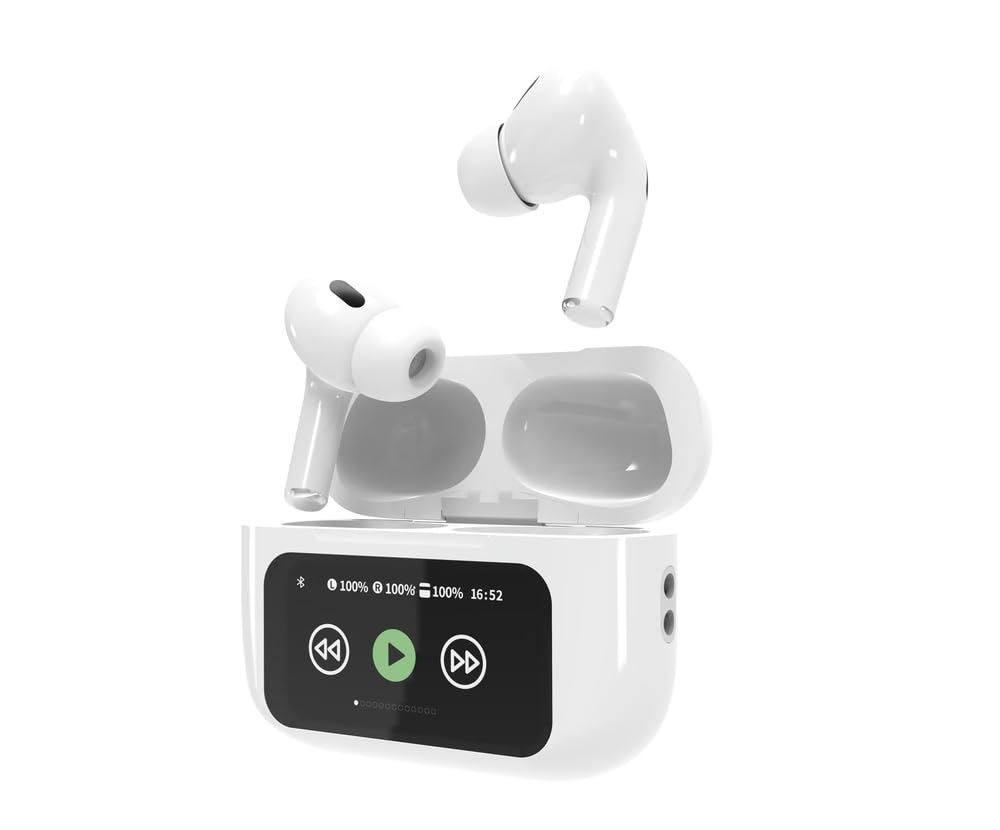
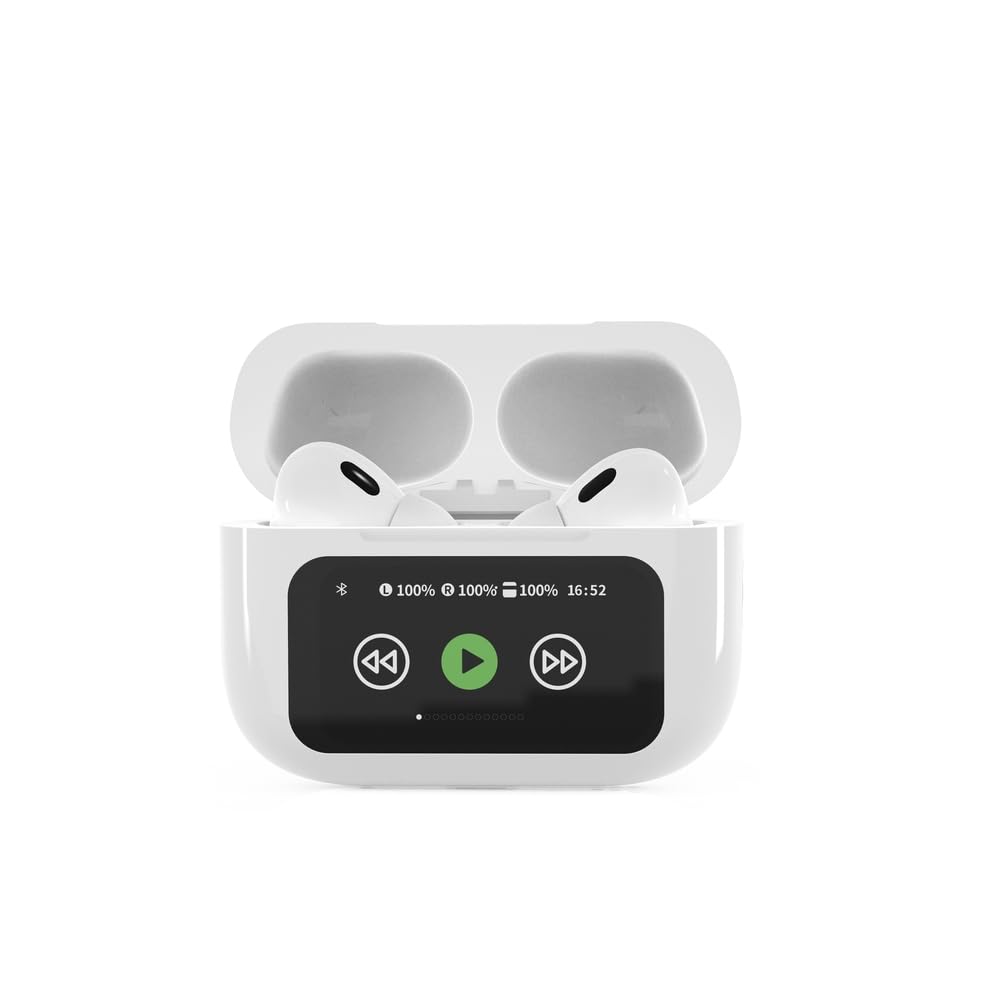

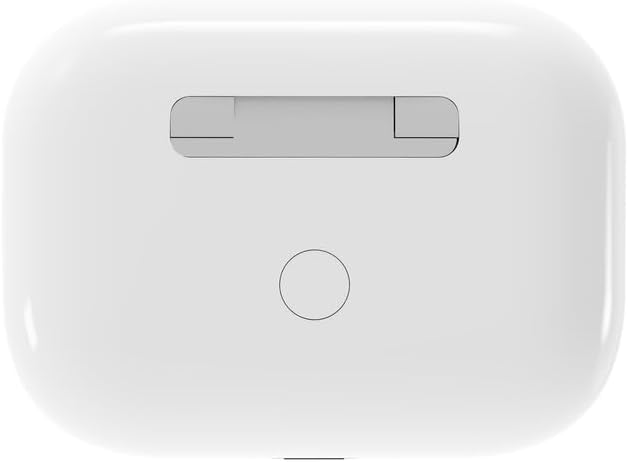

4. સેટઅપ
4.1 પ્રારંભિક ચાર્જિંગ
Before first use, fully charge the headphones and the charging case. Connect the supplied USB Type-C cable to the charging port on the case and plug the other end into a compatible USB power source (e.g., computer, wall adapter). The LED indicator on the case will show charging status. A full charge typically takes approximately 2 hours.
4.2 બ્લૂટૂથ પેરિંગ
- Ensure the headphones are in the charging case and the case is open. The headphones will automatically enter pairing mode.
- તમારા મોબાઇલ ઉપકરણ (સ્માર્ટફોન, ટેબ્લેટ, લેપટોપ) પર, બ્લૂટૂથ સક્ષમ કરો.
- માટે શોધો available Bluetooth devices and select 'Gembird TWS-LCD-ANC-01-W' from the list.
- Once connected, the headphones will indicate successful pairing, and the device name will appear as 'Connected' on your mobile device.
5. ઓપરેટિંગ સૂચનાઓ
5.1 પાવર ચાલુ/બંધ
- પાવર ચાલુ: The headphones automatically power on when removed from the charging case.
- પાવર બંધ: The headphones automatically power off and begin charging when placed back into the charging case and the lid is closed.
5.2 સંગીત પ્લેબેક
Control music playback using the touch-sensitive areas on the earbuds or the display on the charging case.
- ચલાવો/થોભો: Single tap on either earbud or press the play/pause icon on the case display.
- આગળનો ટ્રેક: Double tap on the right earbud or press the 'next' icon on the case display.
- પાછલો ટ્રેક: Double tap on the left earbud or press the 'previous' icon on the case display.
૫.૨ કોલ મેનેજમેન્ટ
When an incoming call is received, music playback will automatically pause.
- કૉલનો જવાબ આપો: બંને ઇયરબડ પર એક વાર ટેપ કરો.
- કૉલ સમાપ્ત કરો: Single tap on either earbud during a call.
- કૉલ નકારો: કોઈપણ ઇયરબડને 2 સેકન્ડ માટે દબાવી રાખો.
5.4 સક્રિય અવાજ રદ (ANC)
Activate or deactivate the Active Noise Cancellation feature to reduce ambient noise.
- ANC ટૉગલ કરો: Press and hold the touch-sensitive area on the left earbud for 2 seconds, or use the dedicated ANC control on the charging case display.
5.5 વોલ્યુમ નિયંત્રણ
Adjust the volume directly from your connected device or through the touch controls on the earbuds (if supported by the specific model's firmware) or the charging case display.
6. જાળવણી
6.1 સફાઈ
- ઇયરબડ્સ અને ચાર્જિંગ કેસને નરમ, સૂકા, લિન્ટ-ફ્રી કપડાથી સાફ કરો.
- ઘર્ષક ક્લીનર્સ, સોલવન્ટ્સ અથવા કઠોર રસાયણોનો ઉપયોગ કરશો નહીં.
- ખાતરી કરો કે ઇયરબડ અને કેસ બંને પર ચાર્જિંગ કોન્ટેક્ટ સ્વચ્છ અને સૂકા છે.
6.2 સંગ્રહ
- Always store the headphones in their charging case when not in use to protect them and keep them charged.
- સીધા સૂર્યપ્રકાશ અને અતિશય તાપમાનથી દૂર ઠંડી, સૂકી જગ્યાએ સ્ટોર કરો.
6.3 બેટરી કેર
- બેટરીની તંદુરસ્તી જાળવવા માટે, ઉપકરણને નિયમિતપણે ચાર્જ કરો, ભલે વારંવાર ઉપયોગમાં ન હોય.
- વારંવાર બેટરી સંપૂર્ણપણે ડિસ્ચાર્જ કરવાનું ટાળો.
7. મુશ્કેલીનિવારણ
| સમસ્યા | સંભવિત કારણ | ઉકેલ |
|---|---|---|
| હેડફોન ચાલુ થતા નથી. | બેટરી ચાર્જ ઓછી અથવા બિલકુલ નહીં. | Place headphones in the charging case and ensure the case is charged. Charge the case fully. |
| હેડફોનમાંથી કોઈ અવાજ નથી. | Not connected via Bluetooth; volume too low; media paused. | Verify Bluetooth connection. Increase volume on both headphones and connected device. Check if media is playing. |
| ઉપકરણ સાથે જોડી બનાવી શકાતી નથી. | Headphones not in pairing mode; device already connected to another Bluetooth device; interference. | Ensure headphones are in pairing mode (open case). Turn off Bluetooth on other nearby devices. Forget the device in your phone's Bluetooth settings and try re-pairing. |
| Active Noise Cancellation (ANC) is ineffective. | ANC not activated; improper earbud fit. | Ensure ANC is toggled on. Adjust earbud position for a secure and sealed fit in your ear canal. |
| કોલ દરમિયાન માઇક્રોફોન કામ કરતો નથી. | માઇક્રોફોન અવરોધિત છે; ઉપકરણ સેટિંગ્સ. | Ensure the microphone port on the earbuds is not obstructed. Check your device's audio input settings to ensure the headphones are selected. |
8. સ્પષ્ટીકરણો
- મોડલ: TWS-LCD-ANC-01-W
- કનેક્ટિવિટી: વાયરલેસ, બ્લૂટૂથ 5.3
- બ્લૂટૂથ પ્રોfiles: A2DP, AVRCP, HPF, HSP
- ચાર્જિંગ પોર્ટ: યુએસબી ટાઇપ-સી
- ઑડિયો આવર્તન શ્રેણી: ૨૦ - ૨૦૦૦૦ હર્ટ્ઝ
- માઇક્રોફોન: સંકલિત
- ઇયરબડનો પ્રકાર: In-ear, Binaural
- નિયંત્રણ પદ્ધતિ: સ્પર્શ
- અવાજ નિયંત્રણ: સક્રિય અવાજ રદ (એએનસી)
- બેટરીનો પ્રકાર: Integrated Lithium Polymer (LiPo)
- ચાર્જિંગ કેસની બેટરી ક્ષમતા: 300 એમએએચ
- ઇયરબડ બેટરી ક્ષમતા: 30 mAh (દરેક)
- Continuous Audio Playback: 8 કલાક સુધી
- ચાર્જિંગ સમય: લગભગ 2 કલાક
- ઉત્પાદન વજન: 66 ગ્રામ
- Product Dimensions (Case): 40 મીમી (પહોળાઈ) x 60 મીમી (ઊંડાઈ) x 25 મીમી (ઊંચાઈ)
- સુસંગત ઉપકરણો: Laptop, Tablet, Mobile Phone
- પાણી પ્રતિકાર: પાણી પ્રતિરોધક
- પ્રમાણપત્રો: RoHS
9. વોરંટી અને સપોર્ટ
9.1 વોરંટી માહિતી
This product comes with a three-year warranty against manufacturing defects from the date of purchase. Please retain your proof of purchase for warranty claims. The warranty does not cover damage caused by misuse, accidents, unauthorized modifications, or normal wear and tear.
9.2 ગ્રાહક સપોર્ટ
For technical support, warranty claims, or further assistance, please contact your retailer or visit the official Gembird website. Contact information can typically be found on the product packaging or the Gembird corporate webસાઇટ


