1. સલામતી માહિતી
Please read all safety instructions carefully before using this product. Retain this manual for future reference.
- સાઉન્ડબારને વરસાદ, ભેજ અથવા અતિશય તાપમાનના સંપર્કમાં ન લાવો.
- કોઈપણ વેન્ટિલેશન ઓપનિંગ્સને અવરોધિત કરશો નહીં.
- ઉત્પાદક દ્વારા ઉલ્લેખિત જોડાણો/એસેસરીઝનો જ ઉપયોગ કરો.
- Unplug the soundbar during lightning storms or when unused for long periods.
- તમામ સેવાનો સંદર્ભ લાયક સેવા કર્મચારીઓને આપો.
2. પેકેજ સામગ્રી
ખાતરી કરો કે બધી વસ્તુઓ પેકેજમાં હાજર છે:
- THOMSON B210 Bluetooth Soundbar
- રીમોટ કંટ્રોલ
- પાવર એડેપ્ટર
- વપરાશકર્તા માર્ગદર્શિકા
- Audio Cables (e.g., Optical, AUX - specific cables may vary)
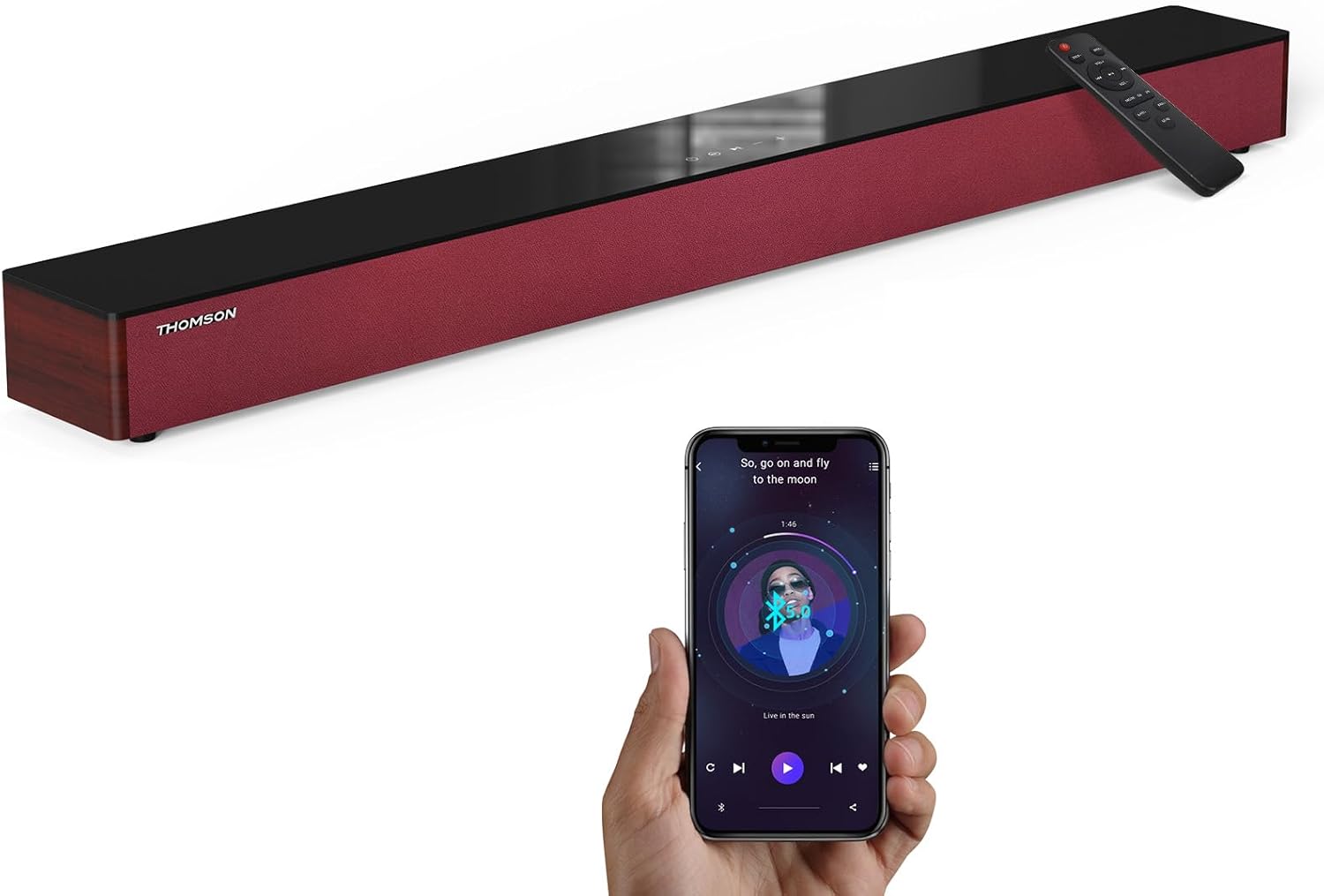
Image: The THOMSON B210 Soundbar, its remote control, and a smartphone demonstrating Bluetooth connectivity.
3. ઉત્પાદન ઓવરview
3.1 Front and Top Panel
The soundbar features intuitive controls on its top panel for easy access.
3.2 રીઅર પેનલ કનેક્શન્સ
The rear panel provides various input ports for connecting to different audio sources.

છબી: વિગતવાર view of the soundbar's rear connection ports, including AUX IN, COAXIAL, OPTICAL, HDMI ARC, USB, and DC IN.
3.3 રીમોટ કંટ્રોલ
The included remote control allows for convenient operation of all soundbar functions.

Image: A hand operating the soundbar with its remote control, demonstrating wireless command over the device.
4. સેટઅપ
4.1 પ્લેસમેન્ટ
Place the soundbar on a stable, flat surface directly in front of your television for optimal sound dispersion. Ensure there is adequate space around the soundbar for ventilation.
4.2 પાવર કનેક્શન
- પાવર એડેપ્ટરને સાઉન્ડબારના પાછળના ભાગમાં DC IN પોર્ટ સાથે કનેક્ટ કરો.
- પાવર એડેપ્ટરના બીજા છેડાને દિવાલના આઉટલેટમાં પ્લગ કરો.
5. ઓપરેટિંગ સૂચનાઓ
5.1 પાવર ચાલુ/બંધ
Press the Power button on the soundbar's top panel or the remote control to turn the unit on or off.
5.2 વોલ્યુમ નિયંત્રણ
ઑડિયો લેવલને સમાયોજિત કરવા માટે સાઉન્ડબાર અથવા રિમોટ કંટ્રોલ પર વૉલ્યૂમ અપ (+) અને વૉલ્યૂમ ડાઉન (-) બટનોનો ઉપયોગ કરો.
5.3 ઇનપુટ પસંદગી
Press the 'MODE' button on the soundbar or remote control to cycle through available input sources: ARC, Optical, AUX, USB, and Bluetooth.
૫.૫ ઇક્વેલાઇઝર મોડ્સ
The soundbar offers three distinct equalizer modes to optimize audio for different content types:
- સંગીત મોડ: Enhances musical clarity and bass.
- મૂવી મોડ: Provides a more immersive cinematic experience.
- સમાચાર મોડ: Optimizes dialogue for clear speech.
Press the corresponding EQ button on the remote control to select your desired mode.

Image: Visual representation of the soundbar's optimized audio modes for Music, Movie, and News content.
6. જોડાણો
The THOMSON B210 Soundbar supports multiple connection types for versatility.

Image: The soundbar demonstrating its compatibility with multiple devices such as projectors, PCs, game consoles, and smartphones.
૭.૨ HDMI ARC કનેક્શન
For the best audio quality and control, connect your TV to the soundbar using an HDMI cable via the ARC port.
- Connect one end of an HDMI cable to the HDMI ARC port on your TV.
- Connect the other end to the HDMI ARC port on the soundbar.
- Select 'ARC' as the input source on the soundbar.
6.2 Optical Connection
Use an optical cable for a high-quality digital audio connection.
- Connect one end of an optical cable to the Optical OUT port on your TV or audio device.
- Connect the other end to the OPTICAL port on the soundbar.
- સાઉન્ડબાર પર ઇનપુટ સ્ત્રોત તરીકે 'ઓપ્ટિકલ' પસંદ કરો.
.6.3..XNUMX AUક્સ કનેક્શન
For analog audio devices, use an AUX cable.
- Connect one end of a 3.5mm audio cable to the headphone jack or AUX OUT port on your device.
- બીજા છેડાને સાઉન્ડબાર પરના AUX IN પોર્ટ સાથે જોડો.
- સાઉન્ડબાર પર ઇનપુટ સ્ત્રોત તરીકે 'AUX' પસંદ કરો.
6.4 યુએસબી કનેક્શન
ઑડિયો ચલાવો fileયુએસબી સ્ટોરેજ ઉપકરણમાંથી સીધું.
- સાઉન્ડબાર પરના USB પોર્ટમાં USB ડ્રાઇવ દાખલ કરો.
- Select 'USB' as the input source on the soundbar.
- The soundbar will automatically begin playing compatible audio files.
6.5 બ્લૂટૂથ પેરિંગ
Connect your smartphone, tablet, or other Bluetooth-enabled device wirelessly.
- Turn on the soundbar and select 'Bluetooth' mode using the 'MODE' button. The Bluetooth indicator will flash.
- તમારા ઉપકરણ પર બ્લૂટૂથ સક્ષમ કરો અને ઉપલબ્ધ ઉપકરણો માટે શોધો.
- Select 'THOMSON B210' from the list.
- એકવાર જોડી થઈ ગયા પછી, બ્લૂટૂથ સૂચક ફ્લેશ થવાનું બંધ કરશે અને મજબૂત રહેશે.

Image: A family enjoying entertainment with the soundbar, illustrating seamless Bluetooth connectivity from a smartphone.
7. જાળવણી
તમારા સાઉન્ડબારની ટકાઉપણું અને શ્રેષ્ઠ કામગીરી સુનિશ્ચિત કરવા માટે, આ જાળવણી માર્ગદર્શિકા અનુસરો:
- સફાઈ: સાઉન્ડબારની સપાટી સાફ કરવા માટે નરમ, સૂકા કપડાનો ઉપયોગ કરો. પ્રવાહી ક્લીનર્સ અથવા ઘર્ષક સામગ્રીનો ઉપયોગ કરશો નહીં.
- સંગ્રહ: If storing the soundbar for an extended period, unplug it from the power outlet and store it in a cool, dry place.
- વેન્ટિલેશન: ઓવરહિટીંગ અટકાવવા માટે ખાતરી કરો કે વેન્ટિલેશન ઓપનિંગ્સ અવરોધિત નથી.
8. મુશ્કેલીનિવારણ
If you encounter issues with your THOMSON B210 Soundbar, refer to the following common problems and solutions:
| સમસ્યા | સંભવિત કારણ | ઉકેલ |
|---|---|---|
| કોઈ શક્તિ નથી | પાવર કેબલ જોડાયેલ નથી; પાવર આઉટલેટ સક્રિય નથી | ખાતરી કરો કે પાવર કેબલ સુરક્ષિત રીતે જોડાયેલ છે; કોઈ અલગ પાવર આઉટલેટ અજમાવી જુઓ |
| કોઈ અવાજ નથી | Incorrect input source; Volume too low; Mute activated; Cable connection issue | Select correct input source; Increase volume; Deactivate mute; Check audio cable connections |
| બ્લૂટૂથ પેરિંગ નિષ્ફળ જાય છે | Soundbar not in pairing mode; Device Bluetooth off; Device too far | Ensure soundbar is in Bluetooth mode (flashing indicator); Enable Bluetooth on device; Move device closer to soundbar |
| રીમોટ કંટ્રોલ કામ કરતું નથી | બેટરીઓ ખતમ થઈ ગઈ છે; રિમોટ અને સાઉન્ડબાર વચ્ચે અવરોધ | Replace remote control batteries; Remove any obstructions; Ensure remote is pointed at the soundbar's sensor |
9. સ્પષ્ટીકરણો
Detailed technical specifications for the THOMSON B210 Soundbar:
- મોડલ: B210
- બ્રાન્ડ: થોમસન
- ઉત્પાદન પરિમાણો: ૭૪"ઊંડ x ૩૧"પહોળાઈ x ૫૩"ઊંડ (૧૮૮ સેમી x ૭૯ સેમી x ૧૩૫ સેમી)
- વસ્તુનું વજન: ૨ પાઉન્ડ (આશરે ૦.૯૧ કિગ્રા)
- સ્પીકર મહત્તમ આઉટપુટ પાવર: 50 વોટ્સ
- માઉન્ટ કરવાનો પ્રકાર: ટેબલટોપ માઉન્ટ
- બ્લૂટૂથ સંસ્કરણ: 5.3
- સિગ્નલ ટુ-અવાજ ગુણોત્તર: 70dB
- સ્પીકર્સ: 4 Full Range Speakers, 2 Woofers (Advanced Bass Diaphragms)
- ઇનપુટ જોડાણો: ARC (HDMI), Optical, AUX, USB, Bluetooth

Image: Physical dimensions of the soundbar, showing length, width, and height in centimeters, along with a view of the rear ports.

Image: Internal component diagram of the soundbar, detailing its 4 high-performance drivers and 2 advanced bass diaphragms for enhanced audio.
10. વોરંટી અને સપોર્ટ
THOMSON products are manufactured to high-quality standards. For warranty information and technical support, please refer to the warranty card included with your product or visit the official THOMSON support webસાઇટ
For further assistance, please contact THOMSON customer service.


