1. પરિચય
The TP-Link Archer TBE401UH is a Tri-Band Wi-Fi 7 Wireless USB 3.0 Adapter designed to enhance the wireless capabilities of your desktop or laptop PC. This adapter provides significant improvements in network coverage, speed, and overall capacity, enabling a next-generation network experience with faster data transfer and more stable connections.
મુખ્ય લાક્ષણિકતાઓમાં શામેલ છે:
- Wi-Fi 7 ટેકનોલોજી: Unlocks the 6 GHz band when paired with a compatible tri-band Wi-Fi 7 router, offering enhanced wireless performance with 160MHz bandwidth, Multi-RUs, and 4K-QAM.
- Tri-Band Speed: Achieves speeds up to 2,882 Mbps on the 6 GHz band, 2,594 Mbps on the 5 GHz band, and 688 Mbps on the 2.4 GHz band for high-speed data transfer, streaming, and gaming.
- સુપિરિયર વાઇ-ફાઇ રિસેપ્શન: Utilizes OFDMA and MU-MIMO technologies to support more devices simultaneously and improve Wi-Fi efficiency.
- વિસ્તૃત કવરેજ: Features two high-gain antennas and Beamforming technology to direct Wi-Fi signals, improving reception and connection stability over longer distances.
- USB 3.0 Super Speed: Offers data transfer rates up to 10 times faster than USB 2.0, with backward compatibility.
- Advanced WPA3 Security: Strengthens encryption for Wi-Fi passwords and defends against brute-force attacks, ensuring a secure connection.
- પ્લગ એન્ડ પ્લે: Includes a preloaded driver for straightforward installation on Windows 11/10.

Figure 1: TP-Link Archer TBE401UH Wi-Fi 7 USB Adapter in its cradle.
2. સેટઅપ
2.1 પેકેજ સામગ્રી
ચકાસો કે તમારા પેકેજમાં નીચેની વસ્તુઓ છે:
- 1 x BE6200 Wi-Fi 7 High Gain Wireless USB Adapter (Archer TBE401UH)
- 1 x ઝડપી ઇન્સ્ટોલેશન માર્ગદર્શિકા
- 1 x USB 3.0 Cradle
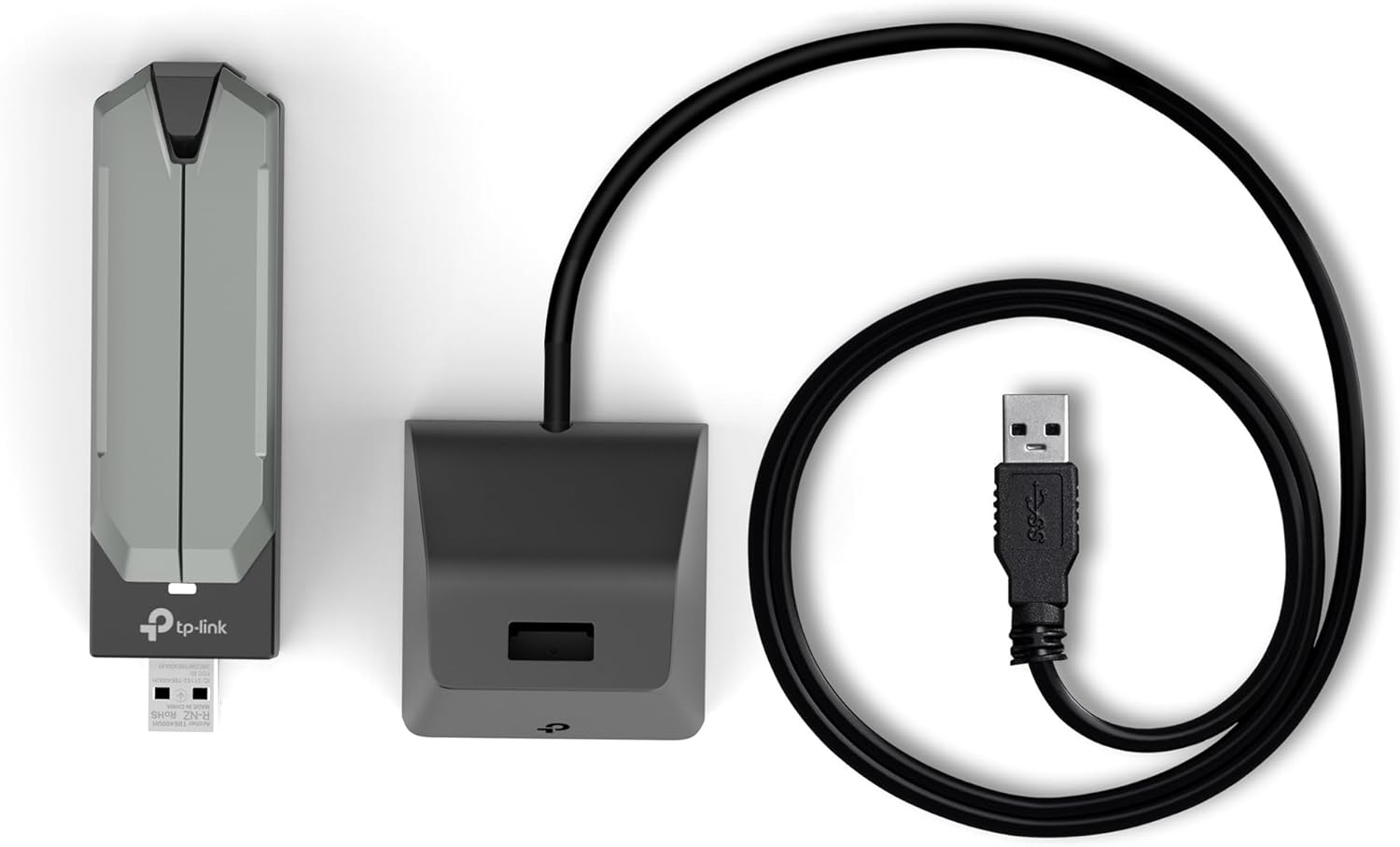
Figure 2: Package contents including the adapter, cradle, and USB cable.
2.2 ડ્રાઇવર ઇન્સ્ટોલેશન
The Archer TBE401UH is designed for effortless installation with a preloaded driver. It is compatible with Windows 11 and Windows 10.
- પ્લગ એન્ડ પ્લે: For most Windows 11/10 systems, simply plug the adapter into an available USB 3.0 port. The system should automatically detect and install the necessary drivers.
- Using the Provided CD: If automatic installation does not occur, or if you are using an older system with a CD drive, insert the provided driver CD into your computer's CD-ROM drive and follow the on-screen instructions to install the driver.
- Downloading from Webસાઇટ: If your computer lacks a CD drive and automatic installation fails, you can download the latest drivers from the official TP-Link support website. If your current computer cannot access the internet, you may need to download the driver on another internet-connected computer, save it to a USB flash drive, and then transfer it to the target PC for installation.
2.3 હાર્ડવેર ઇન્સ્ટોલેશન
Once the drivers are installed, connect the Archer TBE401UH adapter to your computer:
- ડાયરેક્ટ કનેક્શન: Plug the adapter directly into an available USB 3.0 port on your desktop or laptop.
- Using the USB Cradle: For flexible positioning and optimal signal reception, connect the adapter to the provided USB 3.0 cradle. Then, connect the cradle's USB cable to a USB 3.0 port on your computer. This allows you to place the adapter in a location with better Wi-Fi signal strength. The 3.9ft (1.2m) cable offers convenience for desktop setups.
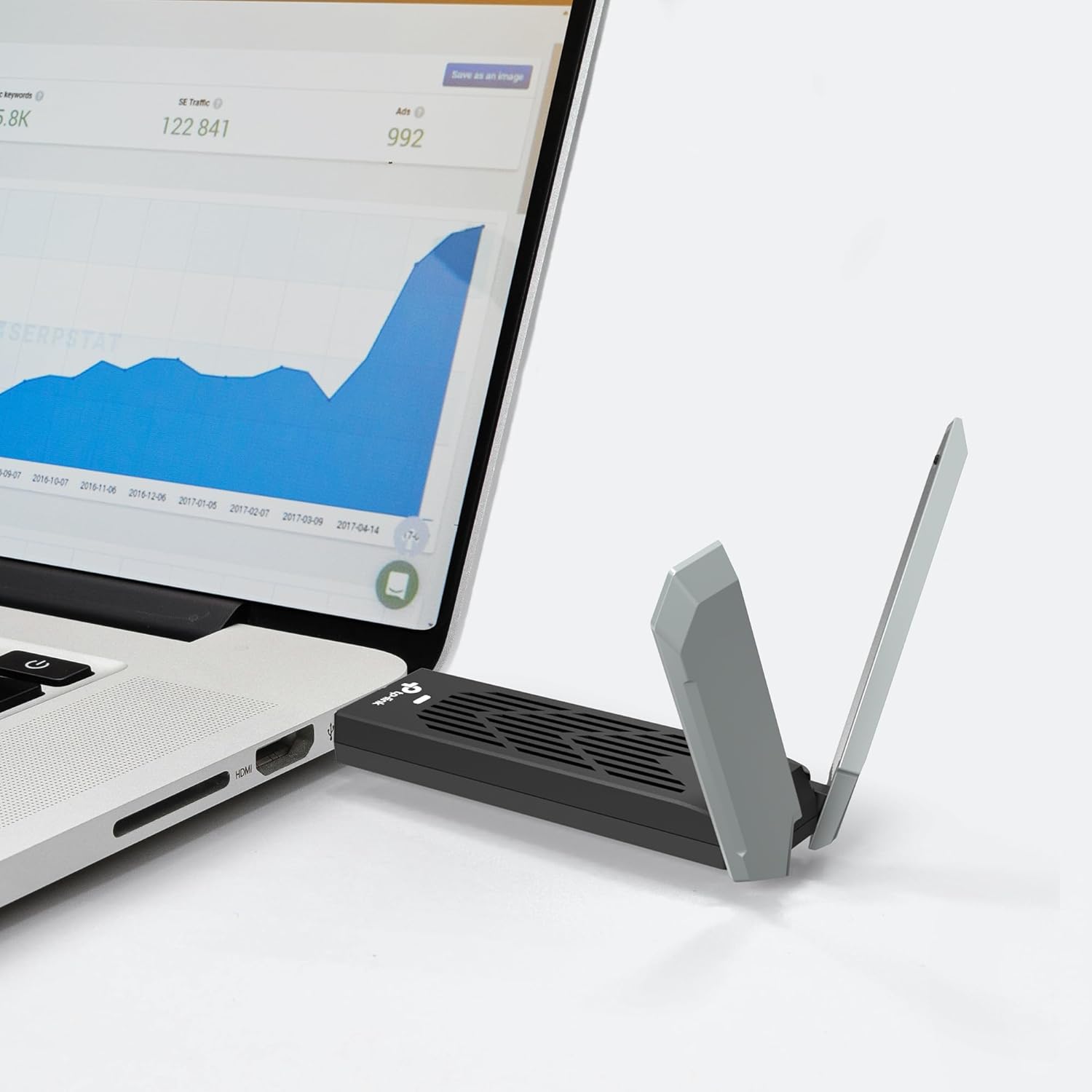
Figure 3: Adapter connected directly to a laptop.

Figure 4: Adapter in cradle connected to a desktop PC.
3. એડેપ્ટરનું સંચાલન
3.1 Wi-Fi નેટવર્કથી કનેક્ટ થઈ રહ્યું છે
After successful driver installation and hardware connection, your computer should automatically detect available Wi-Fi networks. Follow these steps to connect:
- Click on the Wi-Fi icon in your system tray (usually in the bottom-right corner of the screen).
- સૂચિમાંથી તમારું ઇચ્છિત Wi-Fi નેટવર્ક પસંદ કરો.
- જો પૂછવામાં આવે તો નેટવર્ક સુરક્ષા કી (પાસવર્ડ) દાખલ કરો.
- 'કનેક્ટ' પર ક્લિક કરો.
3.2 Understanding Tri-Band Operation
The Archer TBE401UH supports three frequency bands:
- ૬ ગીગાહર્ટ્ઝ બેન્ડ: Offers the highest speeds (up to 2,882 Mbps) and lowest interference, ideal for demanding applications like 4K/8K streaming and online gaming. Requires a Wi-Fi 7 compatible router.
- ૬ ગીગાહર્ટ્ઝ બેન્ડ: Provides high speeds (up to 2,594 Mbps) suitable for most high-bandwidth activities.
- ૬ ગીગાહર્ટ્ઝ બેન્ડ: Offers wider coverage and better penetration through walls (up to 688 Mbps), suitable for general internet use and connecting devices further away.
Your adapter will automatically select the best available band for optimal performance. For best results, ensure your router also supports tri-band Wi-Fi.

આકૃતિ 5: ઓવરview of Wi-Fi 7 speeds and features.
3.3 અદ્યતન સુવિધાઓ
The adapter incorporates advanced technologies to optimize your wireless experience:
- OFDMA (ઓર્થોગોનલ ફ્રીક્વન્સી ડિવિઝન મલ્ટીપલ એક્સેસ): Improves network efficiency by allowing multiple devices to share a single channel, reducing latency.
- MU-MIMO (Multi-User Multiple-Input Multiple-Output): Enables the router to communicate with multiple devices simultaneously, enhancing overall network capacity and speed.
- બીમફોર્મિંગ: Focuses the Wi-Fi signal directly towards your connected devices, improving signal strength and range.

Figure 6: Enhanced Wi-Fi reception range with the Archer TBE401UH.
4. જાળવણી
To ensure the longevity and optimal performance of your Archer TBE401UH adapter, consider the following maintenance tips:
- ડ્રાઇવરોને અપડેટ રાખો: નિયમિતપણે TP-Link સપોર્ટ તપાસો website for the latest drivers to ensure compatibility and performance enhancements.
- શારીરિક સંભાળ: Keep the adapter and cradle clean and free from dust. Avoid exposing them to extreme temperatures or humidity.
- યોગ્ય હેન્ડલિંગ: When unplugging the adapter, grasp the body of the adapter or the USB connector, not the cable.
5. મુશ્કેલીનિવારણ
If you encounter issues with your Archer TBE401UH adapter, try the following solutions:
- કોઈ Wi-Fi કનેક્શન નથી:
- ખાતરી કરો કે એડેપ્ટર USB 3.0 પોર્ટમાં સુરક્ષિત રીતે પ્લગ થયેલ છે.
- ખાતરી કરો કે ડ્રાઇવરો યોગ્ય રીતે ઇન્સ્ટોલ કરેલા છે. જો જરૂરી હોય તો તેમને ફરીથી ઇન્સ્ટોલ કરો.
- તમારા કમ્પ્યુટર અને રાઉટરને ફરીથી શરૂ કરો.
- તપાસો કે તમારું Wi-Fi નેટવર્ક દૃશ્યમાન છે કે નહીં અને તમે સાચો પાસવર્ડ દાખલ કરી રહ્યા છો.
- ધીમી વાઇ-ફાઇ સ્પીડ:
- Ensure you are connected to the optimal Wi-Fi band (6 GHz or 5 GHz for faster speeds).
- Position the adapter using the cradle to achieve better signal strength, especially if your computer is far from the router.
- અન્ય ઇલેક્ટ્રોનિક ઉપકરણોથી થતી દખલગીરી ઓછી કરો.
- Confirm your router supports Wi-Fi 7 or Wi-Fi 6E/6 for optimal performance with this adapter.
- Internal Wi-Fi Driver Issues: If your computer's built-in Wi-Fi driver is malfunctioning or has failed, the Archer TBE401UH can serve as an effective external replacement. Install its drivers as described in Section 2.2, and then plug in the adapter. This can restore internet connectivity even if the internal Wi-Fi hardware is inoperable.
6. સ્પષ્ટીકરણો
| લક્ષણ | વિગત |
|---|---|
| ઉત્પાદન પરિમાણો | 1.2 x 0.7 x 4.21 ઇંચ (30.5 x 17.8 x 106.9 mm) |
| વસ્તુનું વજન | 4.8 ઔંસ (0.14 કિગ્રા) |
| હાર્ડવેર ઇંટરફેસ | યુએસબી 3.0 |
| ડેટા લિંક પ્રોટોકોલ | Wi-Fi (802.11be/ax/ac/n/a/g/b) |
| ડેટા ટ્રાન્સફર રેટ | ૫૪૦૦ Mbps સુધી (૬GHz પર ૨૪૦૨ Mbps, ૫GHz પર ૨૪૦૨ Mbps, ૨.૪GHz પર ૫૭૪ Mbps) |
| સુસંગત ઉપકરણો | ડેસ્કટોપ, લેપટોપ |
| સુસંગત ઓપરેટિંગ સિસ્ટમ ફેમિલી | Windows (Windows 11/10) |
| ઓપરેટિંગ તાપમાન | 32°F થી 104°F (0°C થી 40°C) |
| ઓપરેટિંગ ભેજ | 10% થી 90% બિન-ઘનીકરણ |
| નિયમનકારી પ્રમાણપત્રો | FCC/CE |
| યુપીસી | 810142824811 |
7. Warranty and Legal Information
7.1 વોરંટી
The TP-Link Archer TBE401UH comes with a 2 વર્ષની વોરંટી. કૃપા કરીને સત્તાવાર TP-લિંકનો સંદર્ભ લો. website or the product packaging for specific warranty terms and conditions.
7.2 કાનૂની અસ્વીકરણ
Maximum wireless signal rates are physical rates derived from IEEE Standard 802.11 specifications. Actual wireless data throughput and wireless coverage are not guaranteed and will vary as a result of operating systems and access point limitations. The 160 MHz bandwidth might not be available on the 5 GHz band in some regions/countries due to regulatory limits on the spectrum, hence the theoretical speeds may vary. Use of WPA3 requires APs to also support the corresponding feature. Use of Wi-Fi 7 (802.11be), Wi-Fi 6E (802.11ax), Wi-Fi 6 (802.11ax), and other features including 4K-QAM, Multi-RUs, OFDMA, MU-MIMO requires the operating systems and access points to also support the corresponding features. Functionality of Archer TBE401UH may be restricted on some operating systems and platforms. Please try to update the device's driver for feature compatibility.
૯.૨ સાયબર સુરક્ષા પ્રતિબદ્ધતા
TP-Link is a signatory of the U.S. Cybersecurity and Infrastructure Security Agency’s (CISA) Secure-by-Design pledge. This device is designed, built, and maintained with advanced security as a core requirement.

Figure 7: TP-Link's commitment to cybersecurity.
8. આધાર
For further assistance, updated drivers, or additional product information, please visit the official TP-Link support website. You can also refer to the Quick Installation Guide included in your product package.


