પરિચય
The EPOS Adapt E1 True Wireless Bluetooth Earbuds are designed for seamless integration into both professional and personal audio environments. These earbuds offer a versatile audio experience, whether participating in virtual meetings, making calls, or enjoying music.
મુખ્ય લાક્ષણિકતાઓમાં શામેલ છે:
- Unmatched comfort and acoustic performance through EPOS IntelligentFit™ ear tip design.
- Certified for Microsoft Teams and Made for iPhone for optimal compatibility.
- Multi-point connectivity, allowing simultaneous connection to a smartphone and a laptop.
- Up to 50 hours of battery life with the charging case, including 5-minute quick charge for 1 hour of use.
- Hybrid Active Noise Cancellation (ANC) for focused listening.
- Water-resistant, sweatproof, rainproof, and splashproof design for durability.
- Solo mode for independent earbud use and automatic audio pause/resume.
બૉક્સમાં શું છે
- EPOS Adapt E1 True Wireless Bluetooth Earbuds - Nordic White
- 3 x Sizes Silicone Eartips (Small, Medium, Large)
- ચાર્જિંગ કેસ

Image: The EPOS Adapt E1 True Wireless Bluetooth Earbuds in Nordic White, shown alongside their compact charging case.
સેટઅપ
૪.૧. ઇયરબડ્સ અને કેસ ચાર્જ કરવા
Before first use, fully charge the earbuds and the charging case. Place the earbuds into the charging case. Connect the charging case to a power source using a USB-C cable. A full charge typically provides up to 50 hours of total battery life. A quick 5-minute charge can provide up to 1 hour of listening time.
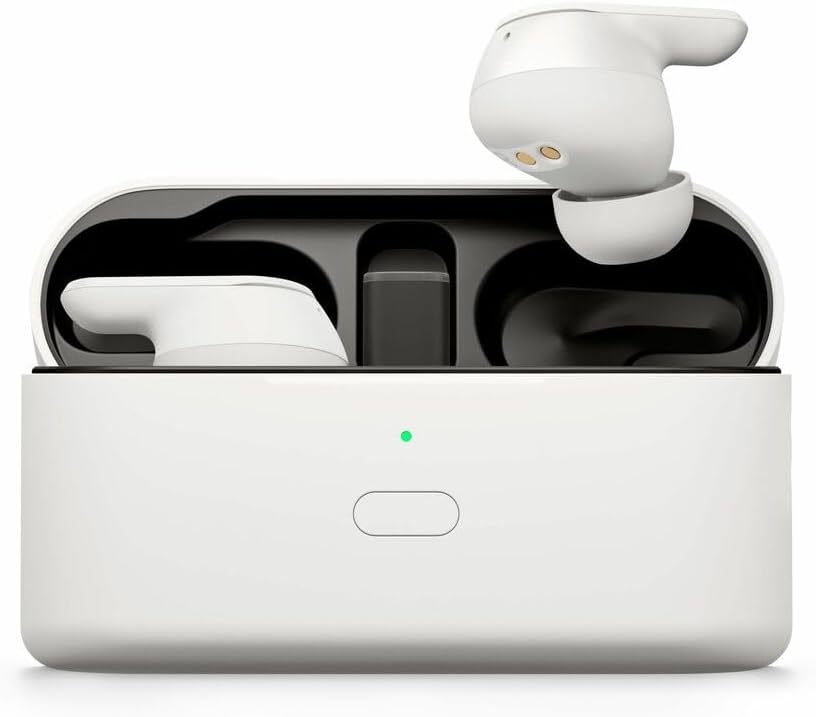
Image: The EPOS Adapt E1 earbuds are placed inside their charging case, with an indicator light showing the charging status.
2. પ્રારંભિક જોડી
- For Android Devices (Google Fast Pair): Open the charging case near your Android device. A pop-up notification will appear for quick pairing. Follow the on-screen prompts.
- For iOS Devices (Made for iPhone Certified): Open the charging case. Go to your iPhone's Bluetooth settings and select "EPOS Adapt E1" from the list of available devices.
- For PC/Other Bluetooth Devices: Open the charging case. Go to your device's Bluetooth settings and select "EPOS Adapt E1" to pair.
3. શ્રેષ્ઠ ફિટ
The EPOS Adapt E1 features IntelligentFit™ technology for comfort and acoustic performance. Experiment with the three included silicone ear tip sizes (Small, Medium, Large) to find the best seal for your ears. A proper fit is crucial for optimal sound quality and active noise cancellation.
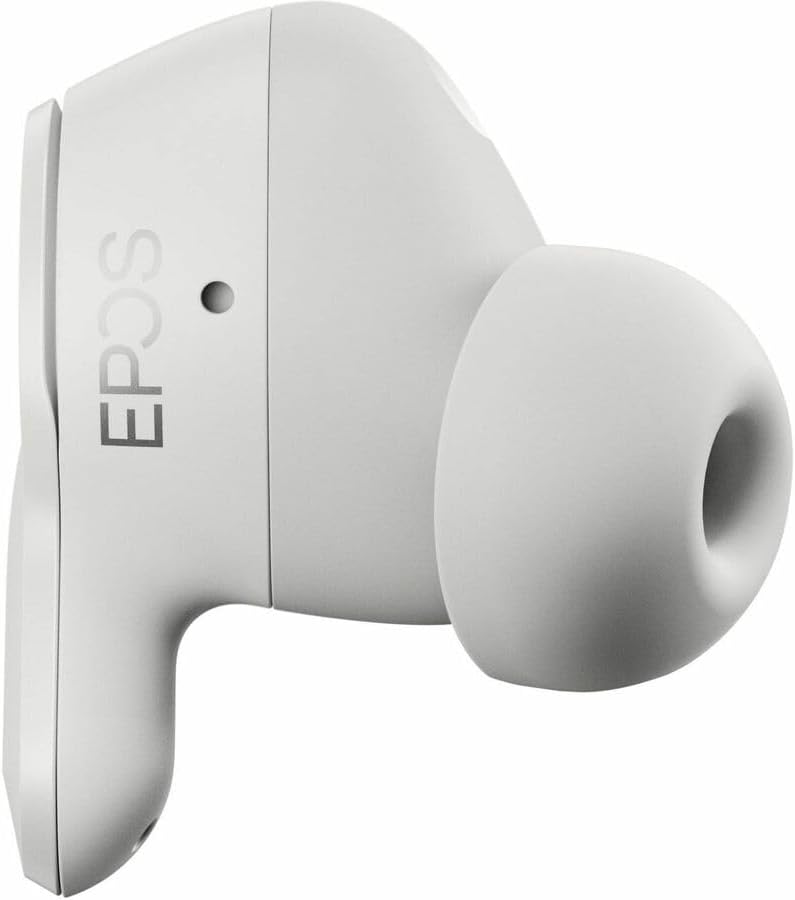
છબી: વિગતવાર view of a single EPOS Adapt E1 earbud, highlighting its ergonomic design and silicone ear tip.
ઓપરેટિંગ સૂચનાઓ
1. મૂળભૂત નિયંત્રણો
- એપ્લિકેશન નિયંત્રણ: Utilize the dedicated EPOS app (available for mobile and PC) to customize settings, select sound profiles, and manage features.
- Auto Pause/Resume: Removing one earbud will automatically pause audio playback. Reinserting it will resume music playback.
- સોલો મોડ: Use one earbud independently while the other charges in the case. This allows for continuous use during long calls or listening sessions.
૬.૫. મલ્ટી-પોઇન્ટ કનેક્ટિવિટી
The Adapt E1 earbuds can connect to two devices simultaneously (e.g., your smartphone and laptop). This allows for seamless switching between calls on your phone and audio on your computer without needing to manually disconnect and reconnect.
૫.૪. સક્રિય અવાજ રદ (ANC)
The hybrid ANC feature helps to reduce ambient noise, allowing for greater focus during calls or immersive listening. Manage ANC settings through the EPOS app to adjust to your environment.
4. Sound Profiles
Select from various preset sound profiles available in the EPOS app to optimize your audio experience for different content, such as music, calls, or podcasts.
જાળવણી
The EPOS Adapt E1 earbuds are designed to be durable and are water-resistant, sweatproof, rainproof, and splashproof. To ensure longevity and optimal performance:
- Regularly clean the ear tips and earbud surfaces with a soft, dry, lint-free cloth.
- સફાઈ માટે કઠોર રસાયણો અથવા ઘર્ષક સામગ્રીનો ઉપયોગ કરવાનું ટાળો.
- નુકસાન અટકાવવા માટે ચાર્જિંગ કેસમાં પાછા મૂકતા પહેલા ખાતરી કરો કે ઇયરબડ્સ સુકાઈ ગયા છે.
- ઇયરબડ્સને સુરક્ષિત રાખવા અને ચાર્જ રાખવા માટે ઉપયોગમાં ન હોય ત્યારે તેમના ચાર્જિંગ કેસમાં સ્ટોર કરો.
મુશ્કેલીનિવારણ
If you encounter any issues with your EPOS Adapt E1 earbuds, consider the following:
- કોઈ ધ્વનિ/કનેક્શન સમસ્યાઓ નથી: Ensure the earbuds are charged and within Bluetooth range of your device. Try unpairing and re-pairing the earbuds.
- નબળી અવાજ ગુણવત્તા: Check the ear tip fit for a proper seal. Ensure the earbuds are clean and free from debris. Adjust sound profiles in the EPOS app.
- ચાર્જિંગ સમસ્યાઓ: Verify the USB-C cable and power source are working correctly. Ensure the earbuds are properly seated in the charging case.
- For further assistance, refer to the EPOS support webસાઇટ અથવા ગ્રાહક સેવાનો સંપર્ક કરો.
વિશિષ્ટતાઓ
| લક્ષણ | વિગત |
|---|---|
| મોડેલનું નામ | ADAPT E1 |
| આઇટમ મોડલ નંબર | 1001261 |
| કનેક્ટિવિટી ટેકનોલોજી | વાયરલેસ |
| વાયરલેસ કોમ્યુનિકેશન ટેકનોલોજી | બ્લૂટૂથ |
| બ્લૂટૂથ સંસ્કરણ | 5.3 |
| અવાજ નિયંત્રણ | હાઇબ્રિડ સક્રિય અવાજ રદ |
| ચાર્જિંગ સમય (ઝડપી ચાર્જ) | 1 કલાક પ્લેબેક માટે 5 મિનિટ |
| બેટરી લાઇફ (કેસ સાથે કુલ) | 50 કલાક સુધી |
| પાણી પ્રતિકાર સ્તર | Water Resistant (sweatproof, rainproof, splashproof) |
| યુપીસી | 840064410700 |
વોરંટી અને આધાર
EPOS provides free software for asset management and remote updates to ensure your device adheres to company policy and remains up-to-date.
For detailed warranty information, product registration, or technical support, please visit the official EPOS webસાઇટ અથવા તેમના ગ્રાહક સેવા વિભાગનો સંપર્ક કરો.


