1. પરિચય
Welcome to the user manual for your new TECNO POVA Curve 5G smartphone. This guide provides essential information on setting up, operating, maintaining, and troubleshooting your device. Please read this manual carefully to ensure optimal performance and longevity of your smartphone.

Figure 1: TECNO POVA Curve 5G smartphone, front and back.
2. બોક્સમાં શું છે
Upon unboxing your TECNO POVA Curve 5G, please verify that all the following items are included:
- TECNO POVA Curve 5G Smartphone
- Power Adapter (45W Fast Charger)
- યુએસબી કેબલ
- સિમ ટ્રે ઇજેક્ટર
- હેડસેટ
- ક્વિક સ્ટાર્ટ ગાઈડ (આ દસ્તાવેજ)

Figure 2: Key features of the TECNO POVA Curve 5G.
3. સેટઅપ
3.1 Inserting SIM Card and SD Card
- તમારા ઉપકરણની બાજુમાં સિમ કાર્ડ ટ્રે શોધો.
- ટ્રેની બાજુના નાના છિદ્રમાં સિમ ટ્રે ઇજેક્ટર ટૂલ દાખલ કરો અને ટ્રે બહાર ન આવે ત્યાં સુધી હળવેથી દબાવો.
- તમારા નેનો-સિમ કાર્ડ(ઓ) અને/અથવા માઇક્રોએસડી કાર્ડને ટ્રે પરના નિયુક્ત સ્લોટમાં મૂકો. ખાતરી કરો કે સોનાના સંપર્કો નીચે તરફ હોય.
- ટ્રેને ઉપકરણમાં કાળજીપૂર્વક ફરીથી દાખલ કરો જ્યાં સુધી તે જગ્યાએ ક્લિક ન થાય.
૨.૨ પ્રારંભિક પાવર ચાલુ અને મૂળભૂત સેટઅપ
- TECNO લોગો દેખાય ત્યાં સુધી પાવર બટન દબાવી રાખો.
- તમારી ભાષા પસંદ કરવા, Wi-Fi નેટવર્કથી કનેક્ટ થવા અને તમારું Google એકાઉન્ટ સેટ કરવા માટે સ્ક્રીન પરની સૂચનાઓને અનુસરો.
- You will be guided through setting up security features such as fingerprint unlock or facial recognition.

આકૃતિ 3: નીચે view of the device, illustrating port and SIM tray location.
4. તમારા ઉપકરણનું સંચાલન
૫.૧ ડિસ્પ્લે અને નેવિગેશન
The TECNO POVA Curve 5G features a 144Hz Curved AMOLED display for smooth visuals and vibrant colors. Navigate the interface using touch gestures:
- ટૅપ કરો: કોઈ વસ્તુ પસંદ કરો અથવા એપ્લિકેશન ખોલો.
- સ્વાઇપ કરો: સ્ક્રીન અથવા યાદીઓમાંથી સ્ક્રોલ કરો.
- ચપટી: છબીઓ ઝૂમ ઇન અથવા આઉટ કરો અને web પૃષ્ઠો
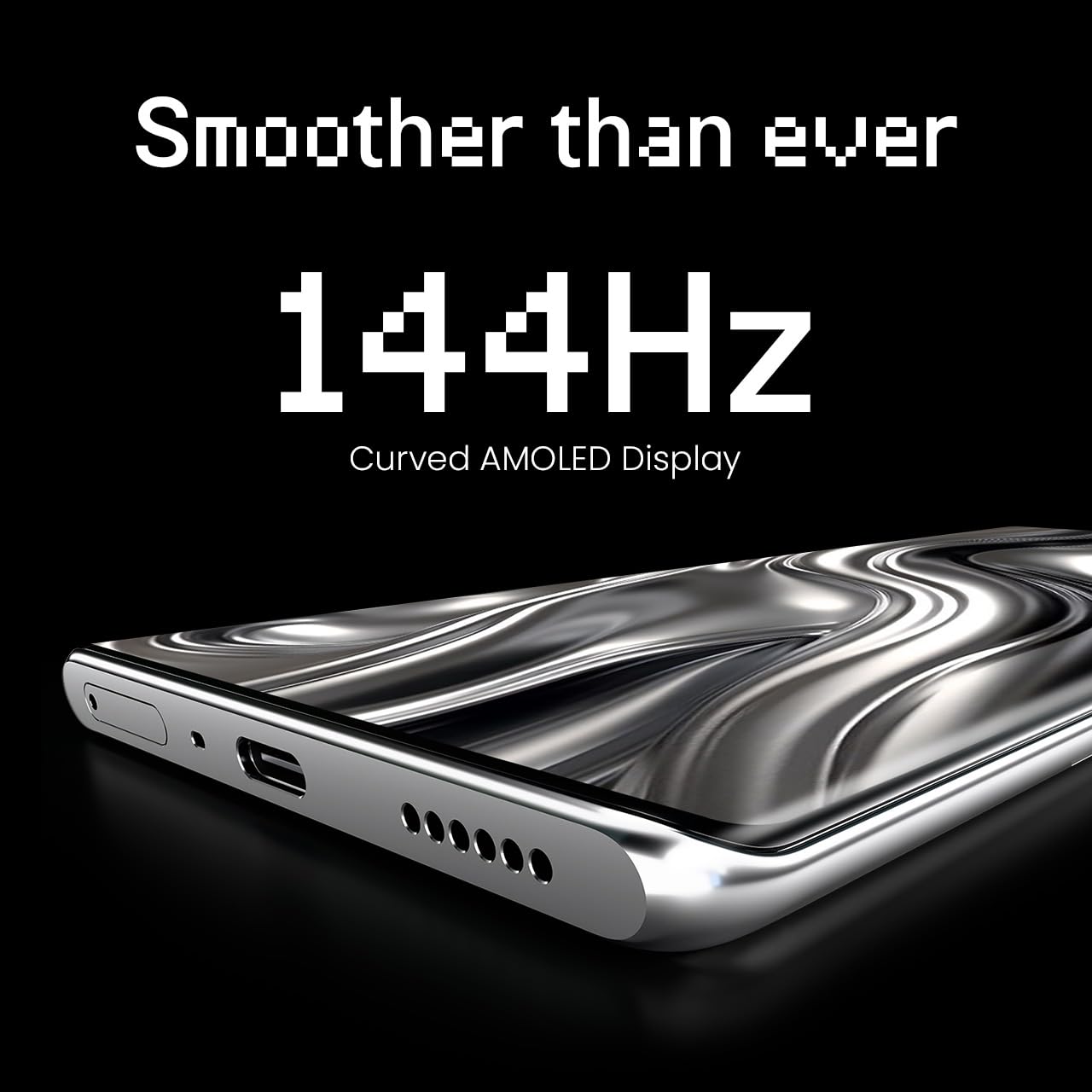
Figure 4: The 144Hz Curved AMOLED Display.
૫.૫ કેમેરા કાર્યો
Your device is equipped with a 64MP IMX682 Rear Camera. To access the camera, tap the Camera icon on your home screen or lock screen. Key features include:
- ફોટો મોડ: માનક ફોટોગ્રાફી.
- વિડિઓ મોડ: Record high-quality videos.
- પોટ્રેટ મોડ: Create professional-looking photos with blurred backgrounds.
- નાઇટ મોડ: Enhance photos taken in low-light conditions.
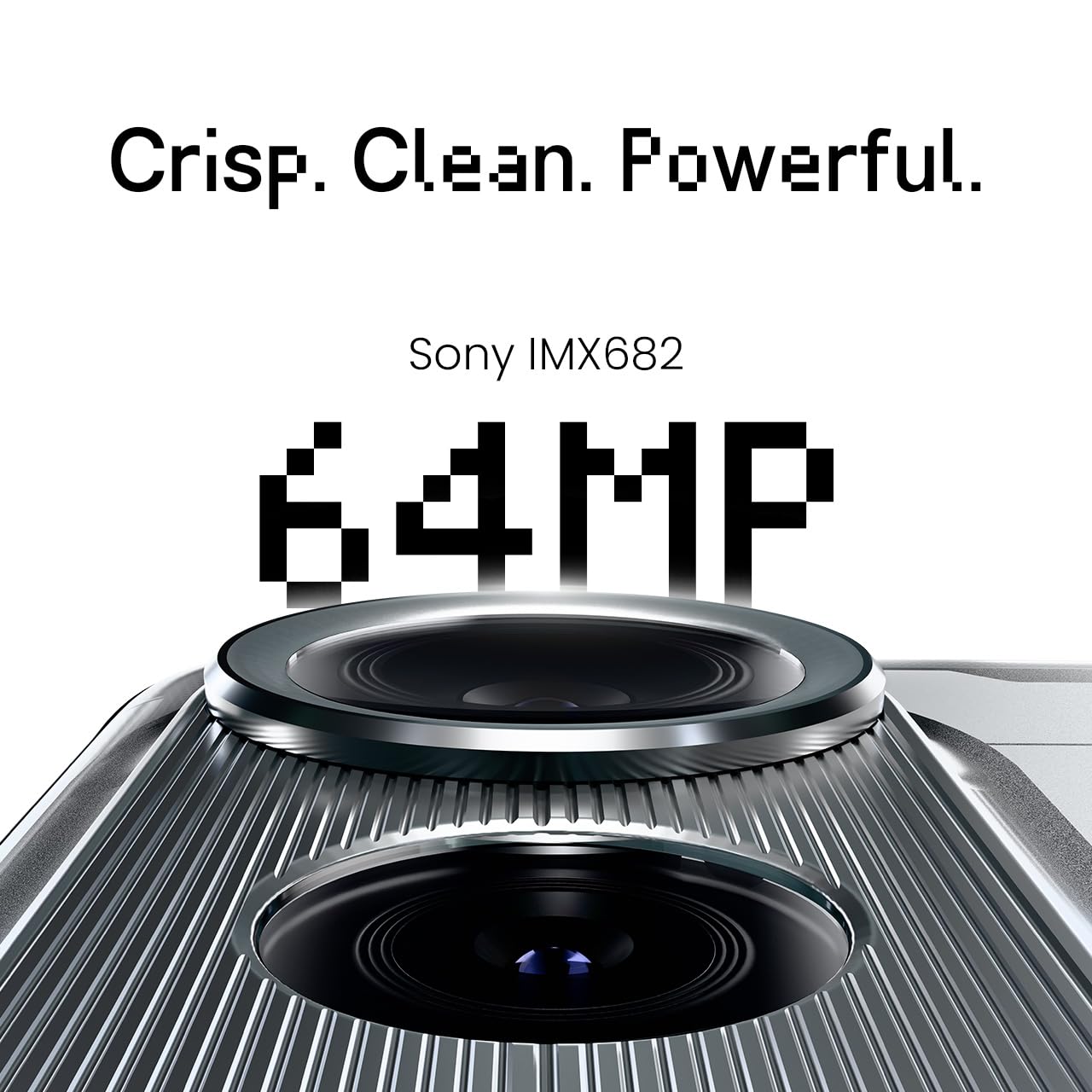
Figure 5: The 64MP IMX682 Rear Camera.
૪.૩ AI સુવિધાઓ
The TECNO POVA Curve 5G integrates advanced AI capabilities, including support for Indian languages and an AI Call Assistant. These features are designed to enhance user experience and productivity.
- AI with Indian Language Support: Access various functions and communicate in multiple Indian languages.
- AI Call Assistant: Manage calls intelligently, including features like AI Auto Call Answering and AI Voiceprint Suppression.

Figure 6: AI with Indian Language Support.

આકૃતિ 7: ઓવરview of AI features.
4.4 Battery Management and Charging
The device is powered by a 5500mAh battery and supports 45W fast charging. Use the provided power adapter and USB cable for optimal charging speed.
- To charge, connect the USB cable to the phone's USB-C port and the power adapter, then plug into a wall outlet.
- Avoid using non-certified chargers or cables to prevent damage.
4.5 કનેક્ટિવિટી
Your TECNO POVA Curve 5G supports 5G cellular networks, Wi-Fi, and Bluetooth. It also features an Intelligent Signal Hub System for improved network reception.
- Wi-Fi: ઉપલબ્ધ નેટવર્ક્સ સાથે કનેક્ટ થવા માટે સેટિંગ્સ > નેટવર્ક અને ઇન્ટરનેટ > વાઇ-ફાઇ પર જાઓ.
- બ્લૂટૂથ: Go to Settings > Connected devices > Bluetooth to pair with other Bluetooth devices.
- મોબાઇલ ડેટા: સેટિંગ્સ > નેટવર્ક અને ઇન્ટરનેટ > મોબાઇલ નેટવર્કમાં જઈને ખાતરી કરો કે તમારું સિમ કાર્ડ સક્રિય છે અને મોબાઇલ ડેટા સક્ષમ છે.

Figure 8: Intelligent Signal Hub System for enhanced network communication.
5. જાળવણી
૪.૧ તમારા ઉપકરણને સાફ કરવું
To keep your smartphone clean and functional:
- સ્ક્રીન અને શરીર સાફ કરવા માટે નરમ, લિન્ટ-ફ્રી કાપડનો ઉપયોગ કરો.
- કઠોર રસાયણો, ઘર્ષક સામગ્રી અથવા એરોસોલ સ્પ્રેનો ઉપયોગ કરવાનું ટાળો.
- ઉપકરણને વધુ પડતા ભેજ માટે ખુલ્લા કરશો નહીં.
5.2 સોફ્ટવેર અપડેટ્સ
તમારા ઉપકરણમાં નવીનતમ સુવિધાઓ, સુરક્ષા પેચ અને પ્રદર્શન સુધારણા છે તેની ખાતરી કરવા માટે નિયમિતપણે સોફ્ટવેર અપડેટ્સ તપાસો અને ઇન્સ્ટોલ કરો. સેટિંગ્સ > સિસ્ટમ > સિસ્ટમ અપડેટ પર જાઓ.
5.3 બેટરી કેર
બેટરી જીવન વધારવા માટે:
- અતિશય તાપમાન ટાળો.
- વારંવાર બેટરીને સંપૂર્ણપણે ખાલી થવા ન દો.
- એકવાર બેટરી સંપૂર્ણ ચાર્જ થઈ જાય પછી ચાર્જરને અનપ્લગ કરો.
6. મુશ્કેલીનિવારણ
This section addresses common issues you might encounter with your TECNO POVA Curve 5G.
| અંક | શક્ય ઉકેલ |
|---|---|
| ઉપકરણ પાવર ચાલુ કરતું નથી | ખાતરી કરો કે બેટરી ચાર્જ થઈ ગઈ છે. બળજબરીથી પુનઃપ્રારંભ કરવા માટે પાવર બટનને ઓછામાં ઓછા 10 સેકન્ડ સુધી દબાવી રાખો. |
| એપ્લિકેશનો ક્રેશ થઈ રહી છે અથવા સ્થિર થઈ રહી છે | Clear the cache of the problematic app (Settings > Apps > [App Name] > Storage > Clear cache). Restart the device. |
| નબળું નેટવર્ક સિગ્નલ | Check if your SIM card is properly inserted. Move to an area with better network coverage. Restart the device. |
| બેટરી ઝડપથી નીકળી જાય છે | Reduce screen brightness, close unused apps, disable unnecessary background processes, and check for power-intensive apps in battery settings. |
| ટચસ્ક્રીન પ્રતિભાવવિહીન | ડિવાઇસ રીસ્ટાર્ટ કરો. જો સમસ્યા ચાલુ રહે, તો ગ્રાહક સપોર્ટનો સંપર્ક કરો. |
7. સ્પષ્ટીકરણો
Key technical specifications for the TECNO POVA Curve 5G (Model: LJ8K):
- ઓપરેટિંગ સિસ્ટમ: એન્ડ્રોઇડ 15
- રેમ: 8 GB (expandable with memory fusion)
- સંગ્રહ: 128 GB / 256 GB ROM
- પ્રોસેસર: MediaTek Dimensity 7300 Ultimate 5G
- પ્રદર્શન: 144Hz Curved AMOLED
- રીઅર કેમેરા: 64MP IMX682
- બેટરી: 5500mAh with 45W Fast Charging
- પરિમાણો: 16.4 x 7.5 x 0.7 સેમી
- વજન: 177 ગ્રામ
- કનેક્ટિવિટી: Bluetooth, Infrared, USB, Wi-Fi, 5G

Figure 9: Processor and Memory details.
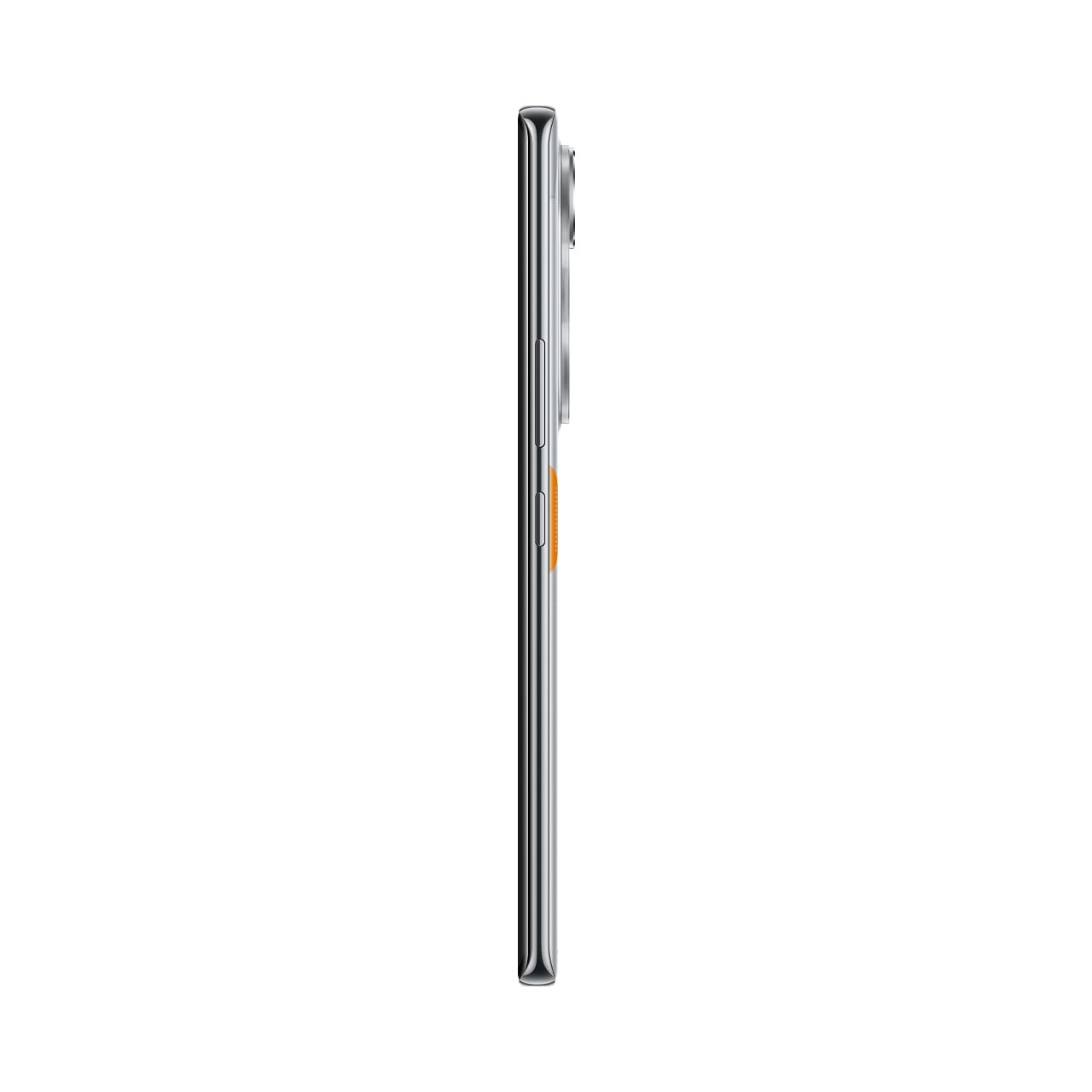
Figure 10: Slim design of the TECNO POVA Curve 5G.
8. વોરંટી અને સપોર્ટ
8.1 વોરંટી માહિતી
Your TECNO POVA Curve 5G smartphone comes with a limited manufacturer's warranty. Please refer to the warranty card included in your product packaging for specific terms, conditions, and duration. Keep your proof of purchase for warranty claims.
8.2 ગ્રાહક સપોર્ટ
For technical assistance, service, or further inquiries, please visit the official TECNO website or contact their customer support. Details can typically be found on the manufacturer's webસાઇટ અથવા વોરંટી દસ્તાવેજોમાં.


