પરિચય
This manual provides essential information for the safe operation and maintenance of your iScooter iK1 Electric Scooter. Please read it thoroughly before use and retain it for future reference.

Image: Two iScooter iK1 electric scooters, one black and one pink, showcasinતેમની ડિઝાઇન.
સલામતી માહિતી
Always prioritize safety when operating the electric scooter. Adult supervision is recommended for children aged 6-10. Ensure all riders wear appropriate safety gear, including a helmet and protective pads.
- વજન મર્યાદા: 110 પાઉન્ડ (50 કિલો) થી વધુ ન કરો.
- ઉંમર શ્રેણી: Suitable for children aged 6-10.
- બેટરી ચેતવણી: The iK1C kids electric scooter will automatically power off after 5 minutes of inactivity. When the battery is low, a red warning light will flash to alert you.
- ચાર્જિંગ સલામતી: Use only the original charger to charge the battery. The magnetic charging technology is TUV certified anti-touch for enhanced safety.
- સવારીની શરતો: Always ride in safe environments, away from traffic and obstacles. Adhere to local traffic laws and regulations.

Image: Two children riding iScooters, demonstrating appropriate age and safety gear.
પેકેજ સામગ્રી
ખાતરી કરો કે બધી વસ્તુઓ પેકેજમાં હાજર છે:
- iScooter iK1 Electric Scooter x 1
- ચાર્જર x 1
- Instruction Manual x 1 (This document)
- Brand Card x 1
- ટૂલ કિટ x 1
- Tag x 1
સેટઅપ
The iScooter iK1 Electric Scooter requires minimal assembly. Only the handlebar and stem need to be assembled for quick use.
હેન્ડલબાર એસેમ્બલી
- Insert the handlebar stem into the main body of the scooter.
- Align the holes and secure the stem using the provided tools and fasteners from the tool kit.
- Ensure all connections are tight and secure before riding.
વિડિઓ: જનરલ ઓવરview of iScooter models, including assembly and features.
ચાર્જિંગ
Before embarking on your first ride, make sure to fully charge your scooter for optimal performance. The iK1 features magnetic charging technology for safe and hassle-free connection.
- Locate the magnetic charging port on the side of the scooter.
- Connect the magnetic charger to the port. It will snap into place upon proximity.
- સંપૂર્ણ ચાર્જ કરવા માટે ચાર્જિંગ સમય આશરે 4.5 કલાકનો છે.
- ઉપયોગમાં ન હોય ત્યારે હંમેશા ચાર્જર અનપ્લગ કરો.

Image: Illustration of the magnetic charging feature of the iScooter iK1.
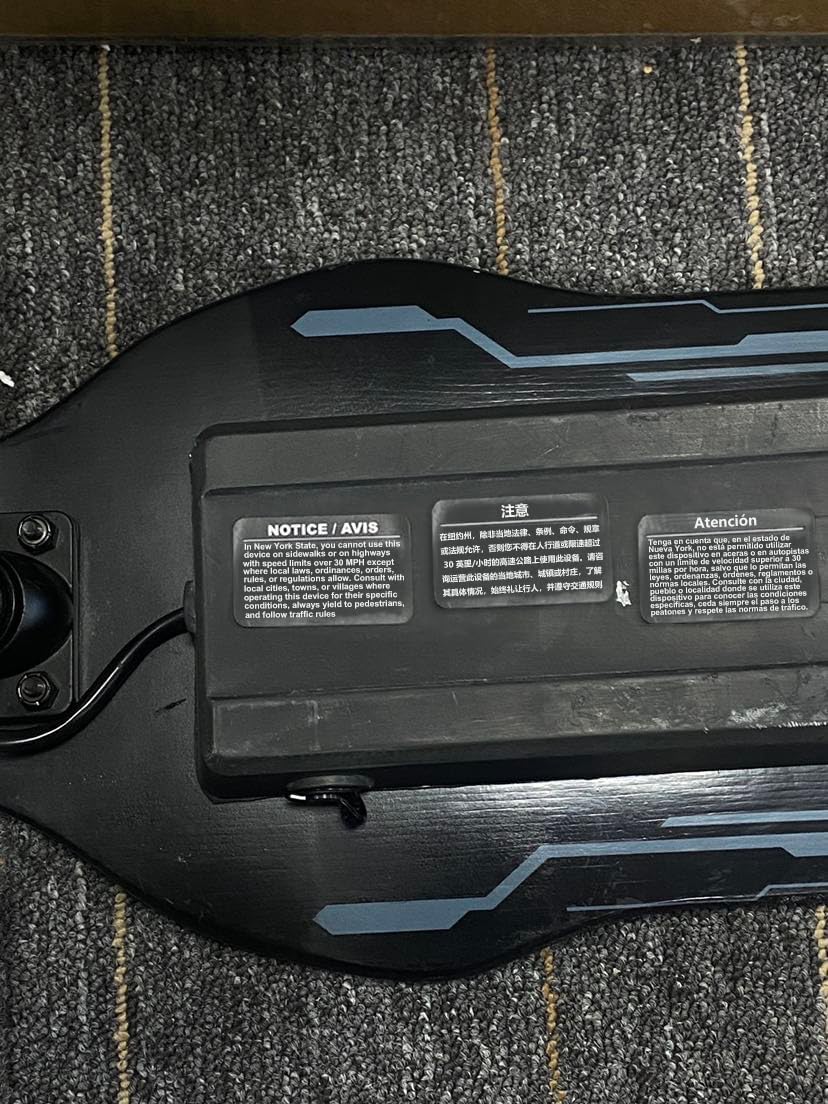
Image: The iScooter charger with a safety reminder.
ઓપરેટિંગ સૂચનાઓ
Power On/Off and Speed Modes
- પાવર ચાલુ/બંધ: Long press the power button to turn the scooter on or off.
- ઝડપ સ્થિતિઓ: The iK1C offers dual speeds of 4 mph and 6 mph. Press the power button once while the scooter is on to switch between speed modes.
- Non-Zero Start: The scooter adopts a non-zero-start mechanism for safer coasting. The motor will engage after a slight push-off.

Image: Visual representation of the two speed modes available on the iK1C scooter.
લાઇટિંગ સુવિધાઓ
The iK1 Electric Scooter features 7-color rims and side-board ambient lights for enhanced visibility and a fun riding experience.

Image: The iScooter iK1 showcasing its vibrant colored ambient lights on the wheels and deck.
Video: A short clip demonstrating the iK1 electric scooter in use, highlighting its features.
ગોઠવણો
હેન્ડલબારની ઊંચાઈ ગોઠવણ
The iK1C escooter features 3-level height adjustment to accommodate growing children.
- Available heights: 32 inches, 34.5 inches, and 37 inches.
- સમાયોજિત કરવા માટે, cl ઢીલું કરોamp on the handlebar stem, slide the stem to the desired height, and securely tighten the clamp.

Image: Children with scooters set at different handlebar heights.
જાળવણી
Regular maintenance ensures the longevity and safe operation of your iScooter iK1. Refer to the following guides for common maintenance tasks.
બેટરી બદલી રહ્યા છીએ
Video: Detailed guide on how to disassemble the iK1 scooter and replace the battery.
Replacing the Fender
Video: Step-by-step instructions for disassembling and replacing the fender on the iK1 scooter.
ફ્રન્ટ વ્હીલને બદલવું
Video: Guide on how to remove and install the front wheel of the iK1 scooter.
Replacing the Ambient Light
Video: Instructions for replacing the ambient light strips on the iK1 scooter.
Replacing the Pedal Switch
Video: Guide on how to replace the pedal switch component of the iK1 scooter.
વિશિષ્ટતાઓ
| લક્ષણ | વિગત |
|---|---|
| મોડેલનું નામ | IK1C |
| વય શ્રેણી | 6-10 વર્ષ |
| વજન મર્યાદા | 110 પાઉન્ડ |
| ઉત્પાદન પરિમાણો | ૧૧"લિ x ૪"પગ x ૧૩"કલો |
| વસ્તુનું વજન | 12.1 પાઉન્ડ |
| સ્પીડ મોડ્સ | 4 mph / 6 mph |
| મહત્તમ અંતર શ્રેણી | 4.3 માઇલ |
| ચાર્જિંગ સમય | 4.5 કલાક |
| હેન્ડલબારનો પ્રકાર | Adjustable (3 levels: 32"/34.5"/37") |
| બ્રેક શૈલી | રીઅર બ્રેકિંગ |
| ખાસ લક્ષણ | Magnetic charging, Colorful Flashing Wheels & Deck Lights |
વોરંટી અને આધાર
iScooter offers a 360-day or 180-day warranty on different parts of the scooter. For fast and professional service, please contact us:
- કૉલ સેન્ટર: +1 (855) 916-2366
- લાઈવ ચેટ/ઈમેલ સપોર્ટ: support@iscooterglobal.com
If you experience any issues, please reach out via your Amazon order page. Our dedicated team is here to help promptly and professionally.


