1. પરિચય
This manual provides essential information for the safe and efficient operation of your NIMO 15.6" FHD-IPS Business Laptop. Please read this manual thoroughly before using your device and retain it for future reference. This laptop is designed for productivity, entertainment, and everyday computing tasks, featuring a powerful Intel Core i5-12450H processor, ampમેમરી, અને ઝડપી સંગ્રહ.
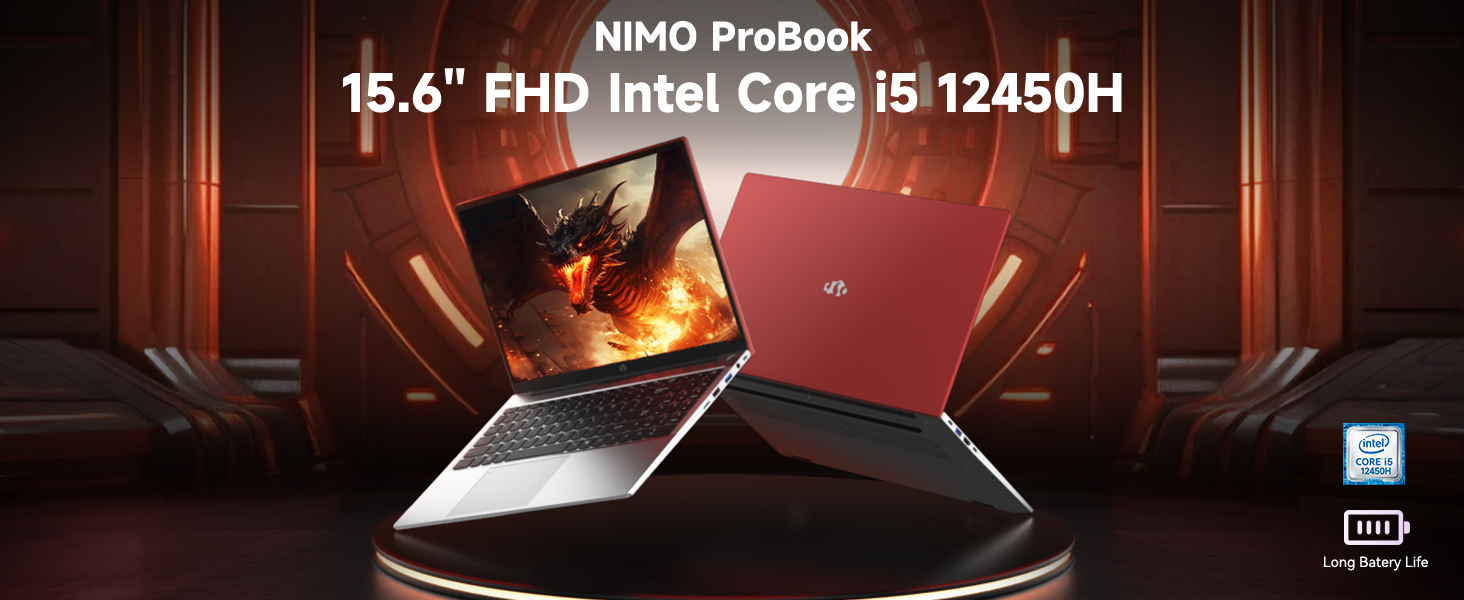
Image: The NIMO 15.6 inch FHD Laptop, highlighting its Intel Core i5 12450H processor.
2. પેકેજ સામગ્રી
ખાતરી કરો કે બધી વસ્તુઓ તમારા ઉત્પાદન પેકેજિંગમાં હાજર છે:
- ૧ x નિમો N156 લેપટોપ
- 1 x ટાઇપ-સી 100W પીડી ફાસ્ટ ચાર્જર
- ૧ x વપરાશકર્તા માર્ગદર્શિકા (આ દસ્તાવેજ)
- વિન્ડોઝ ૧૧ હોમ ઓપરેટિંગ સિસ્ટમ (પહેલાથી ઇન્સ્ટોલ કરેલ)
3. સેટઅપ
3.1 પ્રારંભિક પાવર ચાલુ
- Unpack the laptop and charger from the box.
- Connect the 100W Type-C PD Fast Charger to the laptop's Type-C charging port and a power outlet.
- Open the laptop lid. The laptop may power on automatically or require you to press the power button located on the top right of the keyboard.
- ભાષા, પ્રદેશ, નેટવર્ક કનેક્શન અને વપરાશકર્તા ખાતું બનાવવા સહિત, પ્રારંભિક Windows 11 હોમ સેટઅપ પૂર્ણ કરવા માટે સ્ક્રીન પરની સૂચનાઓનું પાલન કરો.
3.2 બેટરી ચાર્જ કરી રહી છે
The laptop is equipped with a 54Wh Smart Battery. For optimal performance, fully charge the battery before first use. The included 100W PD charger supports rapid charging, reaching 0-50% in approximately 15 minutes. The Charge LED indicator will show charging status.
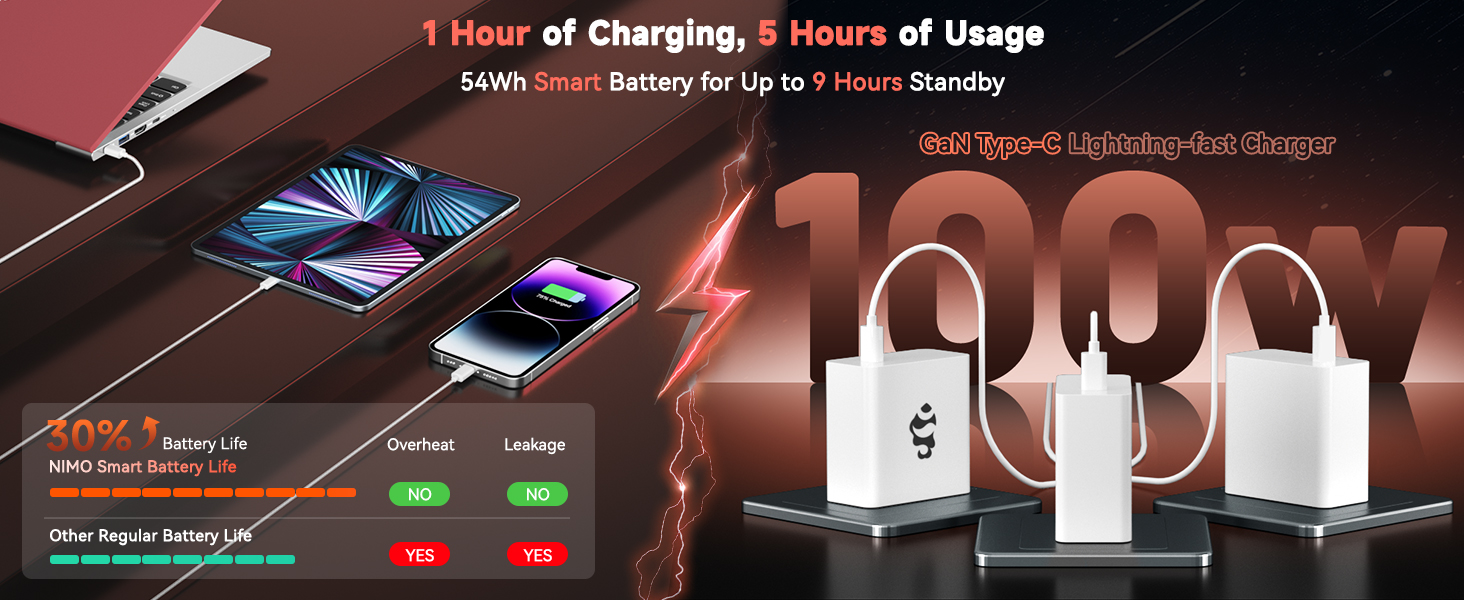
Image: The 100W PD Fast Charger demonstrating its compatibility with various devices.
3.3 Operating System Setup (Windows 11 Home)
Your NIMO laptop comes with Windows 11 Home pre-installed. During the initial setup, you will be guided through:
- Wi-Fi નેટવર્કથી કનેક્ટ થઈ રહ્યું છે.
- Creating or logging into a Microsoft account.
- ગોપનીયતા સેટિંગ્સ સેટ કરી રહ્યા છીએ.
- Configuring Windows Hello (optional, for fingerprint login).
4. તમારા લેપટોપનું સંચાલન
૪.૧ કીબોર્ડ સુવિધાઓ
The laptop features a full-size backlit keyboard with a numeric keypad for enhanced productivity. The backlighting can be adjusted or turned off using the function keys (Fn + Fx keys, refer to keyboard icons for specific controls).
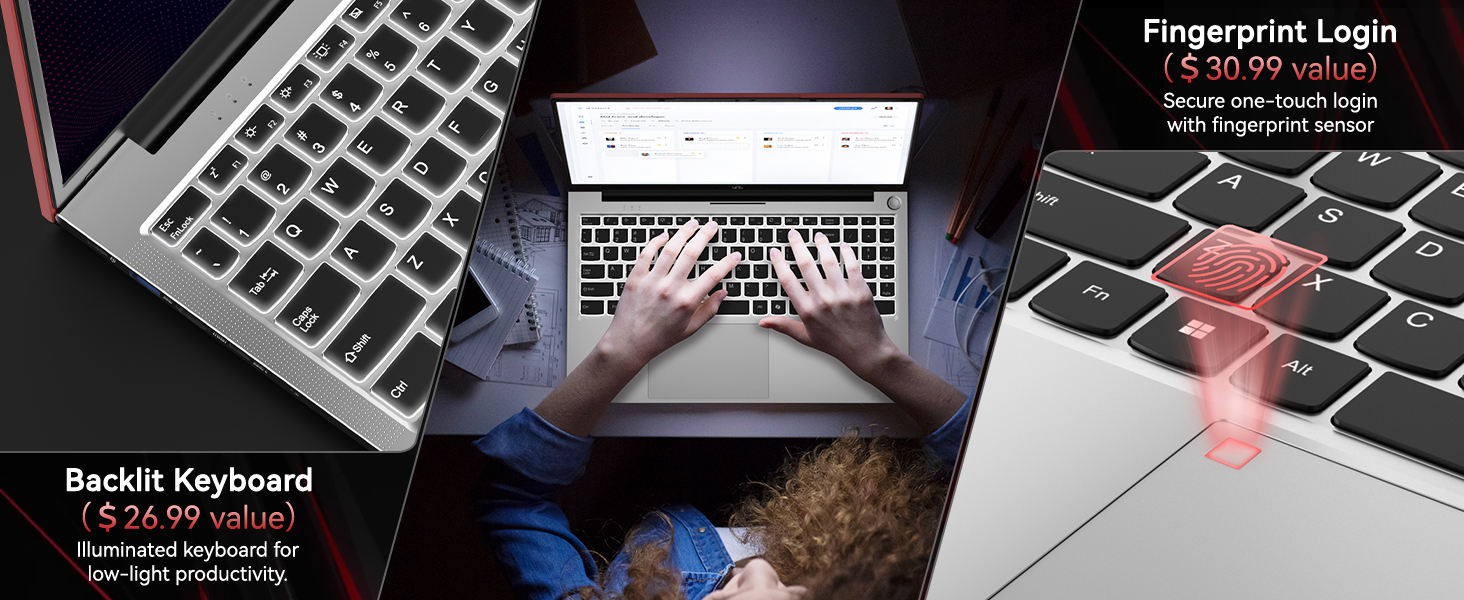
Image: Close-up of the NIMO laptop's backlit keyboard and integrated fingerprint sensor.
4.2 Touchpad and Fingerprint Reader
The precision touchpad supports multi-touch gestures for intuitive navigation. An integrated fingerprint reader is located on the touchpad for secure and quick login via Windows Hello. To set up the fingerprint reader, navigate to Windows Settings > Accounts > Sign-in options.
4.3 ડિસ્પ્લે
Enjoy clear visuals on the 15.6" Full HD (1920x1080) IPS anti-glare display. The IPS technology provides 178° ultra-wide viewing angles, ensuring consistent image quality from various perspectives. The anti-glare coating minimizes reflections for comfortable viewવિવિધ લાઇટિંગ પરિસ્થિતિઓમાં.

Image: The NIMO laptop's 15.6" FHD IPS display showcasing its visual clarity.
4.4 કનેક્ટિવિટી
Your NIMO laptop offers comprehensive connectivity options:
- વાયરલેસ: Integrated WiFi 6 for fast and stable internet connections, and Bluetooth 5.2 for connecting wireless peripherals.
- બંદરો:
- 2 x USB 3.0 પોર્ટ્સ
- 1 x USB 2.0 પોર્ટ
- 2 x Type-C Ports (one for PD charging, one for multifunction)
- 1 x HDMI પોર્ટ
- 1 x માઇક્રો SD કાર્ડ રીડર
- 1 x હેડફોન જેક
- 1 x કેન્સિંગ્ટન લોક સ્લોટ
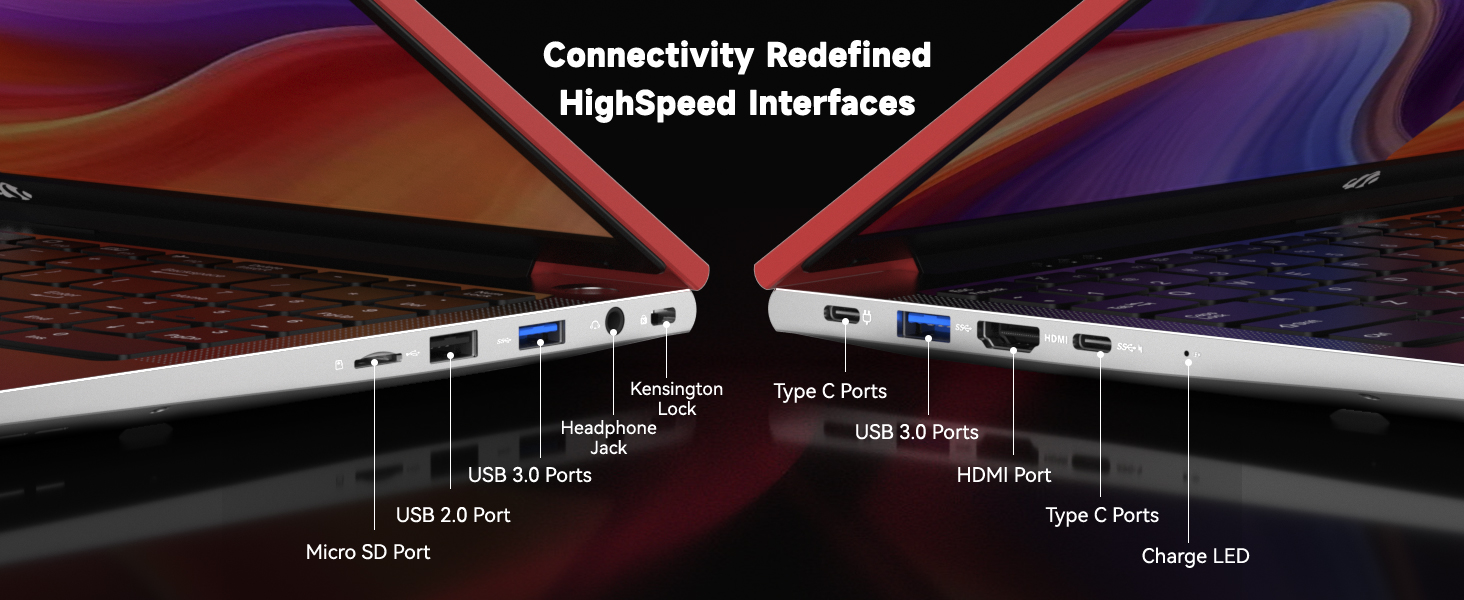
છબી: વિગતવાર view of the NIMO laptop's high-speed interface ports.
4.5 Webcam and Privacy Switch
લેપટોપમાં 2.0MPનો સમાવેશ થાય છે webcam for video conferencing. For privacy, a physical privacy switch is integrated, allowing you to easily disable the camera when not in use.
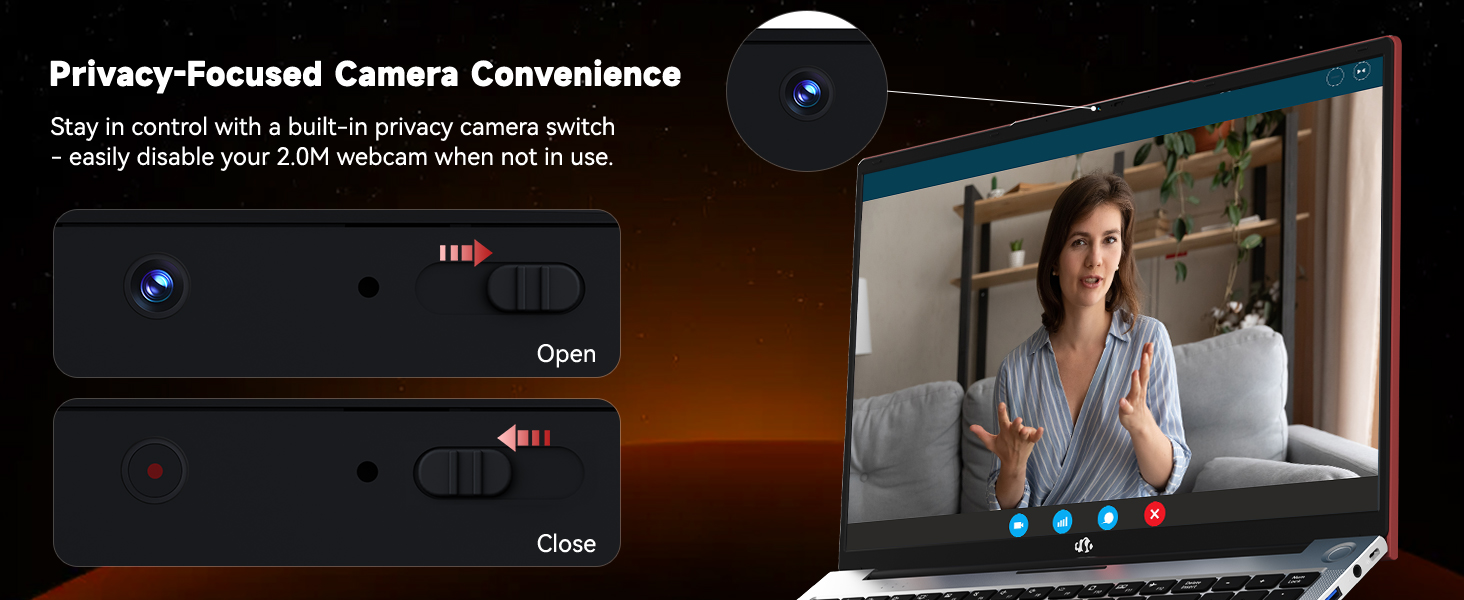
Image: The NIMO laptop's 2.0MP webcam and its privacy switch.
4.6 ઓડિયો
Experience immersive audio with the laptop's surround sound technology, enhancing your multimedia and communication experiences.
5. જાળવણી
5.1 સફાઈ
To maintain your laptop's appearance and functionality, regularly clean the screen with a microfiber cloth and the keyboard/chassis with a soft, damp કાપડ કઠોર રસાયણો અથવા ઘર્ષક સામગ્રીનો ઉપયોગ કરવાનું ટાળો.
5.2 બેટરી કેર
To prolong battery life, avoid extreme temperatures and fully discharge and recharge the battery periodically. Store the laptop with a partial charge if not used for extended periods.
૩.૩ સ્ટોરેજ અને મેમરી અપગ્રેડ્સ
The NIMO N156 laptop features user-expandable dual-channel DDR4 RAM and PCIe NVMe SSD storage. The tool-free design allows for easy upgrades to meet demanding application requirements. Consult a qualified technician for assistance with hardware upgrades.

Image: Illustration of the NIMO laptop's multitasking capabilities with 32GB RAM and 2TB SSD.
6. મુશ્કેલીનિવારણ
- લેપટોપ ચાલુ નથી થઈ રહ્યું: Ensure the charger is securely connected and the power outlet is functional. Try pressing and holding the power button for 10-15 seconds.
- ડિસ્પ્લે નથી: Connect an external monitor to verify if the issue is with the laptop's screen. Restart the laptop.
- વાઇ-ફાઇ કનેક્ટિવિટી સમસ્યાઓ: વિન્ડોઝ સેટિંગ્સમાં Wi-Fi સક્ષમ છે કે નહીં તે તપાસો. તમારા રાઉટર અને લેપટોપને ફરીથી શરૂ કરો. ખાતરી કરો કે ડ્રાઇવરો અપ ટુ ડેટ છે.
- ધીમી કામગીરી: Close unnecessary applications, check for Windows updates, scan for malware, or consider upgrading RAM/SSD if performance remains consistently low.
- ફિંગરપ્રિન્ટ રીડર કામ કરતું નથી: Ensure your finger is clean and dry. Re-register your fingerprint in Windows Hello settings.
7. સ્પષ્ટીકરણો
| લક્ષણ | સ્પષ્ટીકરણ |
|---|---|
| મોડેલનું નામ | નિમો N156 |
| સ્ક્રીન માપ | 15.6 ઇંચ |
| સ્ક્રીન રીઝોલ્યુશન | ૧૯૨૦ x ૧૦૮૦ પિક્સેલ્સ (FHD IPS) |
| પ્રોસેસર | Intel Core i5-12450H (8 Cores, up to 4.4GHz) |
| રેમ | 32 GB DDR4 (User-expandable) |
| હાર્ડ ડ્રાઈવ | 2 TB SSD (PCIe NVMe, User-expandable) |
| ગ્રાફિક્સ કોપ્રોસેસર | INTEL Integrated Graphics |
| ઓપરેટિંગ સિસ્ટમ | વિન્ડોઝ 11 હોમ |
| વાયરલેસ પ્રકાર | 802.11a/b/g/n/ac (WiFi 6) |
| બ્લૂટૂથ | બ્લૂટૂથ 5.2 |
| Webકૅમ | 2 MP Rear Webcam Resolution (with privacy switch) |
| ખાસ લક્ષણો | બેકલીટ કીબોર્ડ, ફિંગરપ્રિન્ટ રીડર, એચડી ઓડિયો, ન્યુમેરિક કીપેડ |
| બંદરો | 2x USB 3.0, 1x USB 2.0, 2x Type-C, 1x HDMI, Micro SD, Headphone Jack, Kensington Lock |
| બેટરી લાઇફ (સરેરાશ) | 5 Hours (54Wh Smart Battery) |
| વસ્તુનું વજન | 3.8 પાઉન્ડ |
| ઉત્પાદન પરિમાણો | 14.07 x 8.98 x 0.76 ઇંચ |
8. વોરંટી અને સપોર્ટ
NIMO stands behind its products with comprehensive support:
- 2-Year Manufacturer Guarantee: Your NIMO laptop is covered by a 2-year manufacturer's warranty from Nimo Direct Inc. for any manufacturing defects or issues.
- ૩૦-દિવસની મુશ્કેલી-મુક્ત વળતર: Enjoy a 90-day return policy for a risk-free experience.
For technical assistance, warranty claims, or product inquiries, please refer to the contact information provided on the NIMO official webસાઇટ અથવા તમારા ખરીદી દસ્તાવેજો.
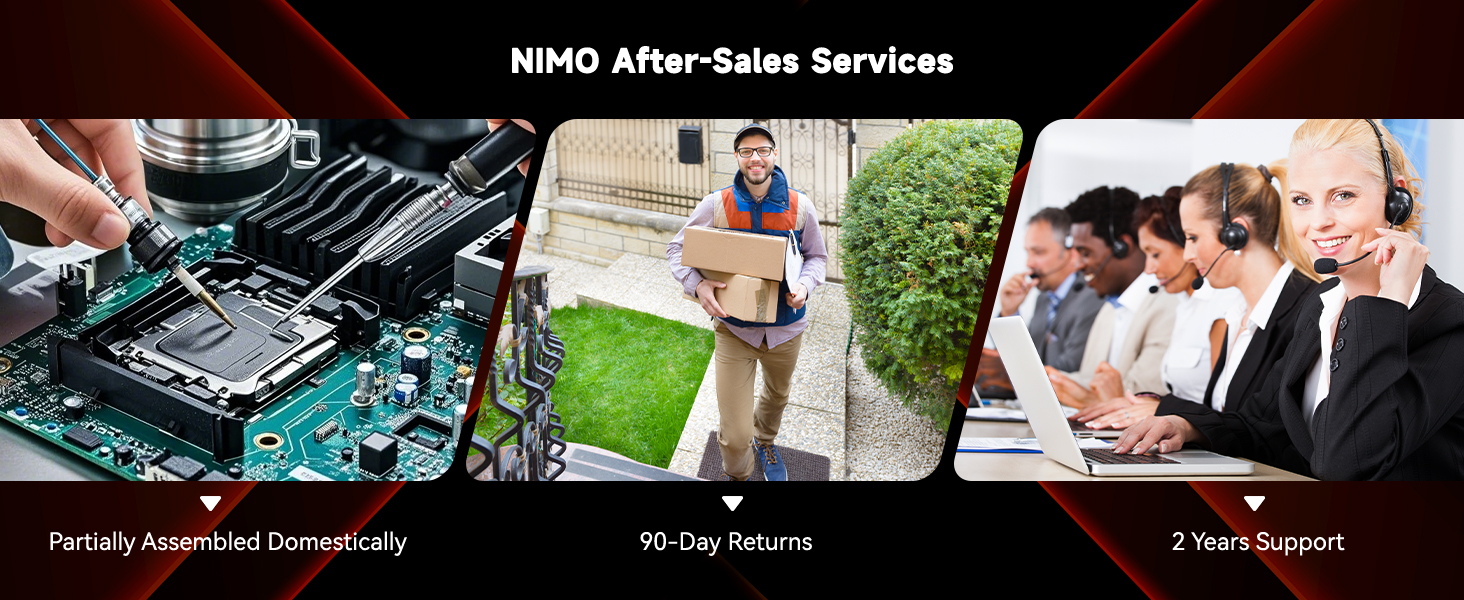
છબી: ઓવરview of NIMO's after-sales services, including repair, delivery, and customer support.
૧૦. સત્તાવાર ઉત્પાદન વિડિઓઝ
Watch these official videos for a visual guide to your NIMO laptop's features and usage:
NIMO 15.6 FHD Laptop Promotion Video
Video: A promotional overview of the NIMO 15.6 inch FHD Laptop, showcasinતેની ડિઝાઇન અને મુખ્ય લાક્ષણિકતાઓ.
NIMO 15.6 Backlit Keyboard Student Laptop
Video: Demonstrates the NIMO 15.6 inch laptop's backlit keyboard and suitability for student use.
NIMO 15.6 Laptop Comprehensive Introduction
Video: A detailed introduction to the NIMO 15.6 inch laptop, covering various aspects of its functionality.
NIMO 15.6 FHD Laptop for Students Home Work
Video: Highlights the NIMO 15.6 inch FHD Laptop's suitability for students, home use, and work tasks.
Efficiency Meets Convenience: Nimo Laptop
Video: Showcases the Nimo Laptop's efficiency and convenience features for daily use.
NIMO Laptop: Perfect for Work and Study, Anytime, Anywhere
Video: Illustrates the NIMO Laptop's versatility for work and study in various environments.


