1. પરિચય
This manual provides essential information for the proper use and maintenance of your HOTWAV R9 Ultra 5G Rugged Tablet. Please read it thoroughly before operating the device to ensure optimal performance and longevity. The HOTWAV R9 Ultra is designed for durability and high performance, featuring 5G connectivity, a large display, and robust construction.
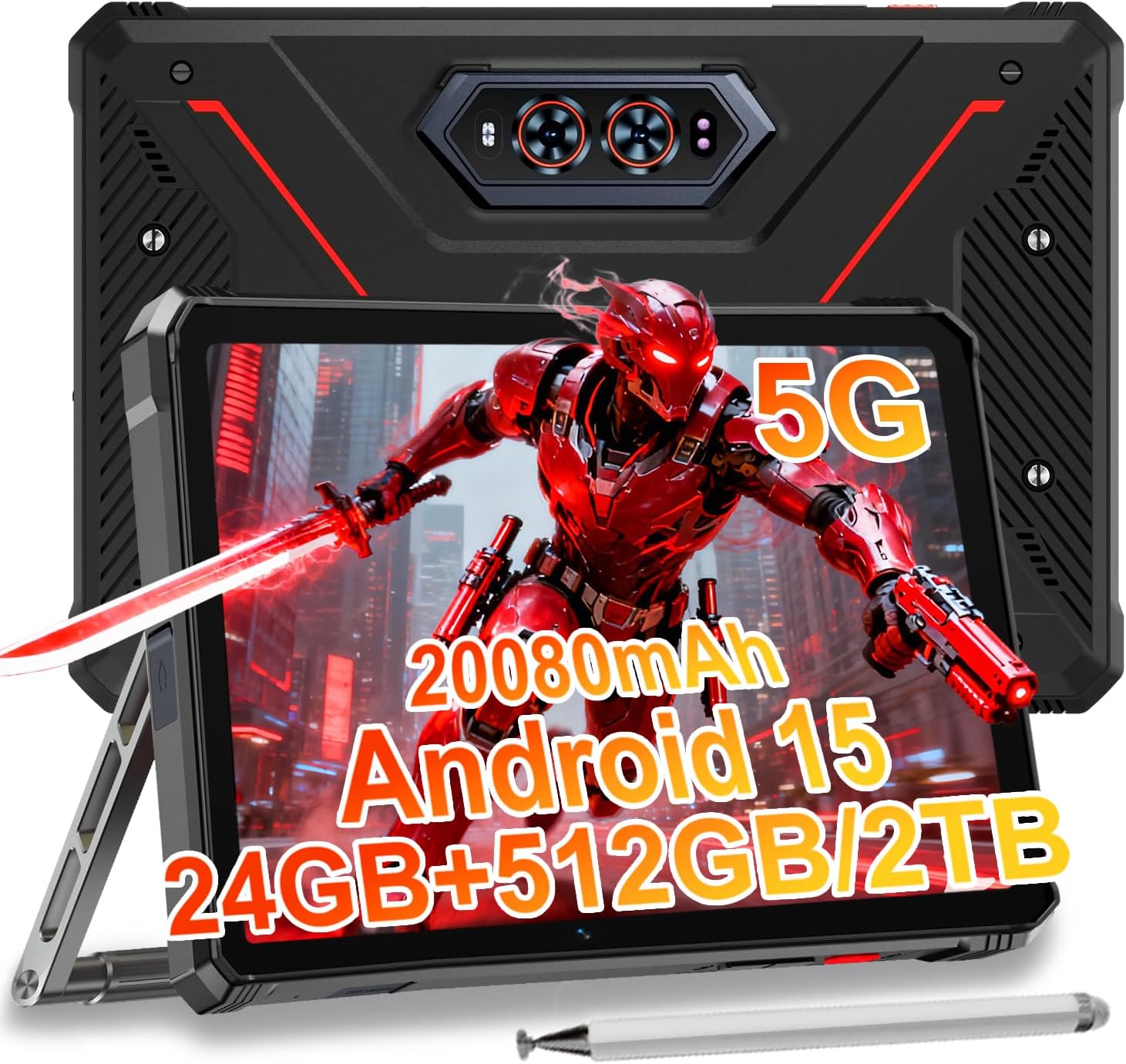
Image 1.1: The HOTWAV R9 Ultra 5G Rugged Tablet with its included stylus and stand.
2. બોક્સમાં શું છે
અનબોક્સિંગ કરતી વખતે ખાતરી કરો કે બધી વસ્તુઓ હાજર છે:
- 1 x R9 Ultra Tablet
- 1 x સૂચના માર્ગદર્શિકા
- 1 x Tablet Protective Film (pre-installed or separate)
- 1 x Tablet Charger Accessory
- 1 x Tablet Stand + Strap + Electronic Pen
3. ઉપકરણ ઓવરview
તમારા ટેબ્લેટના ભૌતિક ઘટકોથી પરિચિત થાઓ.
૨.૩ ભૌતિક ઘટકો
- પ્રદર્શન: 11-inch FHD+ 2K screen.
- ફ્રન્ટ કેમેરા: વિડિઓ કૉલ્સ અને સેલ્ફી માટે 16MP.
- પાછળના કેમેરા: 64MP main camera, 20MP night vision camera.
- બંદરો: USB-C charging/data port, Dual SIM/MicroSD card slot.
- બટનો: પાવર બટન, વોલ્યુમ અપ/ડાઉન બટનો.
- સ્પીકર્સ: Integrated stereo speakers.
- Campપ્રકાશ: Integrated high-performance light on the rear.

છબી 3.1: પાછળ view of the tablet highlighting the camera system and integrated campપ્રકાશ.
4. સેટઅપ
4.1 SIM Card and MicroSD Installation
- Locate the SIM/MicroSD card slot on the side of the tablet.
- ટ્રે ખોલવા માટે આપેલા સિમ ઇજેક્ટર ટૂલનો ઉપયોગ કરો.
- Carefully place your Nano-SIM cards (up to two) and/or a MicroSD card (up to 2TB) into the tray, ensuring correct orientation.
- ટ્રેને ટેબ્લેટમાં પાછી દાખલ કરો જ્યાં સુધી તે જગ્યાએ ક્લિક ન થાય.
Important Notice Before Purchase: HOTWAV rugged tablets are not compatible with AT&T, Cricket, or Verizon networks. They fully support T-Mobile, Mint, Boost, and Google Fi. Verify your carrier compatibility to ensure seamless connectivity.
૪.૨ પ્રારંભિક પાવર ઓન અને એન્ડ્રોઇડ ૧૩ સેટઅપ
- Press and hold the Power button until the HOTWAV logo appears.
- ભાષા પસંદગી, Wi-Fi કનેક્શન, Google એકાઉન્ટ લોગિન અને સુરક્ષા સેટિંગ્સ સહિત પ્રારંભિક સેટઅપ પૂર્ણ કરવા માટે ઓન-સ્ક્રીન પ્રોમ્પ્ટ્સને અનુસરો.
- The tablet runs on Android 15, offering enhanced features and security.

છબી 4.1: ઓવરview of the Android 15 operating system interface.
5. ટેબ્લેટ ચલાવવું
૨.૧ મૂળભૂત નેવિગેશન
- સ્પર્શ સંકેતો: સ્ક્રીન સાથે ક્રિયાપ્રતિક્રિયા કરવા માટે ટેપ, સ્વાઇપ અને પિંચનો ઉપયોગ કરો.
- હોમ સ્ક્રીન: Access apps and widgets.
- સૂચનાઓ: સ્ક્રીનની ટોચ પરથી નીચે સ્વાઇપ કરો view સૂચનાઓ અને ઝડપી સેટિંગ્સ.
5.2 કનેક્ટિવિટી
- 5G નેટવર્ક: Insert a compatible 5G SIM card for high-speed mobile data.
- Wi-Fi 5: ઇન્ટરનેટ ઍક્સેસ માટે વાયરલેસ નેટવર્ક્સ સાથે કનેક્ટ થાઓ.
- બ્લૂટૂથ 5.0: Pair with Bluetooth devices such as headphones or speakers.
- GPS: Utilize multi-system navigation (Beidou, GPS, Galileo, Glonass) and a geomagnetic sensor for accurate positioning.

Image 5.1: The tablet's GPS functionality in use for navigation.
૩.૩ કેમેરાનો ઉપયોગ
The tablet features a versatile camera system:
- ૫૦ મેગાપિક્સલ મુખ્ય કેમેરા: ઉચ્ચ-રીઝોલ્યુશન ફોટા માટે.
- 20MP Night Vision Camera: For clear images in low-light conditions.
- 16MP ફ્રન્ટ કેમેરા: For video calls and self-portraits.
Camera modes include Night Mode, Pro Mode, Panorama Mode, and Underwater Mode for diverse shooting scenarios.

Image 5.2: Demonstrating the tablet's underwater and night vision camera capabilities.
૩.૪ બેટરી મેનેજમેન્ટ
The tablet is equipped with a 20080mAh battery for extended use.
- ચાર્જિંગ: Use the included 20W fast charger for efficient power replenishment.
- OTG Reverse Charging: The tablet can act as a power bank to charge other devices.

Image 5.3: Visual representation of the 20080mAh battery and 20W fast charging.
૨.૪ સ્ટાઇલસનો ઉપયોગ
The included stylus allows for precise interaction with the screen, ideal for drawing, note-taking, or navigating with gloves on.

Image 5.4: The stylus pen, designed for precise input.
5.6 વિશેષ સુવિધાઓ
- Campપ્રકાશ: Activate the rear camping light for illumination in dark environments.
- Gemini AI: Utilize Gemini AI for advanced reasoning, creative solutions, and deeper conversations.
- Glove Mode: The display supports operation while wearing gloves.
- ફેસ આઈડી: Unlock your tablet using facial recognition.
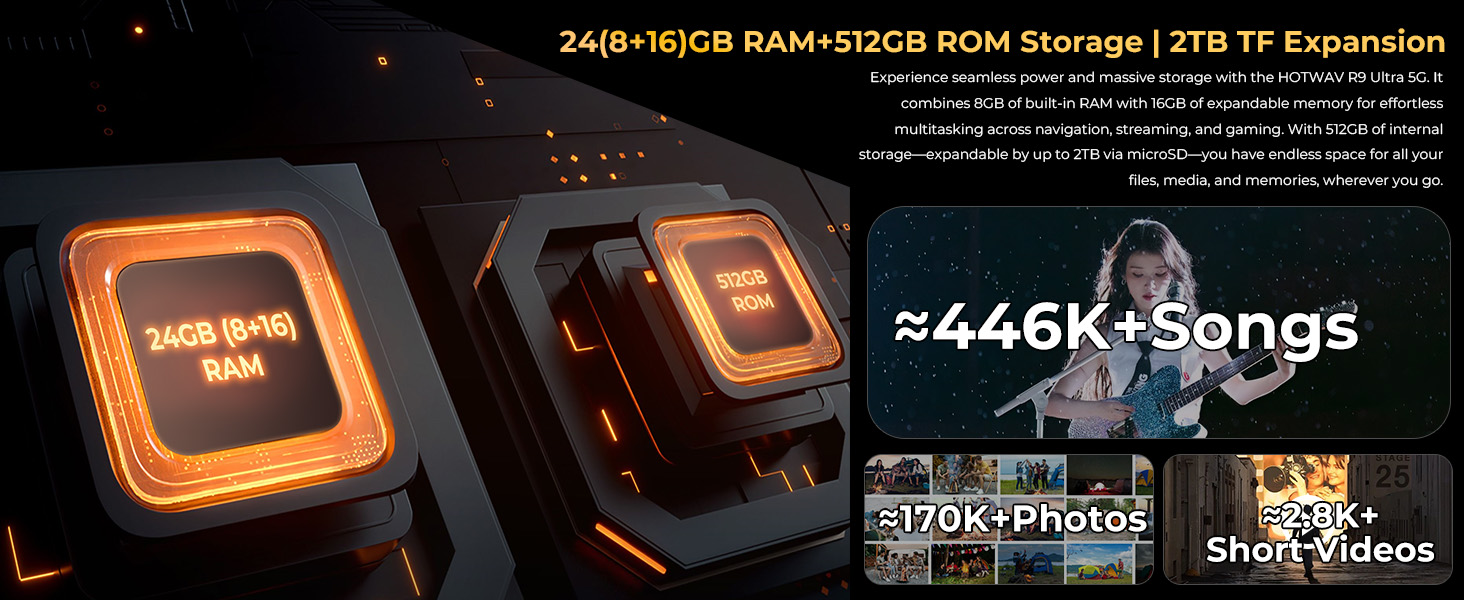
Image 5.5: The tablet's integrated camping light providing illumination.
૪.૨ ટકાઉપણું સુવિધાઓ
The HOTWAV R9 Ultra is built to withstand challenging conditions:
- IP68 & IP69K Rated: Fully dust-tight and protected against high-pressure, high-temperature water jets.
- MIL-STD-810H Certified: Meets military standards for shock and drop resistance.
- કોર્નિંગ ગોરિલા ગ્લાસ 3: Provides enhanced screen protection against scratches and impacts.

Image 5.6: The tablet's robust design, highlighting its resistance to drops, water, and dust.
6. જાળવણી
6.1 સફાઈ
To clean your tablet, use a soft, lint-free cloth. For stubborn dirt, slightly dampપાણીથી કપડાને સાફ કરો. કઠોર રસાયણો અથવા ઘર્ષક સામગ્રીનો ઉપયોગ કરવાનું ટાળો.
6.2 સોફ્ટવેર અપડેટ્સ
Regularly check for and install software updates to ensure your tablet has the latest features, security patches, and performance improvements. Navigate to સેટિંગ્સ > સિસ્ટમ > સિસ્ટમ અપડેટ ઉપલબ્ધ અપડેટ્સ તપાસવા માટે.
6.3 સ્ટોરેજ મેનેજમેન્ટ
સમયાંતરે પુview your tablet's storage. Delete unnecessary files, uninstall unused apps, and transfer large media files to external storage or cloud services to maintain optimal performance. The tablet supports up to 2TB of expandable storage via MicroSD.
7. મુશ્કેલીનિવારણ
જો તમને તમારા ટેબ્લેટમાં સમસ્યાઓ આવે, તો નીચેના સામાન્ય ઉકેલોનો સંદર્ભ લો:
- ટેબ્લેટ ચાલુ નથી થઈ રહ્યું: ખાતરી કરો કે બેટરી ચાર્જ થઈ ગઈ છે. ટેબ્લેટને તેના ચાર્જર સાથે કનેક્ટ કરો અને તેને ફરીથી ચાલુ કરવાનો પ્રયાસ કરતા પહેલા થોડીવાર રાહ જુઓ.
- ધીમી કામગીરી: Close unused applications, clear cache, or restart the tablet. Check for available software updates.
- Connectivity issues (Wi-Fi/5G): Toggle Wi-Fi or mobile data off and on. Restart your router for Wi-Fi issues. Verify SIM card installation and carrier compatibility for 5G issues.
- સ્ક્રીન પ્રતિભાવવિહીન: પાવર બટનને લગભગ 10-15 સેકન્ડ માટે પકડી રાખીને ફરજિયાત પુનઃપ્રારંભ કરો.
- ક્રેશ થતી એપ્લિકેશનો: એપ્લિકેશનનો કેશ અને ડેટા સાફ કરો સેટિંગ્સ > એપ્લિકેશનો, અથવા એપ્લિકેશન ફરીથી ઇન્સ્ટોલ કરો.
સતત સમસ્યાઓ માટે, ગ્રાહક સપોર્ટનો સંપર્ક કરો.
8. સ્પષ્ટીકરણો
| લક્ષણ | સ્પષ્ટીકરણ |
|---|---|
| બ્રાન્ડ | હોટવાવ |
| મોડેલનું નામ | R9 અલ્ટ્રા |
| ઓપરેટિંગ સિસ્ટમ | એન્ડ્રોઇડ 15 |
| સ્ક્રીન માપ | 11 ઇંચ |
| સ્ક્રીન રીઝોલ્યુશન | 1200 x 1920 Pixels (2K FHD+) |
| પ્રોસેસર બ્રાન્ડ | યુનિસોક |
| ગ્રાફિક્સ કોપ્રોસેસર | માલી-G57 MC2 |
| રેમ | ૧૬ જીબી (૮ જીબી ફિઝિકલ + ૮ જીબી વર્ચ્યુઅલ) |
| આંતરિક સંગ્રહ | 512GB |
| એક્સપાન્ડેબલ સ્ટોરેજ | માઇક્રોએસડી દ્વારા 2TB સુધી |
| પાછળ Webકેમ રિઝોલ્યુશન | 64 MP (Main) + 20 MP (Nightvision) |
| આગળ Webકેમ રિઝોલ્યુશન | 16 MP |
| બેટરી ક્ષમતા | 20080mAh |
| ચાર્જિંગ | 20W Fast Charging, OTG Reverse Charging |
| ટકાઉપણું રેટિંગ્સ | IP68, IP69K, MIL-STD-810H |
| કનેક્ટિવિટી | 5G, Wi-Fi 5, Bluetooth 5.0, GPS (Beidou, Galileo, Glonass) |
| વસ્તુનું વજન | 2.64 પાઉન્ડ |
| ઉત્પાદન પરિમાણો | 10.6 x 7.1 x 0.7 ઇંચ |
9. વોરંટી અને સપોર્ટ
9.1 વોરંટી માહિતી
The HOTWAV R9 Ultra comes with a comprehensive 2-year hardware warranty. This warranty covers manufacturing defects and ensures the reliability of your device. Please retain your proof of purchase for warranty claims.
9.2 ગ્રાહક સપોર્ટ
For technical assistance, troubleshooting, or warranty inquiries, please contact HOTWAV customer support. Support options typically include:
- 24/7 ઓનલાઈન સપોર્ટ
- આજીવન ટેકનિકલ સપોર્ટ
Refer to the official HOTWAV webચોક્કસ સંપર્ક વિગતો માટે સાઇટ અથવા તમારા ખરીદી દસ્તાવેજો.

Image 9.1: Representation of HOTWAV's customer support services.


