1. પરિચય
Welcome to your new Xiaomi 32-inch G QLED Smart TV. This manual provides essential information for setting up, operating, and maintaining your television. Please read it thoroughly before use and retain it for future reference.
સલામતી માહિતી
- ટીવીની આસપાસ યોગ્ય વેન્ટિલેશનની ખાતરી કરો.
- ટીવીને વરસાદ અથવા ભેજ માટે ખુલ્લા ન કરો.
- Avoid placing the TV near heat sources or in direct sunlight.
- ટીવી સાથે આપેલા પાવર કોર્ડનો જ ઉપયોગ કરો.
- તમામ સેવાનો સંદર્ભ લાયક સેવા કર્મચારીઓને આપો.

આકૃતિ 1.1: ફ્રન્ટ view of the Xiaomi 32-inch G QLED Smart TV.
2. બોક્સમાં શું છે
ખાતરી કરો કે બધા ઘટકો પેકેજિંગમાં હાજર છે:
- 1 x Xiaomi 32-inch G QLED Smart TV
- 1 x રીમોટ કંટ્રોલ
- ૧ x વપરાશકર્તા માર્ગદર્શિકા (આ દસ્તાવેજ)
- 2 x TV Stands
- ટીવી સ્ટેન્ડ્સ માટે 4 એક્સ સ્ક્રુઝ
- 2 x AAA બેટરી (રિમોટ કંટ્રોલ માટે)
- 1 x પાવર કોર્ડ

Figure 2.1: Illustration of included items in the product packaging.
3. સેટઅપ
૪.૧ ટીવી સ્ટેન્ડ જોડવા
- સ્ક્રીનને નુકસાન ન થાય તે માટે ટીવીને નરમ, સપાટ સપાટી પર કાળજીપૂર્વક નીચે રાખો.
- દરેક સ્ટેન્ડને ટીવીના તળિયે અનુરૂપ સ્ક્રુ છિદ્રો સાથે સંરેખિત કરો.
- Secure each stand using the provided screws.
- ટીવીને સીધો ઉપાડો અને તેને સ્થિર, સમતલ સપાટી પર મૂકો.
૩.૩ વોલ માઉન્ટિંગ (વૈકલ્પિક)
If you choose to wall mount your TV, ensure you use a compatible VESA mount (not included) and follow the instructions provided with the wall mount kit. Professional installation is recommended.
3.3 કનેક્ટિંગ પેરિફેરલ્સ
Refer to the port diagram below for connecting external devices.
આકૃતિ 3.1: પાછળ view of the TV showing various input/output ports.
- HDMI પોર્ટ્સ (x2): Connect Blu-ray players, gaming consoles, set-top boxes.
- USB પોર્ટ (x2): મીડિયા પ્લેબેક માટે USB સ્ટોરેજ ડિવાઇસ કનેક્ટ કરો.
- Network (Ethernet): Connect to your home network via a wired connection.
- એન્ટેના ઇનપુટ: ઓવર-ધ-એર બ્રોડકાસ્ટ માટે એન્ટેના કનેક્ટ કરો.
- AV ઇનપુટ: સંયુક્ત વિડિઓ અને સ્ટીરિયો ઑડિઓ કેબલનો ઉપયોગ કરીને જૂના ઉપકરણોને કનેક્ટ કરો.
- 3.5mm ઓડિયો જેક: બાહ્ય હેડફોન અથવા સ્પીકર્સ કનેક્ટ કરો.
3.4 પાવર કનેક્શન
પાવર કોર્ડને ટીવીના પાવર ઇનપુટ સાથે અને પછી દિવાલના આઉટલેટ સાથે જોડો. ટીવી સ્ટેન્ડબાય મોડમાં પ્રવેશ કરશે.
4. તમારા ટીવીનું સંચાલન
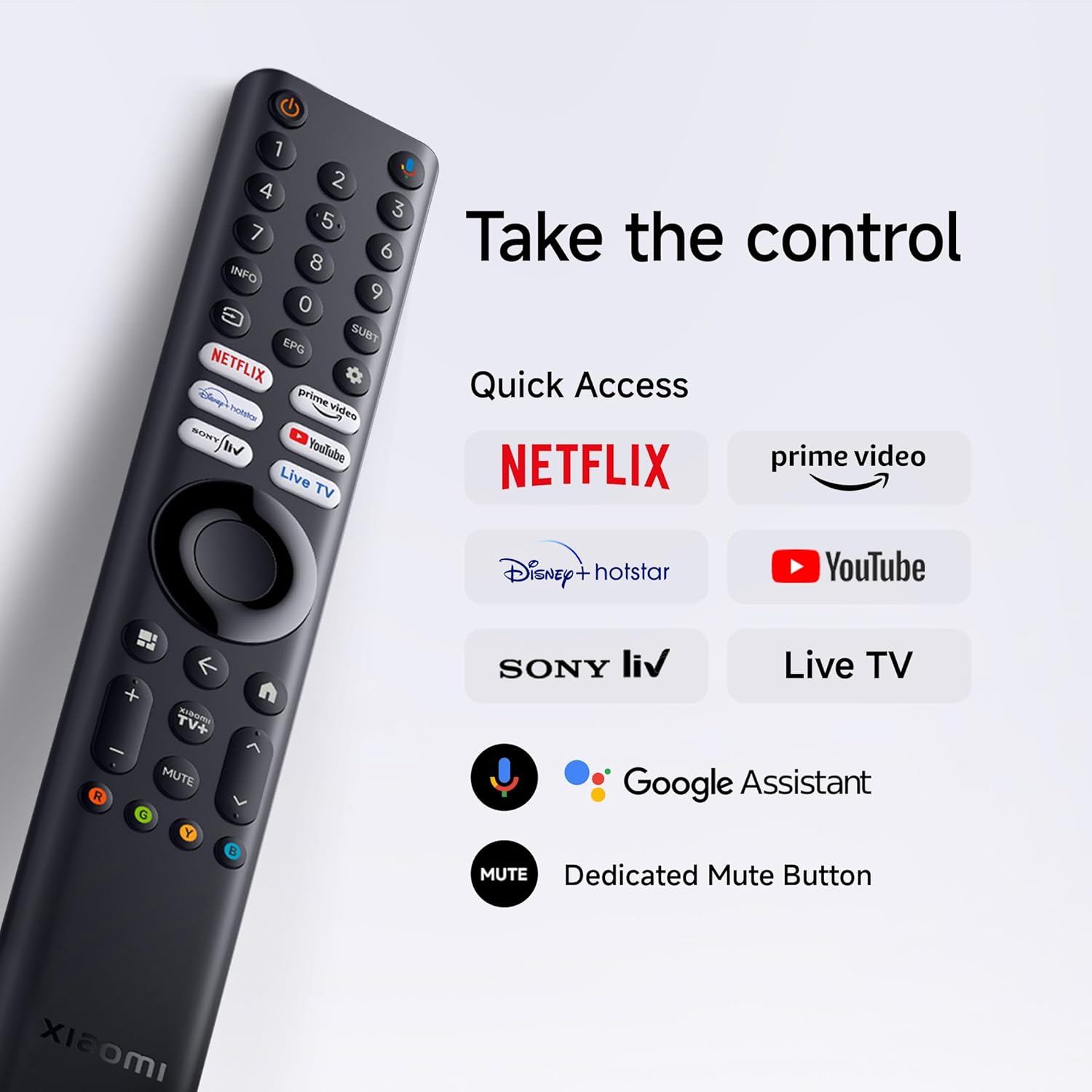
4.1 રીમોટ કંટ્રોલ
Insert the two AAA batteries into the remote control, observing polarity. The remote allows navigation, volume control, channel selection, and quick access to streaming services and Google Assistant.
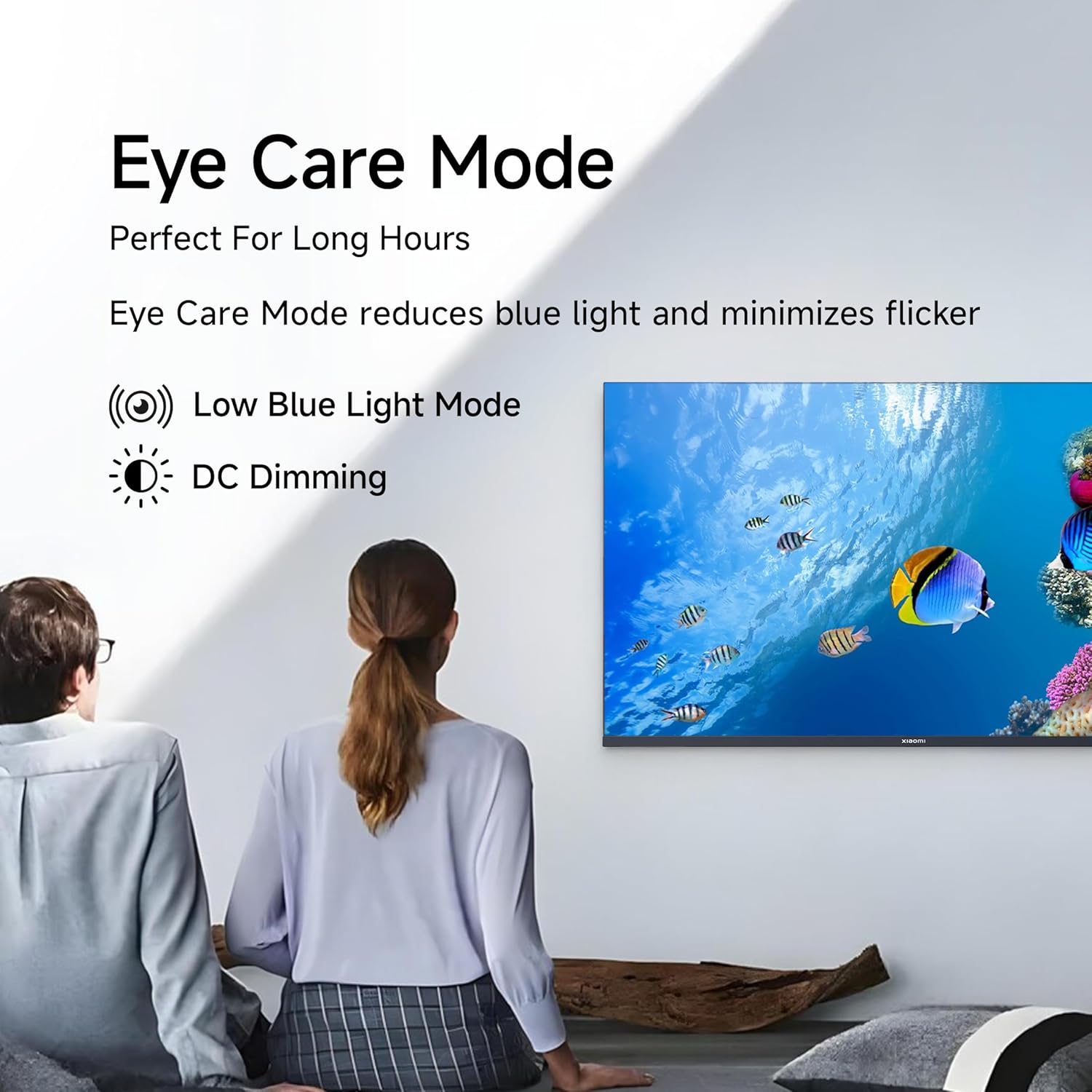
Figure 4.1: Xiaomi Smart TV remote control layout.
- પાવર બટન: ટીવી ચાલુ/બંધ કરે છે અથવા સ્ટેન્ડબાય મોડમાં રાખે છે.
- નેવિગેશન પેડ: મેનુ નેવિગેશન માટે.
- ઓકે બટન: પસંદગીની પુષ્ટિ કરે છે.
- પાછળનું બટન: પાછલી સ્ક્રીન પર પાછા ફરે છે.
- હોમ બટન: Google TV હોમ સ્ક્રીન ઍક્સેસ કરે છે.
- વોલ્યુમ +/-: વોલ્યુમ ગોઠવે છે.
- બટન મ્યૂટ કરો: ઑડિયો મ્યૂટ/અનમ્યૂટ કરે છે.
- ગૂગલ આસિસ્ટન્ટ બટન: વૉઇસ નિયંત્રણ સક્રિય કરે છે.
- ઝડપી ઍક્સેસ બટનો: Dedicated buttons for Netflix, Prime Video, YouTube, and other streaming services.
૪.૨ સ્માર્ટ ટીવી સુવિધાઓ (ગુગલ ટીવી)
Your TV runs on Android 14 OS with Google TV, offering a personalized entertainment experience.

આકૃતિ 4.2: ઓવરview of Google TV features.
- કન્ટેન્ટ ફર્સ્ટ UI: Prioritizes content discovery.
- અંગત પ્રોfiles: વ્યક્તિગત પ્રો બનાવોfileઅનુરૂપ ભલામણો માટે.
- Google સહાયક: Use voice commands for search, control, and information.
- Chromecast બિલ્ટ-ઇન: Cast content from compatible mobile devices.
- વોચલિસ્ટ: Keep track of movies and shows you want to watch.
- એમ્બિયન્ટ મોડ: Display photos or useful information when the TV is idle.
- કિડ્સ પ્રોfile: Curated content and parental controls for children.
- ભલામણો: Personalized suggestions based on your viewઆદતો.
4.3 Supported Applications
The TV comes with pre-installed applications and supports downloads from the Google Play Store. Popular supported apps include Netflix, Prime Video, YouTube, JioCinema, JioHotstar, SonyLiv, and Zee5.

આકૃતિ 4.3: ઉદાamples of supported streaming applications.
5. ડિસ્પ્લે ફીચર્સ
Experience enhanced visuals with the following display technologies:
- QLED ડિસ્પ્લે: Quantum Dot technology delivers vivid, vibrant, and sharp picture quality.
- HD Ready (1366 x 768) Resolution: Provides clear and detailed images.
- HDR 10 & HLG Support: Enhances contrast and color accuracy for compatible content.
- Vivid Picture Engine 2: Proprietary technology that fine-tunes every frame for improved clarity and realism.
- Wide Colour Gamut: Offers a broad spectrum of colors (up to 16.7 million) for rich and vivid visuals.
- આંખ કમ્ફર્ટ મોડ: Reduces blue light and minimizes flicker for comfortable long-term viewing
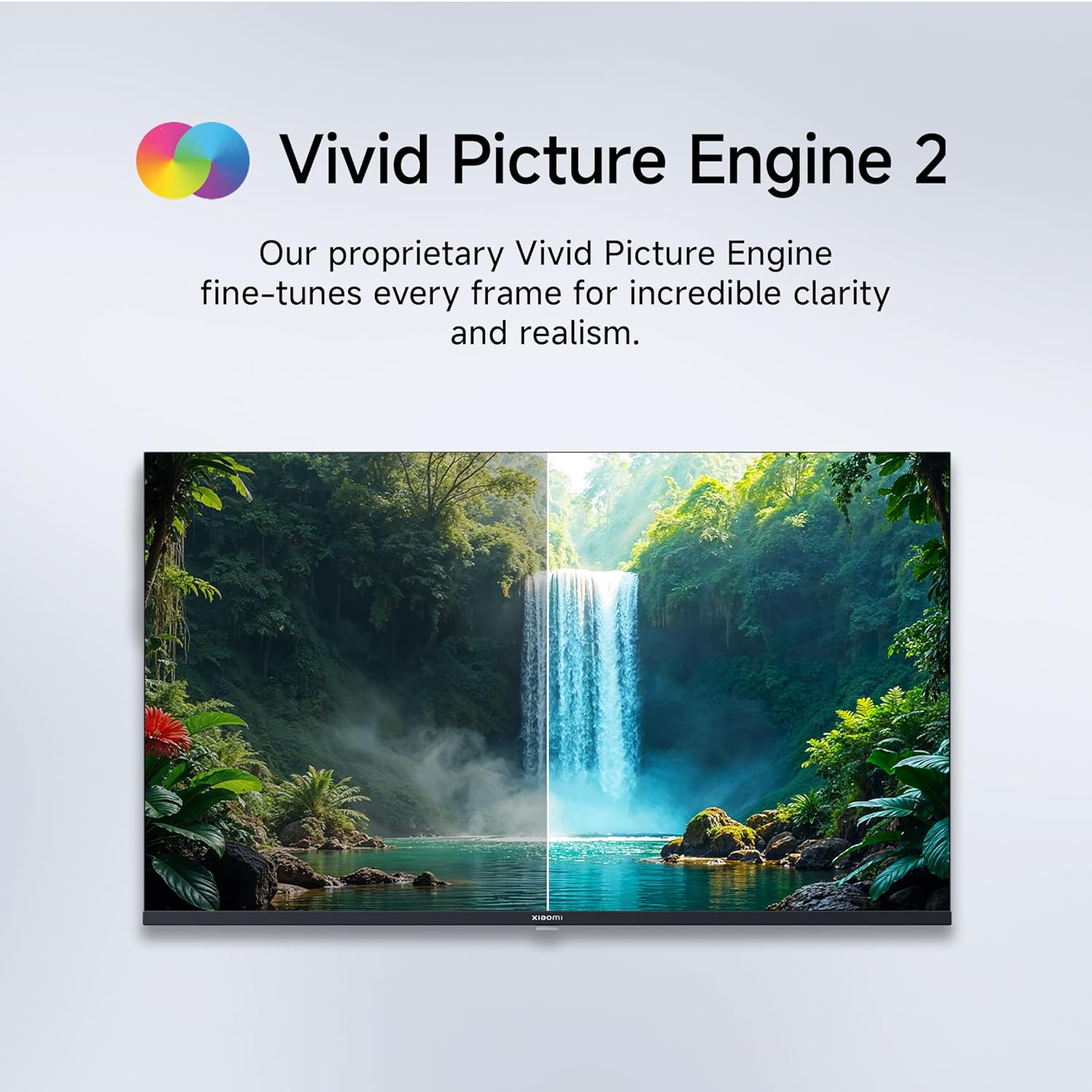
Figure 5.1: Quantum Clarity for exceptional contrast and color.
Figure 5.2: Vivid Picture Engine 2 for enhanced realism.
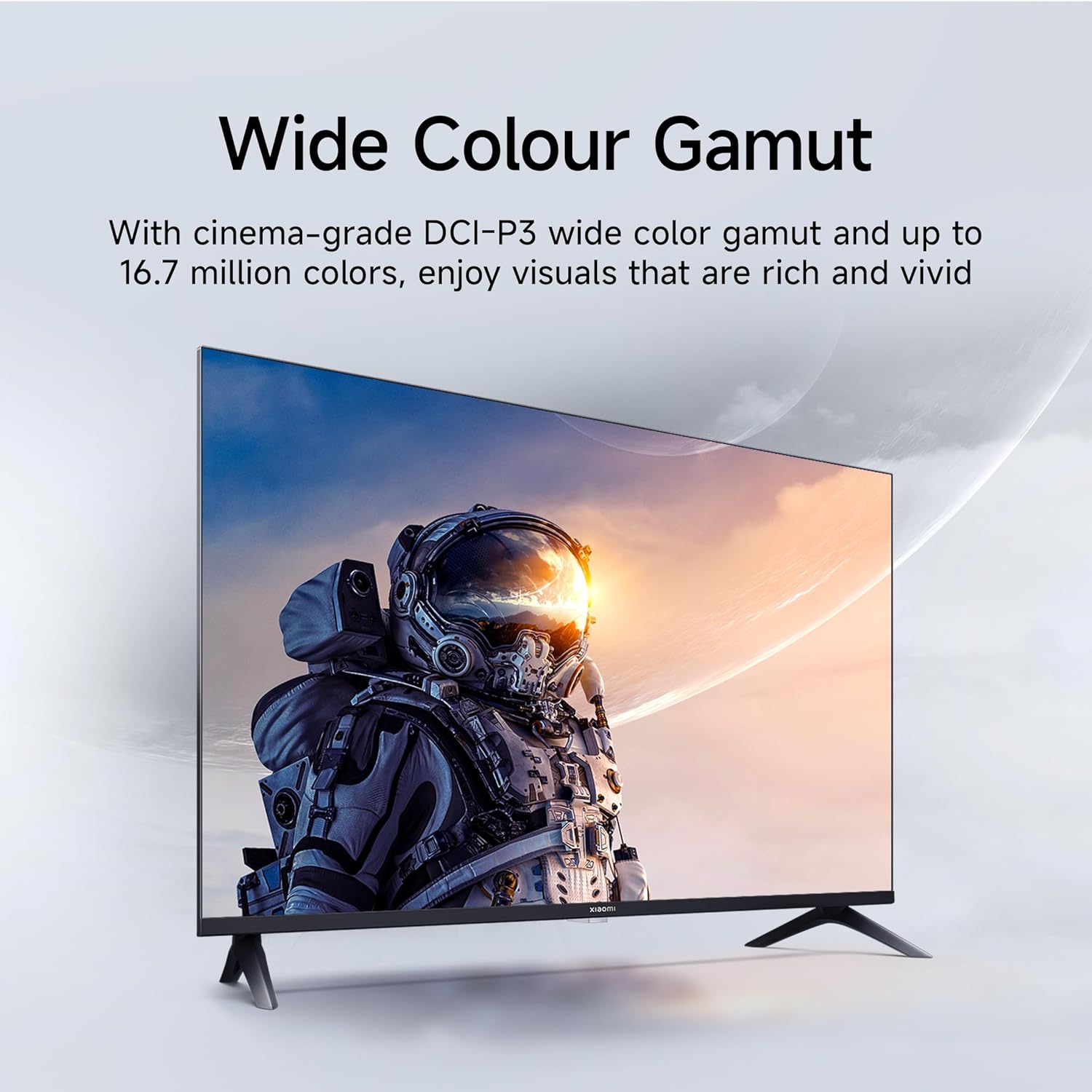
Figure 5.3: Eye Care Mode for reduced eye strain.
૫.૩. ઓડિયો સુવિધાઓ
Your TV is equipped with advanced audio technologies for an immersive sound experience:
- ૩૦ વોટ્સ આઉટપુટ: Powerful stereo speakers deliver clear and dynamic sound.
- ડોલ્બી ઓડિયો: Provides rich, clear, and powerful sound for movies, shows, and games.
- DTS-X અને DTS વર્ચ્યુઅલ:X: Creates a multi-dimensional audio experience, simulating surround sound without additional speakers.
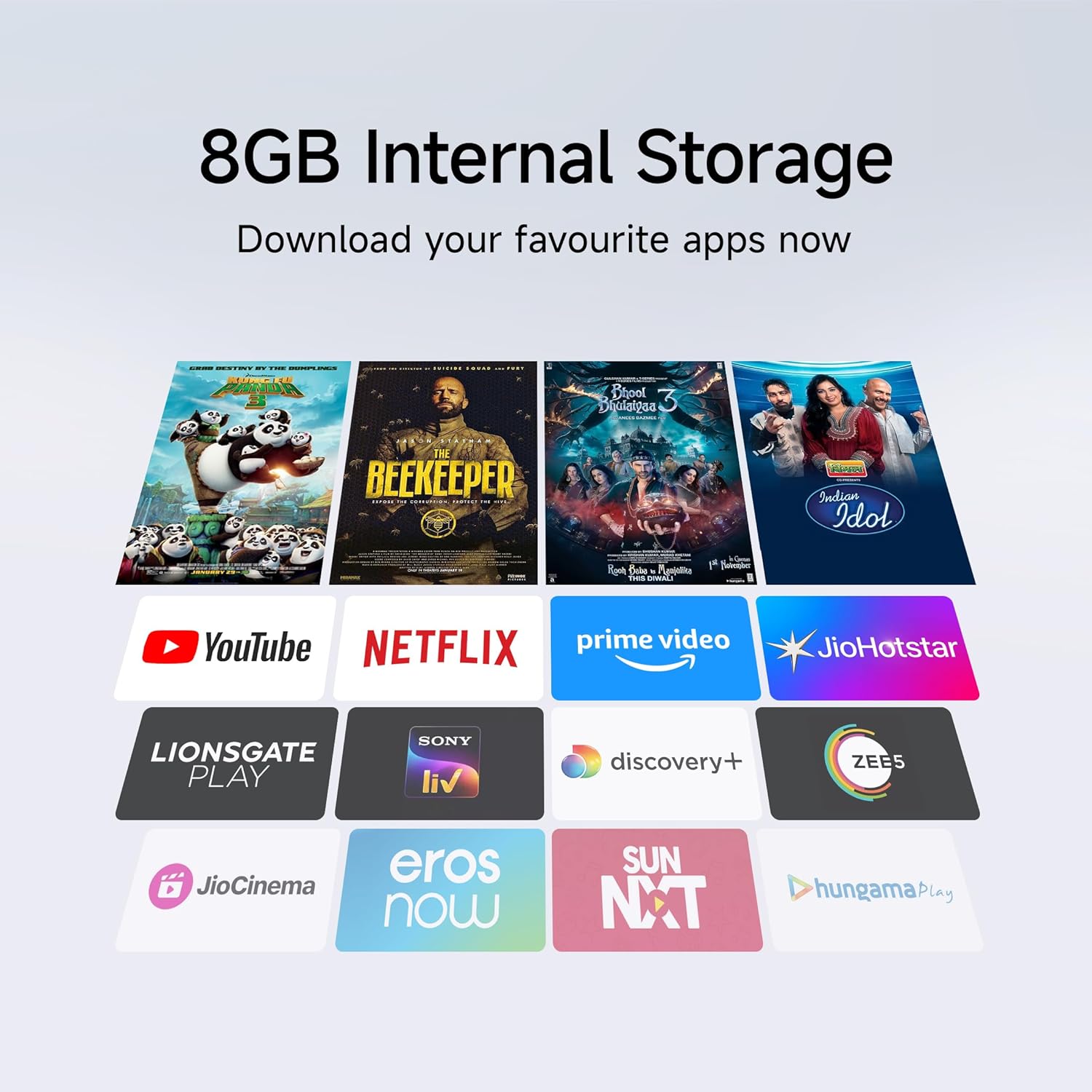
Figure 6.1: Enhanced audio experience with 20W speakers and Dolby/DTS technologies.
7. કનેક્ટિવિટી
The TV offers various options for connecting to networks and other devices:
- ડ્યુઅલ બેન્ડ વાઇ-ફાઇ: Connect wirelessly to your home network (2.4GHz and 5GHz).
- ઈથરનેટ: સ્થિર વાયર્ડ ઇન્ટરનેટ કનેક્શન માટે.
- બ્લૂટૂથ: Connect wireless headphones, speakers, or other Bluetooth-enabled accessories.
- HDMI (x2) with ARC: Audio Return Channel (ARC) allows audio to be sent from the TV to a compatible sound system via a single HDMI cable.
- USB (x2): For connecting external storage.
8. જાળવણી
૪.૧ ટીવી સાફ કરવું
- સફાઈ કરતા પહેલા હંમેશા ટીવીને અનપ્લગ કરો.
- સ્ક્રીન અને કેબિનેટ સાફ કરવા માટે નરમ, સૂકા, લિન્ટ-ફ્રી કાપડનો ઉપયોગ કરો.
- હઠીલા ગુણ માટે, થોડું ડીampપાણી અથવા વિશિષ્ટ સ્ક્રીન ક્લીનરથી કપડાને ધોઈ નાખો (કઠોર રસાયણો ટાળો).
- Do not spray liquid directly onto the TV.
.8.2.૧ સામાન્ય કાળજી
- ટીવી પર ભારે વસ્તુઓ મૂકવાનું ટાળો.
- Protect the TV from extreme temperatures and humidity.
- If moving the TV, ensure it is properly supported and handled to prevent damage.
9. મુશ્કેલીનિવારણ
Before contacting customer support, try these common solutions:
| સમસ્યા | સંભવિત કારણ | ઉકેલ |
|---|---|---|
| કોઈ શક્તિ નથી | પાવર કોર્ડ ડિસ્કનેક્ટ થયો; પાવર આઉટલેટમાં સમસ્યા | પાવર કોર્ડ કનેક્શન તપાસો; બીજા ઉપકરણ સાથે આઉટલેટનું પરીક્ષણ કરો. |
| કોઈ ચિત્ર નથી, પણ અવાજ છે. | Incorrect input source; Loose HDMI/AV cable | Press the "Input" button on the remote to select the correct source; Reconnect cables securely. |
| અવાજ નથી, પણ ચિત્ર હાજર છે. | વૉલ્યૂમ મ્યૂટ અથવા ખૂબ ઓછું; બાહ્ય ઑડિઓ ડિવાઇસમાં સમસ્યા | Unmute or increase volume; Check connections to external audio systems. |
| રીમોટ કંટ્રોલ કામ કરતું નથી | બેટરીઓ બંધ; રિમોટ અને ટીવી વચ્ચે અવરોધ | બેટરી બદલો; કોઈપણ અવરોધો દૂર કરો. |
| Wi-Fi થી કનેક્ટ કરી શકાતું નથી | ખોટો પાસવર્ડ; રાઉટરમાં સમસ્યા; ટીવી રાઉટરથી ખૂબ દૂર છે | Verify Wi-Fi password; Restart router; Move TV closer or use Ethernet. |
10. સ્પષ્ટીકરણો
| લક્ષણ | વિગત |
|---|---|
| બ્રાન્ડ | XIAOMI |
| મોડલ | L32MB-APIN |
| સ્ક્રીન માપ | 32 ઇંચ (80 સે.મી.) |
| ડિસ્પ્લે ટેકનોલોજી | QLED |
| ઠરાવ | HD રેડી (૧૩૬૬ x ૭૬૮ પિક્સેલ્સ) |
| તાજું દર | 60 હર્ટ્ઝ |
| ઓપરેટિંગ સિસ્ટમ | Android 14 OS, Google TV |
| રેમ મેમરી | 1 જીબી |
| આંતરિક સંગ્રહ | 8 જીબી |
| પ્રોસેસર | A53 Quad Core Processor |
| ઓડિયો આઉટપુટ | 20 વોટ્સ |
| ઓડિયો ટેક્નોલોજીસ | ડોલ્બી ઓડિયો, ડીટીએસ-એક્સ, ડીટીએસ વર્ચ્યુઅલ:એક્સ |
| કનેક્ટિવિટી | Dual Band Wi-Fi, Bluetooth, 2 x HDMI (ARC), 2 x USB, Ethernet, 3.5mm Audio, AV Input |
| Viewએન્ગલ | 178 ડિગ્રી |
| ઉત્પાદનના પરિમાણો (LxWxH) | ૧૯.૫૬ x ૫૬.૯ x ૪૨.૯૩ સેમી (સ્ટેન્ડ સાથે) |
| વસ્તુનું વજન | 3.2 કિગ્રા |
| મોડલ વર્ષ | 2025 |

આકૃતિ 10.1: ઉત્પાદનના પરિમાણો અને વજન.

Figure 10.2: A53 Quad Core Processor for optimal performance.

Figure 10.3: Energy efficiency label.
11. વોરંટી અને સપોર્ટ
11.1 વોરંટી માહિતી
તમારા Xiaomi ટીવી સાથે આવે છે 1-વર્ષની વ્યાપક વોરંટી on the product and an પેનલ પર વધારાની 1 વર્ષની વોરંટી, provided by the brand from the date of purchase. Please retain your purchase receipt for warranty claims.
11.2 ગ્રાહક સપોર્ટ
For technical assistance, service requests, or warranty claims, please contact Xiaomi customer support. Refer to the official Xiaomi webસૌથી વર્તમાન સંપર્ક માહિતી માટે સાઇટ અથવા તમારા ખરીદી દસ્તાવેજો.


